
20 Best WhatsApp Automation Tools to Grow Your Business in 2026
Not long ago, email and phone calls were the sole acceptable forms of business communication. They carried most customer conversations.
But that has changed.
Today, the standard for customer communication is instant messaging, and WhatsApp sits right at the center of that shift. For many businesses, WhatsApp has become the main place customers ask questions, compare prices, and decide who to buy from.
And when someone messages you there, they want an answer now, not tomorrow. That expectation is the whole reason WhatsApp automation exists, and it is why the tool you pick matters more than it looks like it should.
Customers message late at night, during weekends, and while your team is busy with other tasks. Automation steps in to reply instantly, qualify leads, send follow-ups, and keep conversations warm without burning out your staff.
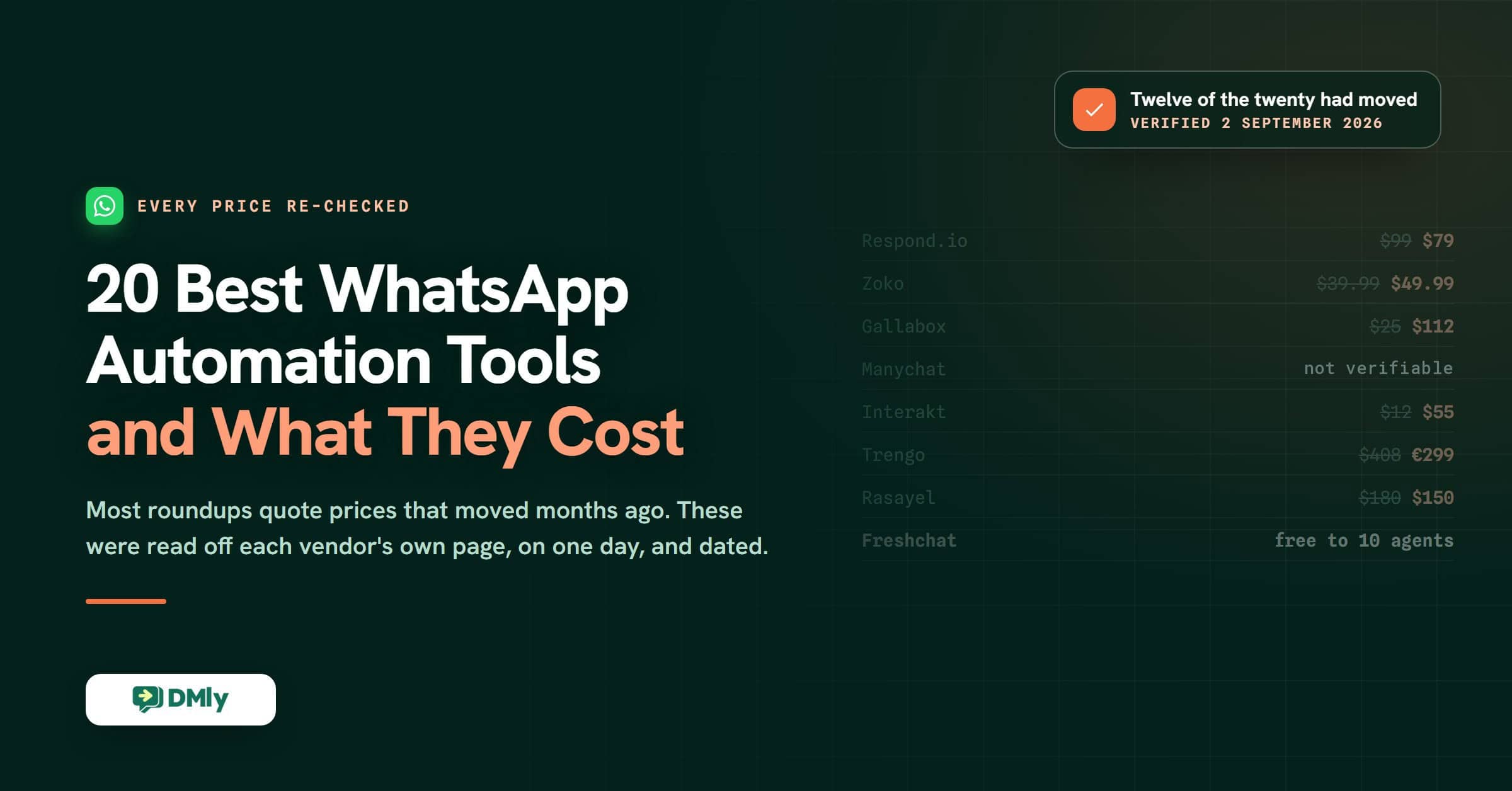
This guide goes through 20 WhatsApp automation tools, what each one is really for, and what it costs. Every price below was checked against the vendor’s own pricing page on 2 September 2026, because in this category prices move faster than the articles about them.
One thing has changed since that check, and it is why this page was updated again today. Number 14 on this list used to be Flowcart. Flowcart is trading normally, but it no longer publishes its plan prices: its pricing page is still live and every tier now reads “Get a Quote”. This list compares tools on published prices, so we took the entry out on 6 September 2026 and gave the place to SleekFlow, whose prices were read at source the same day, so this is still twenty tools. The full account is at the end of the list.
What Is WhatsApp Automation, and Why Do Businesses Need It?
WhatsApp automation is simply using tools to handle conversations on WhatsApp without needing a person to reply to every single message. It runs on the WhatsApp Business API rather than the free app on your phone, which is the difference that decides what any of these tools can do for you.
Instead of typing the same answers again and again, businesses set up rules, triggers, and bots to reply instantly, follow up automatically, and keep conversations moving.
For business owners, this isn’t about replacing people, but about saving time, responding faster, and making sure no customer gets ignored.
Here’s how it helps in real, practical ways.
Automated and Personalized Messages
Automation lets you send messages automatically when something happens. A new order. A missed appointment. A delivery on the way.
You can still personalize these messages with names, order details, or dates, so they don’t feel robotic. Customers get useful updates without waiting, and your business looks organized and responsive even outside working hours.
Instant Replies
Most businesses get the same questions every day. Delivery fees. Opening hours. Product availability.
With WhatsApp automation, these questions get answered instantly. Customers don’t sit around waiting, and your team doesn’t waste time typing the same replies all day. And as every business owner knows, faster replies usually mean happier customers and fewer lost leads.
Chatbots That Handle Conversations
Chatbots take automation a step further. They can guide customers through product options, share pricing, help track orders, or collect details before passing the chat to a human.
They can handle multiple conversations at the same time and still feel conversational. That means no queues, no missed messages, and no stress during busy periods.
CRM Integration for Better Customer Tracking
When WhatsApp connects with your CRM, every conversation becomes useful data. You can see past chats, track buying behavior, and understand what each customer cares about.
This helps businesses follow up properly, personalize future messages, and avoid treating loyal customers like strangers.
Alerts and Important Updates
Automation makes it easy to send updates without manual effort. Flash sales. New products. Schedule changes. Limited-time offers.
Customers stay informed, and businesses stay top of mind without sending messages one by one.
Smoother Order Management
WhatsApp automation can handle order confirmations, payment updates, delivery tracking, and even feedback requests.
This reduces mistakes, keeps customers informed at every step, and removes friction from the buying process. Everything flows better, from checkout to delivery.
A More Cost-Effective Way to Communicate
Compared to emails, ads, or phone support, WhatsApp automation is cheaper and more efficient. One system can handle thousands of conversations without hiring more staff.
It cuts manual work, reduces errors, and helps teams focus on tasks that actually drive revenue. Over time, that adds up to better productivity and stronger customer loyalty.
So, if you’re thinking of how your business can respond faster, work smarter, and sell more without burning out your team, then you should consider WhatsApp automation.
What These Prices Do Not Include, and What Changes on 1 October 2026
Every price in this article buys you software. Meta bills you separately for the messages, and on 1 October 2026 that bill gets bigger. This catches people out more than any feature gap, so it is worth two minutes before you compare a single plan.
WhatsApp lets you reply freely for 24 hours after a customer messages you. Meta calls that the customer service window. Once it closes, the only thing you can send is a template it has approved in advance, and templates are charged per message at a rate that depends on the country your customer is in and what the message is for. That is why two businesses on the same $65 plan can have wildly different WhatsApp bills.
Two things start being charged on 1 October 2026, not one. Meta’s own pricing documentation says it will charge, per message, for service messages, meaning the ordinary free-form replies you send inside that 24-hour window, and for utility templates sent in response to a customer inside an open window. Both are free today. Most coverage of the change mentions only the first. If you send booking confirmations, delivery updates or payment reminders, the second one is usually the larger number.
Two details worth knowing before you budget:
- Service messages have no volume discount. Meta keeps volume tiers for utility and authentication messages but does not offer them for service messages, so a long back-and-forth conversation costs the same per message at ten thousand a month as it does at ten. Chatty support gets more expensive in a straight line.
- The 72-hour free entry point window is unchanged. A conversation that starts from a click-to-WhatsApp ad or a Facebook page call-to-action button still gets its free window, which makes paid entry points comparatively more attractive after October than before.
None of this touches the free WhatsApp Business app on your phone. It applies to the WhatsApp Business API, which is what every tool on this list is built on. Meta said it would publish the per-market rates by 1 September 2026, so check them rather than any figure quoted second-hand. We keep a plain-English account of the change and what to do about it in our guide to the October 2026 WhatsApp pricing change and which messages start costing money, and current per-country rates in the WhatsApp API price list by country.
The practical version: when you compare the plans below, add an estimate of your message volume to each one. A cheap plan with a per-conversation markup can cost more than an expensive plan without one, and several tools on this list add their own fee on top of Meta’s.
What Is the Best WhatsApp Automation Tool? All 20, Side by Side
Entry price is the cheapest published plan, not the plan most businesses end up on, and none of these figures include Meta’s message charges. Every one was read off the vendor’s own pricing page on 2 September 2026, except SleekFlow, which was read on 6 September 2026 when it took the place Flowcart had held here.
| Tool | Entry price, checked 2 September 2026 (SleekFlow, 6 September) | What you are actually buying |
|---|---|---|
| DMly | $29 a month billed yearly (Starter); Growth $65, Premium $149 | Eight channels in one inbox, AI agents, broadcasts, bookings, invoices and reviews, with no markup on Meta’s message fees |
| Wati | $39 a month billed annually (Growth, three users, and no extra seats can be added) | A tidy WhatsApp team inbox with a no-code bot builder, best before you outgrow three seats |
| Twilio | Per message, no monthly plan | Building blocks for developers rather than a dashboard |
| Respond.io | $79 a month (Starter, five users) | Routing and multi-channel conversation management for large support teams, billed on the contacts you talk to |
| Zoko | $49.99 a month plus $0.015 per conversation | WhatsApp selling for Shopify stores, with the per-conversation charge as the thing to watch |
| Manychat | Published, but not verifiable by us | Instagram-first automation with WhatsApp as a secondary channel. Their pricing page is public and we cannot read it, so this page quotes no figure for it |
| Trengo | 299 euros a month billed yearly (Boost, ten users, 500 conversations a month) | Email, live chat and WhatsApp in one support desk, priced in euros |
| Rasayel | $30 per user a month with a five-user minimum, so $150 | B2B sales conversations wired into a CRM, with Salesforce on the higher tiers |
| Gupshup | $0.0010 per message, no monthly plan or minimum | Raw API at carrier scale, self-serve rather than sales-led |
| DelightChat | $29 a month (Startup) | Support tickets plus marketing for small ecommerce brands |
| Gallabox | $112 a month billed annually (Basic), with a hard cap of three users | Lead qualification and structured conversations, far pricier than it is usually reported to be |
| WhatChimp | $40 a month, or $24 billed yearly (Basic) | Broadcasting on a budget, WhatsApp only until the Pro tier |
| DoubleTick | $170 a month, $2,039 billed yearly (Starter); AI agents are a $90 add-on from Pro | Mobile-first WhatsApp selling with catalogues and bulk broadcasts, priced for a five-seat team |
| SleekFlow | $79 a month billed yearly (Pro), or $99 with unlimited AI | An official BSP priced on the contacts who actually reply to you, so a broadcast nobody answers costs nothing in contacts |
| SuperLemon | Free, then $19.99 a month (Brand) | A WhatsApp button and basic notifications on Shopify, with Meta’s fee folded into one per-message rate |
| Interakt | Free Starter, then $55 a month (Growth). The $12 tier is Instagram, not WhatsApp | CRM-shaped WhatsApp for tracking leads and deals, with unlimited agents on every tier |
| AiSensy | Modules, from 2,500 rupees a month for the chatbot builder | A cheap route onto the API, repriced into modules during 2026 |
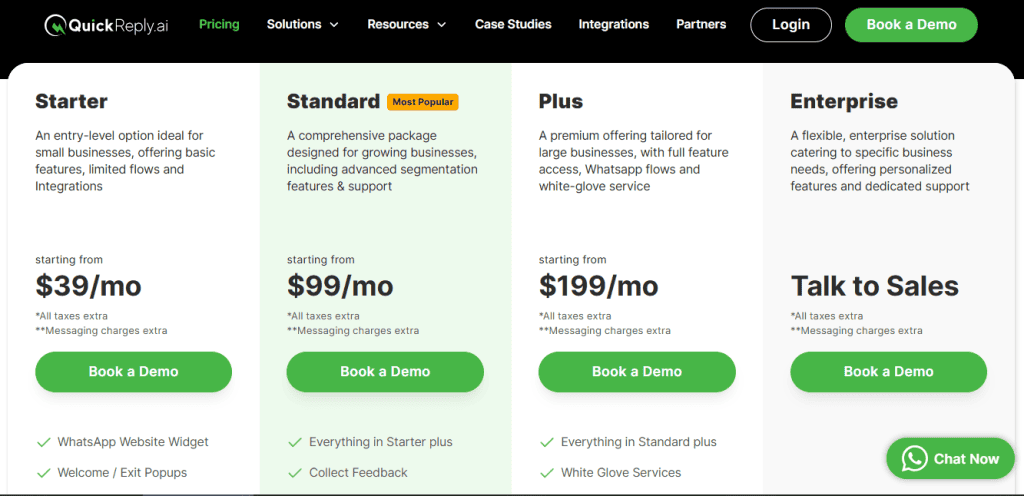
| QuickReply.ai | From $39, $99 and $199 a month (Starter, Standard, Plus), plus $10 per extra agent | Ecommerce notifications and cart recovery. One agent login on the entry plan |
| Freshchat | Free for up to ten agents, then $19 per agent a month billed annually | A support desk with WhatsApp attached, and the only genuinely free multi-agent tier here |
| Yellow.ai | Free tier of 500 sessions a month, then $0.99 per resolution; Enterprise on quote | Enterprise AI agents for regulated industries, priced per resolved conversation |
The 20 WhatsApp Messaging Automation Tools, Reviewed for 2026
1. DMly (Omnichannel WhatsApp Automation Platform)
DMly is the tool you reach for when WhatsApp is not just a support channel, but a revenue channel. From using it hands-on, what stands out immediately is how much ground it covers without feeling bloated. Everything feels intentional. Automation, broadcasts, AI agents, and team collaboration all sit under one clean system.
Where many tools stop at “reply faster,” DMly goes further. It helps businesses capture leads, qualify them, follow up automatically, and scale conversations across multiple channels, not just WhatsApp. That makes it a strong option for businesses that are serious about growth in 2026.
Key Features
- AI Agents Across Every Channel
DMly’s AI agents handle FAQs, product guidance, and lead qualification around the clock on WhatsApp, Facebook Messenger, Instagram, Telegram, SMS, TikTok and the website chat widget. When a conversation needs a person, it hands over without breaking the thread. - Unified Team Inbox
All conversations from every channel land in one shared inbox. You can assign chats, approve replies, and collaborate as a team without switching tools or losing context. - WhatsApp Broadcasts at Scale
Built on the official WhatsApp Business API, DMly lets you plan, schedule, retarget and monitor bulk campaigns without risking the account, which is the part businesses usually get wrong. Useful for promotions, announcements and follow-ups that actually get seen. - Powerful Automation Builder
Create advanced automation flows without writing code. Triggers, conditions, tags, and custom fields make it easy to build journeys that feel personal, not scripted. - Deep Integrations
Shopify and WooCommerce for orders, HubSpot and Mailchimp for contacts, Google Sheets and Google Calendar, Stripe, PayPal, Paystack and Razorpay for payments, plus Zapier, n8n, webhooks and a REST API for everything else. WhatsApp Flows and catalogues are supported on the WhatsApp channel itself. - Separate Workspaces per Brand
Run more than one business or brand from a single login, with contacts, channels and automations kept apart in each workspace.
Pros
- True omnichannel support, not just WhatsApp
- AI agents feel practical, not robotic
- Strong broadcast and retargeting capabilities
- Easy to collaborate with your team, plus comes with approval workflows
- Scales easily from small teams to large operations
- Built on the official WhatsApp Business API, fully compliant
Cons
- WhatsApp message fees are billed separately by Meta
- Advanced features may feel like overkill for very small businesses
Pricing
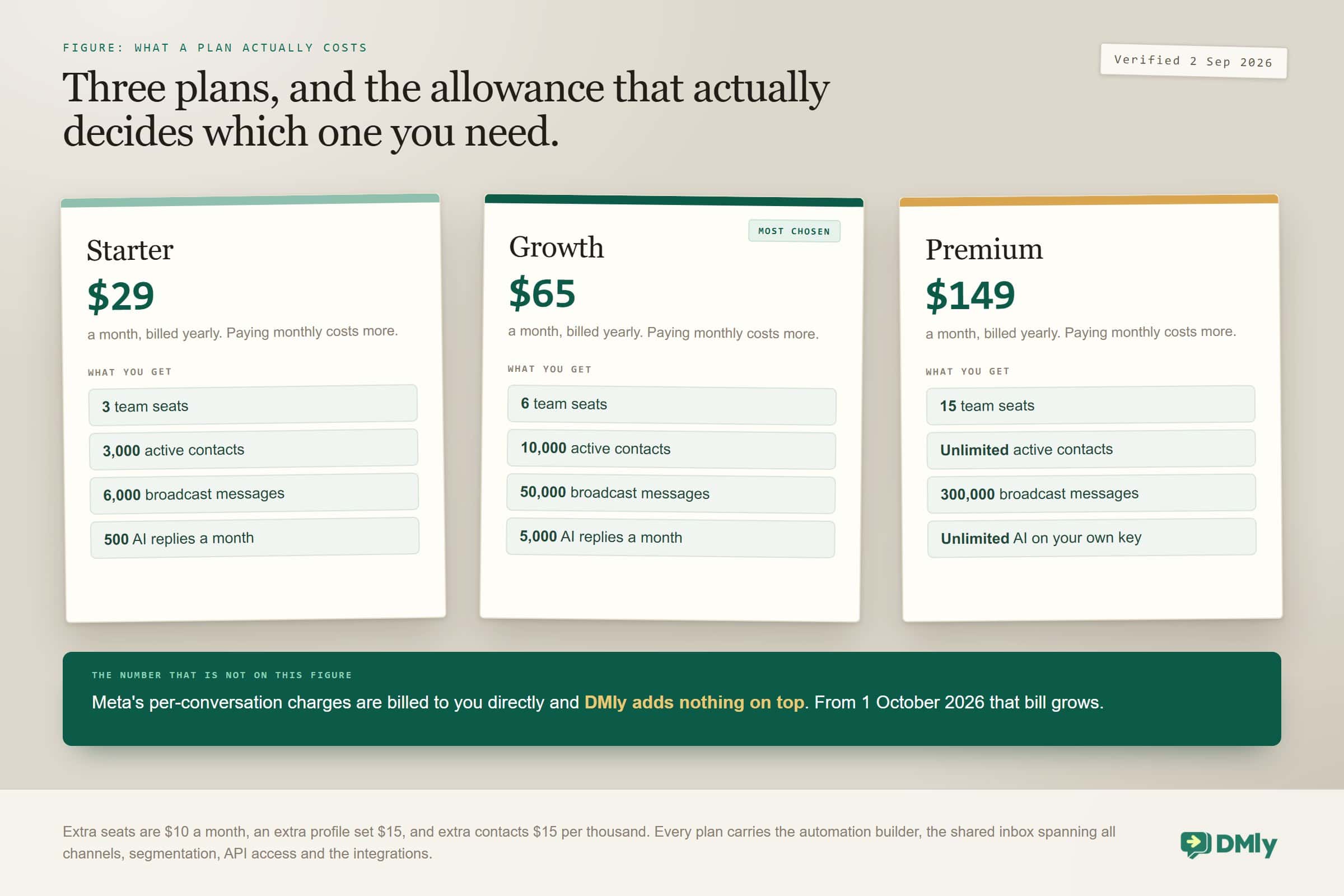
DMly’s pricing is built around growth rather than feature paywalls. These are the rates on 2 September 2026, and all three are the yearly-billed figures. Paying monthly costs more.
- Starter: $29 a month, billed yearly. Three team seats, 3,000 active contacts, 10,000 broadcast messages and 500 AI replies a month. Enough for a single-location business that answers its own chats.
- Growth: $65 a month, billed yearly. Six team seats, 10,000 active contacts, 50,000 broadcast messages, unlimited bots and 5,000 AI replies a month. This is the plan most growing businesses land on.
- Premium: $149 a month, billed yearly. Fifteen team seats, unlimited contacts, 300,000 broadcast messages and unlimited AI replies on your own provider key. Built for high volume and several brands at once.
Extra seats are $10 a month, an extra profile set is $15, and extra contacts are $15 per thousand. Every plan carries the automation builder, the shared inbox, segmentation, API access and the integrations above. WhatsApp conversation charges go straight to Meta at Meta’s own rates, with nothing added on top. See the section on message costs below, because that part of the bill is about to change.
Best for: Businesses that want to turn WhatsApp into a sales and support channel that pays for itself, while also handling Facebook Messenger, Instagram, Telegram, SMS, TikTok, the website widget and Google Business Profile reviews from a single inbox that spans every channel.
2. Wati (WhatsApp Team Inbox)
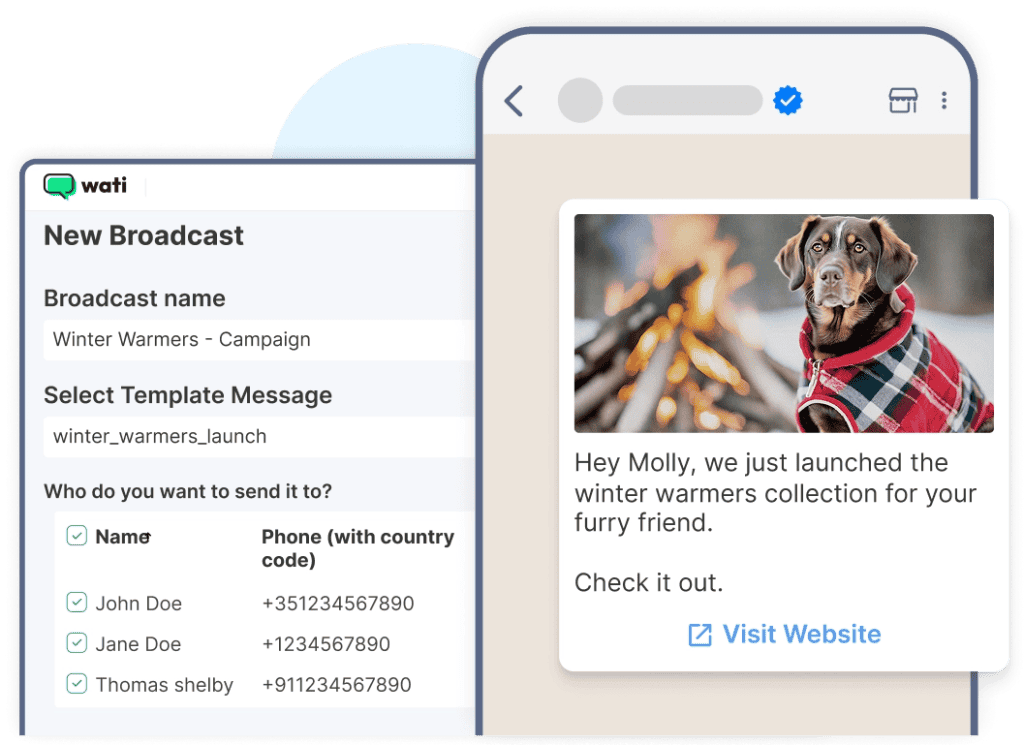
Wati is one of those tools you understand within minutes of using it. It’s built around a simple idea: put all your WhatsApp conversations into one shared inbox so your team can reply faster, stay organized, and stop stepping on each other’s toes.
From our experience, Wati works best for small and mid-sized teams that want structure without complexity. It’s easy to set up, doesn’t require technical skills, and gives you just enough automation to handle daily customer conversations without overwhelming you.
Key Features
- Shared Team Inbox
Every WhatsApp message lands in one place. Multiple agents can reply in real time without losing context or duplicating responses. - Automation & Chatbots
Set up automated replies and simple chatbot flows for FAQs, lead capture, and appointment bookings. The drag-and-drop builder makes this easy, even for non-technical teams. - Chat Management Tools
Assign chats, add tags, and track conversation status so nothing slips through the cracks during busy hours. - CRM Integrations
Connect with tools like Zoho and Google Sheets to keep customer data synced and conversations more personalized. - Analytics & Reporting
Basic reporting helps you see response times, conversation volumes, and agent performance.
Pros
- No-code chatbot builder that’s easy to learn
- Automates common sales and support questions well
- AI agent can answer questions using your website or uploaded PDFs
- Useful CRM and Google Sheets integrations
- Quick setup with a low learning curve
- Affordable starting price for small teams
Cons
- AI features feel limited compared to newer platforms
- Reporting tools lack depth
- Mostly limited to WhatsApp and Instagram
- AI agent and chatbot builder work separately, which adds setup complexity
- Can lag during high message volumes
Pricing
Wati’s pricing is friendly for small teams, but the seat rules matter more than the headline. Checked on 2 September 2026.
- Growth: $39 a month, billed annually. One channel, three users, and Wati does not let you add a fourth. That seat cap is the thing to check before you commit, because outgrowing it means jumping a whole plan rather than buying a seat. Includes 15,000 broadcasts a month and 1,000 free automation triggers.
- Pro: $79 a month, billed annually. Five users, unlimited broadcasts, 2,000 automation triggers and five integrations including HubSpot.
- Business: $199 a month, billed annually. Also five users, 5,000 triggers, unlimited integrations including Salesforce, and multiple WhatsApp numbers.
- Extra users are $24 a month each on Pro and $59 a month each on Business, and there are none to be had on Growth. These are the annual-billing rates Wati shows by default; paying monthly costs up to about 25 per cent more.
Message charges are extra on every plan, and integrations such as Shopify often are too, so the plan price is the floor rather than the bill. If you are weighing Wati specifically, we go through it in more depth in our roundup of Wati alternatives and what each one costs.
Best for: Small to medium businesses that want a clean WhatsApp inbox with basic automation and team collaboration, without diving into complex multi-channel setups.
3. Twilio WhatsApp API

Twilio takes a very different approach to WhatsApp automation. This is not a ready-made dashboard you log into and start sending messages from. Instead, it gives you the building blocks to create your own WhatsApp messaging system inside your apps, CRMs, or internal tools.
From experience, Twilio shines when a business wants full control. You decide how messages flow, how automation works, and how WhatsApp fits into your wider tech stack. It removes the infrastructure and compliance headaches, but everything else is up to you.
Key Features
- Simple WhatsApp API Onboarding
Twilio handles Facebook Business verification and WhatsApp API setup, which saves a lot of back-and-forth during onboarding. - Developer-Friendly Tools
SDKs, APIs, and documentation are available across multiple programming languages, making it easier for developers to build exactly what they need. - Sandbox Environment for Testing
Test workflows, automation logic, and message formats in a sandbox before going live with real customers. - Built for Scale
Twilio’s cloud infrastructure handles high message volumes with auto-scaling, which is important for fast-growing or global businesses. - Two-Way, Event-Driven Messaging
Webhooks enable real-time responses based on customer actions, making advanced automation possible.
Pros
- Complete freedom to customize workflows
- Enterprise-level reliability and uptime
- Global infrastructure built for scale
- Ideal for custom, complex use cases
Cons
- Requires developers or technical resources
- No built-in marketing or campaign tools
- Pricing can be hard to predict
- Not a plug-and-play solution
Pricing
Twilio charges per message, with its own fee on top of Meta’s. There is no plan to subscribe to and no seat count. What you pay is Meta’s rate for the message category and the destination country, plus Twilio’s platform fee for carrying it, with volume discounts at higher usage.
No flat monthly plan suits a business whose volume swings, and punishes one that needs a number to budget against. If your volumes are steady, work out the monthly figure before you commit using our WhatsApp conversation cost calculator and the country-by-country rate table.
Best for: Developer-led teams and enterprises that want to build fully custom WhatsApp automation workflows and integrate messaging deeply into their own systems.
4. Respond.io (Omnichannel Conversation Management)
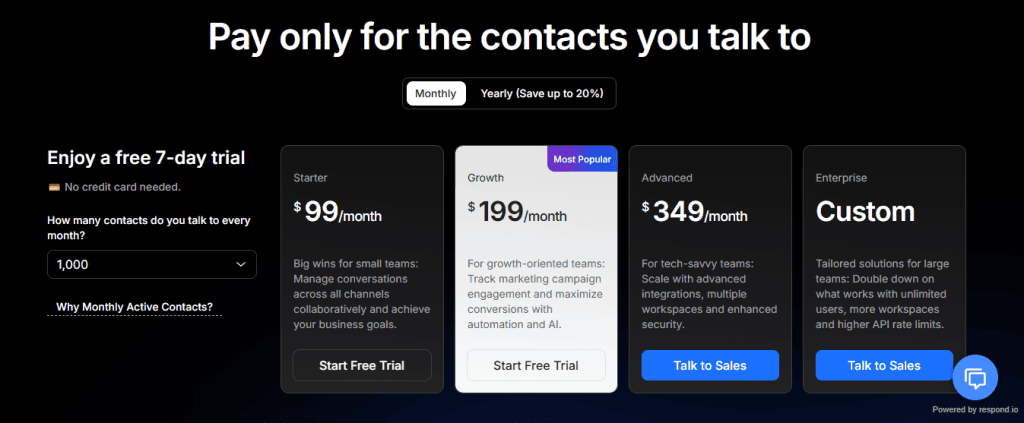
Respond.io is built for teams that live inside customer conversations all day. It pulls WhatsApp, Instagram, Messenger, Telegram, and even email into one unified inbox and gives large support teams the tools they need to stay organized at scale.
From hands-on use, Respond.io feels more like a conversation operations platform than a marketing tool. It’s excellent when your main goal is handling high volumes of support chats with proper routing, escalation, and accountability. For WhatsApp sales or commerce-driven automation, though, it can feel heavier than necessary.
Key Features
- Omnichannel Unified Inbox
Manage conversations from WhatsApp, Messenger, Instagram, Telegram, and email in one dashboard. - Advanced Routing Workflows
Automatically route conversations based on rules like agent availability, skills, or customer data. - Multi-Channel Automation
Build automation flows that work across multiple platforms, not just WhatsApp. - CRM Integrations
Sync conversations with CRM tools to maintain customer history and context. - Team Collaboration Tools
Assign chats, leave internal notes, and manage large teams without confusion.
Pros
- Strong choice for multi-channel customer support
- Advanced routing and escalation options
- Handles high conversation volumes smoothly
- Well-suited for large or distributed teams
Cons
- Expensive if you only need WhatsApp automation
- Limited commerce and sales-focused features
- Automation and AI tools have a learning curve for smaller teams
Pricing
Respond.io sits in the mid range, and it came down during 2026. These are the monthly-billing rates on 2 September 2026, with annual billing about 20 per cent cheaper.
- Starter: $79 a month, five users, $12 per extra user, unlimited monthly active contacts.
- Growth: $159 a month, ten users, $20 per extra user, starting at 1,000 monthly active contacts.
- Advanced: $279 a month, ten users, $24 per extra user.
- Enterprise: custom pricing. Note that Respond.io bills on monthly active contacts, the people you actually talk to, and going over costs $12 per additional hundred on Growth and $15 on Advanced.
Best for: Large support teams that need structured, multi-channel conversation management and advanced routing, rather than WhatsApp-first sales automation.
5. Zoko (WhatsApp for Ecommerce Teams)
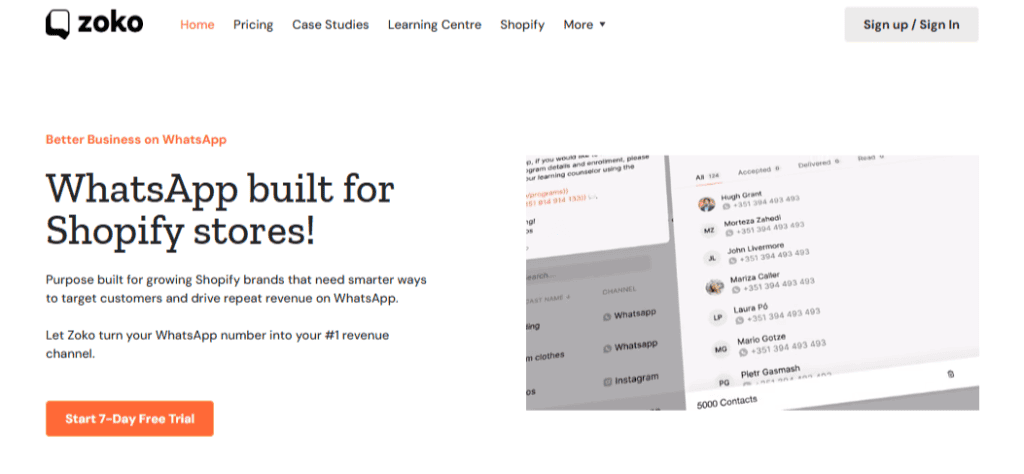
Zoko is one of those tools that feels clearly built with online stores in mind. If you run an ecommerce business and want WhatsApp to actually drive sales, not just answer questions, Zoko makes that path very straightforward.
The tool stands out for how tightly it connects WhatsApp with your store. Product listings, abandoned carts, order updates, and follow-ups all live in one place. You don’t need technical skills, and you don’t need to stitch multiple tools together just to get basic sales automation working.
Key Features
- Multi-Agent Inbox
Your entire team can manage conversations from one WhatsApp number, assign chats, and reply faster without confusion. - Sales-Focused Automation
Set up workflows for abandoned cart recovery, order confirmations, delivery updates, and post-purchase follow-ups without writing code. - Shopify Integration
Sync your product catalog directly to WhatsApp so customers can browse items, ask questions, and place orders more easily. - Personalized Messaging
Send messages based on customer behavior, purchase history, and order status, making conversations feel relevant instead of generic. - Analytics & Reporting
Track message performance, conversions, and engagement to see what’s working and where improvements are needed.
Pros
- Very easy to use, even for non-technical teams
- Strong focus on ecommerce and sales automation
- Shopify integration works smoothly out of the box
- Great for cart recovery and order-related messaging
- Clean interface that’s easy to onboard teams onto
Cons
- Instagram automation is priced separately at $9.99/month
- Limited flexibility outside ecommerce use cases
- Not ideal for businesses that need multi-channel support beyond WhatsApp
Pricing
Zoko prices in tiers, and every tier moved up in 2026. Checked on 2 September 2026.
- Starter: $49.99 a month, plus $0.015 for every conversation, which is the detail that catches people out.
- Plus: $79.99 a month, with 5,000 conversations included.
- Elite: $139.99 a month, with 100,000 conversations included.
- Max: $499.99 a month. AI agents are a further $24.99 each per month, and Instagram is $9.99. WhatsApp charges follow Meta’s rate card on top of all of it.
Best for: E-commerce brands and fast-growing online stores that want a simple, sales-driven WhatsApp platform without dealing with complex setups or development work.
6. ManyChat (Instagram-First Automation with WhatsApp Support)
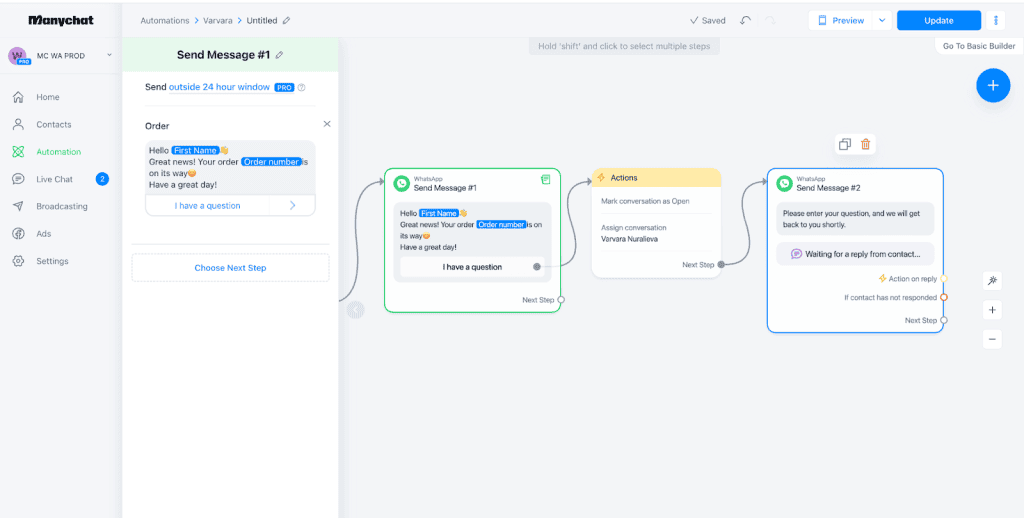
ManyChat is a familiar name for anyone doing marketing on Instagram. It built its reputation there first and later added WhatsApp as an extra channel. Because of that, the experience still feels very Instagram-led, with WhatsApp sitting in a supporting role.
From using ManyChat, it’s clear where it shines. It’s easy to learn, affordable, and great for simple automations like welcome messages, FAQs, and basic broadcasts.
If you already rely heavily on Instagram DMs, adding WhatsApp through ManyChat can feel like a natural extension. For WhatsApp-first sales or commerce, though, it quickly shows its limits.
Key Features
- Visual Drag-and-Drop Flow Builder
Build simple automation flows visually without needing technical skills. - Instagram and WhatsApp in One Platform
Manage basic automation across both channels from a single dashboard. - Broadcast Messaging
Send simple broadcasts to your audience for updates or promotions. - Instagram Comment and DM Automation
Automatically reply to comments or DMs on Instagram, which is where ManyChat really excels. - Free Plan Available
A good way to test the platform before committing to a paid plan.
Pros
- Aimed at small budgets rather than at enterprise buyers
- Extremely beginner-friendly
- Strong Instagram automation features
- Free tier for testing simple use cases
Cons
- WhatsApp automation is limited
- No in-chat payments or commerce features
- Segmentation and automation options are basic
- Clearly built more for Instagram than WhatsApp
Pricing
Manychat publishes its prices, and we are not able to verify them, so this page quotes no figure for Manychat at all. Their pricing page answers a request from us with a challenge designed to confirm that a human is asking, and it did so again on 6 September 2026. The ways around that check are ones we will not use. That is a limitation on us and not a criticism of them: the page is public and anyone can open manychat.com/pricing in a browser and read the current rate. Do that before you budget, and treat any Manychat figure you find in a comparison article, including the one this page used to carry, as unchecked.
Best for: Creators and small businesses that already focus on Instagram and want light WhatsApp automation for simple interactions, not full-scale WhatsApp commerce or sales automation.
7. Trengo
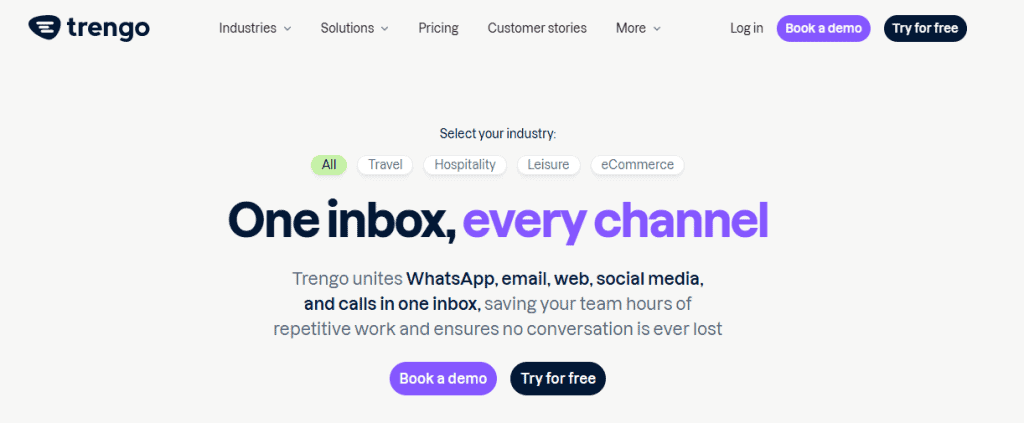
Trengo is built with one clear goal in mind: helping support teams manage customer conversations across multiple channels. WhatsApp is part of the mix, but the platform leans heavily toward structured customer support rather than sales or marketing automation.
The tool feels solid when you’re dealing with high volumes of support requests across WhatsApp, email, live chat, and social channels. The shared inbox works well, and the chatbot tools help cover basic questions.
Where it struggles is tying everything together into smooth, end-to-end automation flows.
Key Features
- Shared Inbox Across Channels
Manage WhatsApp, email, live chat, Instagram, Messenger, Telegram, SMS, and more from one dashboard. - Chatbot Builder with Templates
Prebuilt templates make it easy to launch basic bots for FAQs, data collection, and routing. - AI Bots for Support
AI can answer common questions and pass conversations to the right team when needed. - CRM Integrations
Works with HubSpot and Salesforce to sync customer data and conversation history.
Pros
- Easy-to-use chatbot builder
- Supports a wide range of channels
- Useful AI for FAQs and basic routing
- Strong CRM integrations
Cons
- Automation tools are spread out and not intuitive
- AI features are still in beta
- No true omnichannel workflows across channels
- Customer support limited to Central European business hours
- Expensive once add-ons are included
Pricing
Trengo is one of the more expensive options here, and it prices in euros rather than dollars, which is easy to miss. Checked on 2 September 2026.
- Boost: 349 euros a month on monthly billing, or 299 euros billed yearly. Ten users and 500 conversations a month, which works out at 6,000 a year.
- Pro: 599 euros a month, or 499 euros billed yearly. Twenty users and 1,500 conversations a month, which is the 18,000 a year figure you will see quoted.
- Broadcasting is an add-on, and AI carries a surcharge of 0.25 to 0.30 euros per conversation on top of the plan.
- Going over costs 15 to 18 euros per hundred extra conversations, and extra users are 25 to 40 euros each.
Best for: Support-heavy teams that need WhatsApp alongside email and live chat, and are less focused on WhatsApp-driven sales or marketing.
8. Rasayel
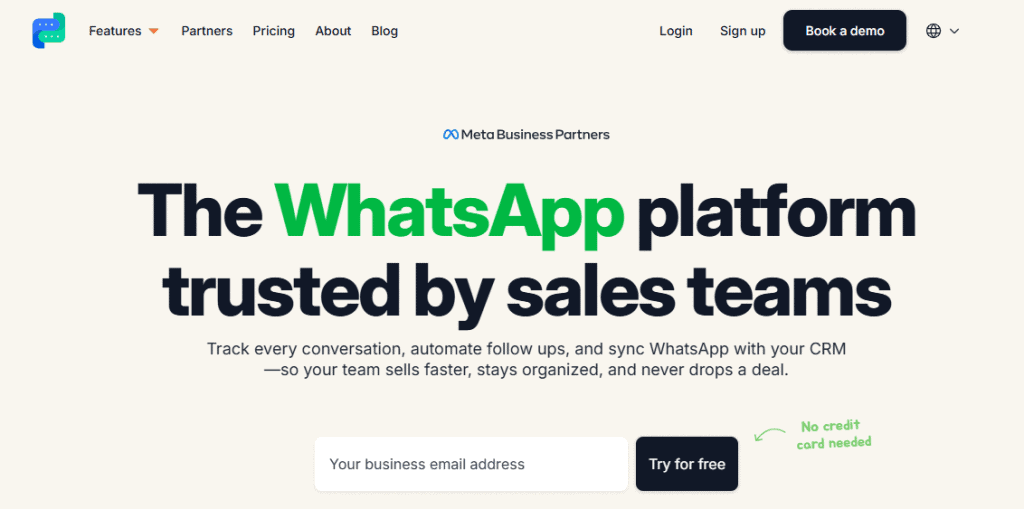
Rasayel is designed specifically for B2B teams that rely on WhatsApp for sales conversations, follow-ups, and relationship management. It doesn’t try to be omnichannel, and that focus can be a plus if WhatsApp is your main communication channel.
Rasayel feels very structured and data-driven. It works well for teams that want automation tied closely to their CRM, with analytics to track how conversations perform.
Key Features
- No-Code Automation Workflows
Build automated flows without technical skills for lead qualification and follow-ups. - Native CRM Integrations
Deep integrations with HubSpot, Zoho, Salesforce, and Zapier. - Trainable AI Responses
Train the AI using your website, PDFs, or help docs for more accurate replies. - Chatbot Analytics
Track chatbot performance and conversation outcomes.
Pros
- Strong CRM integrations out of the box
- No-code automation suitable for sales teams
- AI can be trained on your business content
- Built with B2B workflows in mind
Cons
- WhatsApp-only platform
- No automation for click-to-WhatsApp ads
- Reporting lacks depth for team performance
- Many key features are paid add-ons
- Advanced analytics locked behind the Enterprise plan
Pricing
Rasayel charges per user with a minimum team size, so the real entry cost is the per-seat rate multiplied by that minimum. Checked on 2 September 2026.
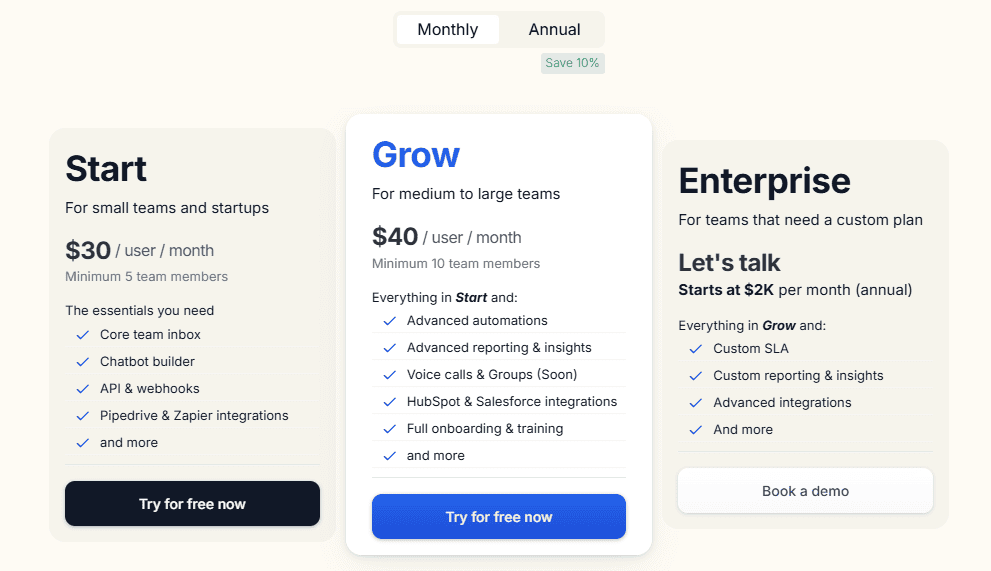
- Start: $30 per user per month with a five-member minimum, so $150 a month is the floor. Includes the team inbox, chatbot builder, API and webhooks, and Pipedrive and Zapier integrations.
- Grow: $40 per user per month with a ten-member minimum, so $400 a month, and this is the tier where HubSpot and Salesforce integrations arrive. Enterprise starts at $2,000 a month on annual billing, where a Salesforce integration is listed at $300 a month.
- Extra phone numbers are $20 a month each. Message allowances run 10,000 a month on Start and 25,000 on Grow.
- Costs increase quickly as features are added
Best for: B2B sales teams that rely heavily on WhatsApp and want strong CRM integration without needing multi-channel support.
9. Gupshup
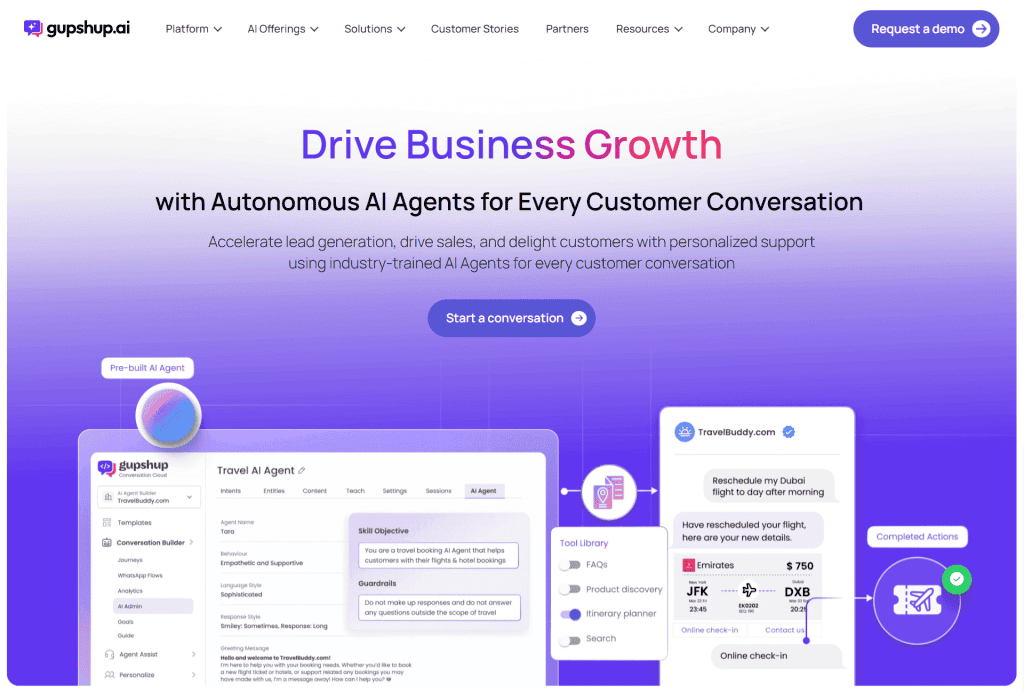
Gupshup is built for scale. This is the kind of tool large enterprises turn to when they’re sending huge volumes of messages and need deep, technical control over how automation works. It’s very powerful, but it’s not trying to be friendly or beginner-focused.
If you have developers on hand and complex backend systems triggering WhatsApp conversations, it gives you almost unlimited flexibility. If you don’t, it can feel overwhelming very quickly.
Key Features
- Bot Studio (Low-Code Builder)
Build advanced, rule-based bots with logic, conditions, and branching flows. - Developer-Level Control
Supports API calls, dynamic routing, backend triggers, and custom automation logic. - 30+ Channel Support
A single automation setup can run across WhatsApp and dozens of other messaging channels. - External Triggers
Automations can be triggered by CRM events, backend systems, or third-party tools. - Trainable AI Bots
AI bots can be trained using PDFs, website pages, and internal documentation.
Pros
- Extremely powerful and flexible
- Built for very high message volumes
- Strong developer tools and APIs
- Automation can run across many channels
- Suitable for complex enterprise use cases
Cons
- Not beginner-friendly at all
- Requires developers to set up and maintain
- The richer AI features sit on enterprise agreements
- No free trial
- Support response times can be slow
- Dashboard performance issues reported by users
Pricing
Gupshup does publish a self-serve rate, contrary to how it is usually described. On its own self-serve page the Gupshup platform fee is $0.0010 per message, for outgoing template messages and for session messages in both directions, with WhatsApp’s own conversation fees billed at cost on top. There is no monthly plan and no minimum. Enterprise quoting exists as well, but you do not have to go through sales to find out what it costs. From 1 January 2026 Gupshup adds a 6 per cent markup on the WhatsApp marketing fee for marketing messages still sent through Cloud API rather than MM Lite.
Best for: Large enterprises with engineering teams that need full control over complex, high-volume WhatsApp and multi-channel automation.
10. DelightChat
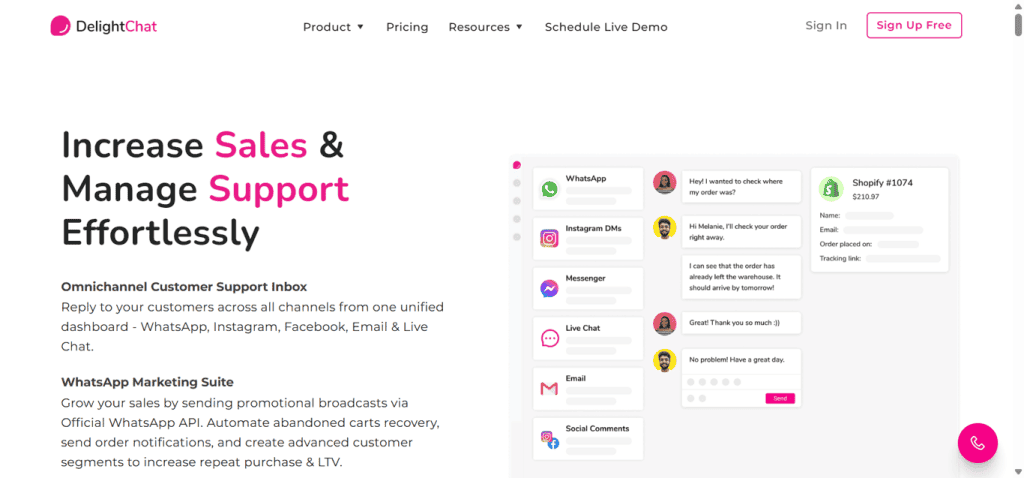
DelightChat sits on the opposite end of the spectrum from tools like Gupshup. It’s designed to be approachable, easy to use, and quick to set up. The focus is on automating everyday WhatsApp interactions and keeping sales and support teams aligned.
From experience, DelightChat works well for small to mid-sized businesses that want WhatsApp automation without technical headaches. It covers the basics nicely and keeps everything organized in a shared inbox.
Key Features
- Omnichannel Customer Engagement
Manage WhatsApp alongside other channels from one platform. - Built-In Chatbot and Workflow Builder
Create simple automation flows and follow-ups without coding. - Self-Serving Widgets
Reduce repetitive tasks by letting customers help themselves where possible. - Payment Gateway Integrations
Secure integrations help support order-related conversations and payments. - Shared Team Inbox
Sales and support teams can collaborate using internal notes and assignments.
Pros
- Unified platform for conversations
- Easy to use with a clean interface
- Helps improve team productivity
- Works well with ecommerce platforms
- Quick setup for non-technical teams
Cons
- Lacks advanced marketing and campaign features
- Chatbot functionality is fairly basic
- Not ideal for complex automation or large-scale campaigns
Pricing
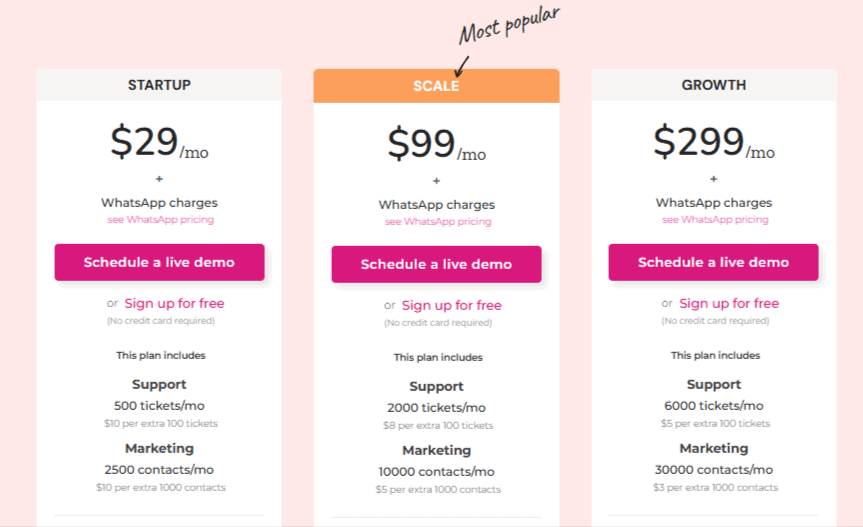
- Startup: $29 a month. 500 tickets and 2,500 marketing contacts a month, five team members.
- Scale: $99 a month. 2,000 tickets and 10,000 marketing contacts, twenty team members.
- Growth: $299 a month. 6,000 tickets and 30,000 marketing contacts, fifty team members. All three were unchanged when checked on 2 September 2026, and annual billing takes about 30 per cent off. Extra WhatsApp numbers are $25 a month each.
Best for: Small and growing businesses that want straightforward WhatsApp marketing and support automation without dealing with complex setups or developer-heavy tools.
11. Gallabox
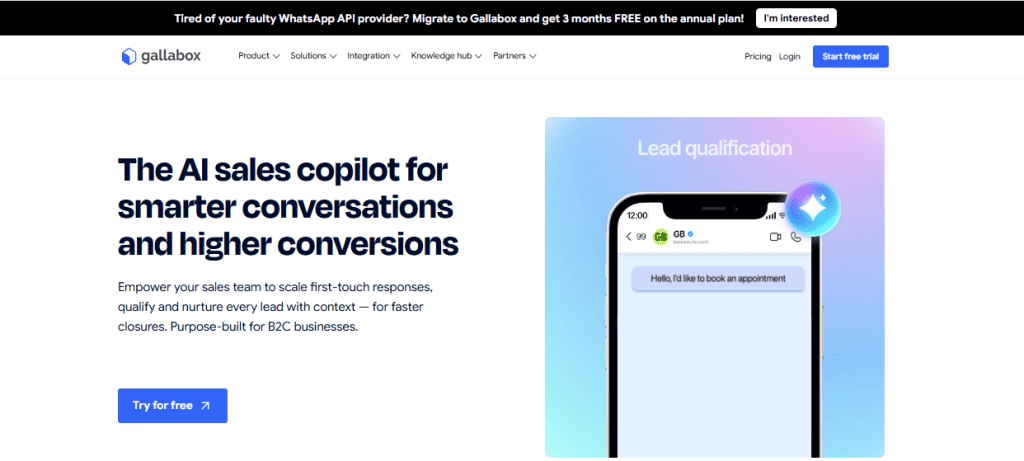
Gallabox is built for businesses that rely heavily on conversations to generate and qualify leads. If WhatsApp and Instagram are your main entry points for customer interactions, this tool is designed to keep things structured, fast, and conversion-focused.
It’s especially popular with service-based businesses and smaller ecommerce brands that deal with a steady flow of inbound inquiries. Instead of manually sorting through messages and figuring out who’s worth prioritizing, Gallabox helps automate that early-stage qualification so your team can focus on closing, not filtering.
Key Features
- No-code AI lead qualification chatbots
You can build chatbots that ask questions, qualify leads, and route them to the right team member automatically. No coding required. - Click-to-chat widgets
Replace long forms with buttons that send visitors straight into a WhatsApp conversation, making it easier to start interactions instantly. - Smart broadcast and sequence campaigns
Segment your audience and send targeted campaigns with interactive elements like buttons and media. You can also set up simple follow-up sequences. - Unified WhatsApp and Instagram inbox
Manage conversations from both platforms in one place, assign chats to team members, and add internal notes for better collaboration. - AI-powered multilingual replies
Get real-time response suggestions and support multiple languages, helping agents reply faster and more accurately.
Pros
- AI lead qualification reduces manual work and speeds up response time
- Click-to-chat widgets help increase conversions by removing friction
- Shared inbox improves team coordination and reduces missed conversations
- CRM integrations help keep customer data organized for follow-ups
Cons
- Limited ecommerce-focused features like catalogue sync or in-chat checkout
- Initial setup can feel slightly technical for beginners
- Analytics are relatively basic compared to more advanced platforms
- No built-in product catalogue for showcasing items directly in chat
Pricing
Gallabox is a good deal more expensive than it is usually reported to be. Checked on 2 September 2026, Basic is $112 a month billed annually, or $150 a month if you pay quarterly, and it carries a hard cap of three users that no add-on lifts. Essential is $248 a month annually for six users, and Advanced is $474 for ten. WhatsApp conversation fees are charged separately on every tier.
Best for: Gallabox works best for businesses that prioritize lead generation and structured communication. If your main challenge is qualifying prospects and keeping conversations organized across channels, it does that job well.
However, if your focus leans more toward deep ecommerce automation and revenue tracking inside chat, you may find yourself needing a more commerce-heavy solution.
12. WhatChimp
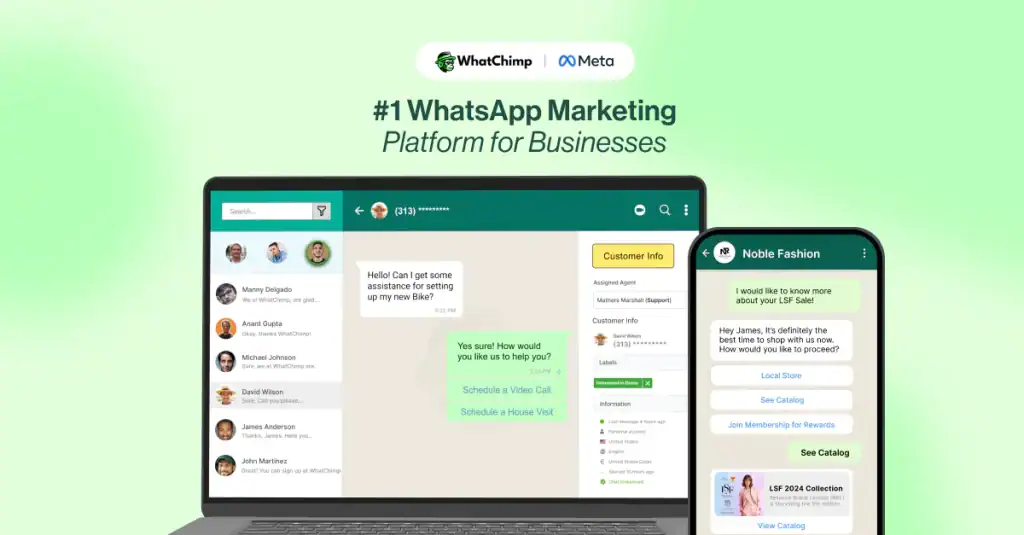
WhatChimp is a WhatsApp-first marketing and automation platform built on the official WhatsApp Business API. It’s designed for businesses that want to use WhatsApp as a central communication channel, not just for support but for campaigns, updates and ongoing customer engagement.
At its core, WhatChimp helps teams turn WhatsApp into a structured marketing and messaging system. You can connect your business number, upload contacts, segment your audience, and send interactive campaigns that include media, buttons, and quick replies.
It’s particularly useful for brands looking to move beyond email and reach customers in a more direct, conversational way.
Key Features
- Bulk WhatsApp broadcasting
Send campaigns to large contact lists with rich media like images, videos, and interactive buttons to drive engagement. - No-code chatbot builder
Create automated conversation flows using a drag-and-drop interface to handle FAQs, qualify leads, or guide users through journeys. - Shared team inbox
Manage all incoming messages from one dashboard, assign chats to agents, and collaborate internally without losing context. - E-commerce integrations and product catalog
Connect with platforms like Shopify and WooCommerce, and allow customers to browse products directly within WhatsApp. - Contact segmentation and targeted campaigns
Organize contacts using tags and lists, making it easier to send relevant messages to specific customer groups. - Campaign analytics and reporting
Track delivery, open rates, and engagement to understand how your campaigns are performing and where to improve.
Pros
- Built on the official WhatsApp Business API for reliable delivery
- Strong broadcast capabilities with interactive messaging formats
- Easy-to-use chatbot builder for basic automation
- Useful integrations for e-commerce businesses
- Transparent pricing aligned with WhatsApp’s official rates
Cons
- Automation depth is limited compared to more advanced workflow platforms
- CRM capabilities are relatively basic
- Primarily focused on WhatsApp, with limited omnichannel support in lower plans
- Segmentation is more list-based than behavior-driven
Pricing
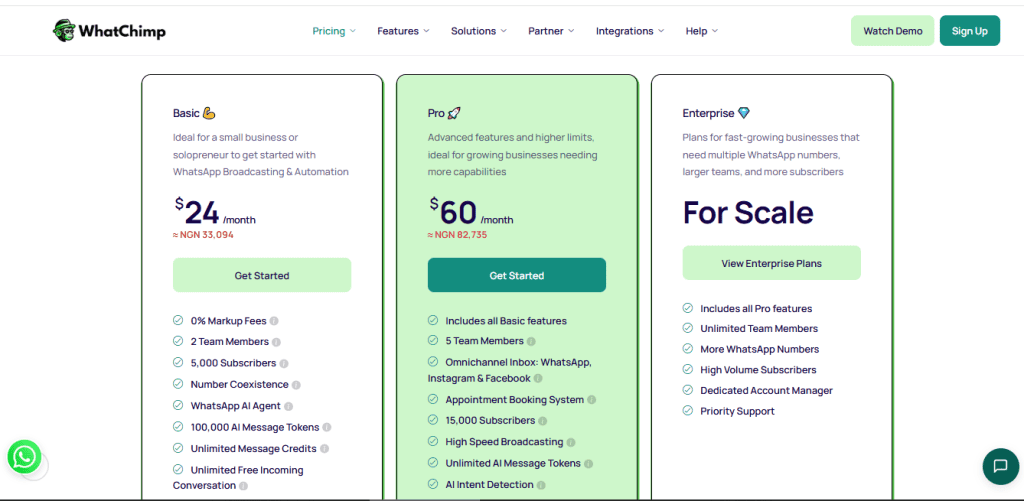
WhatChimp offers three main pricing tiers:
- Basic: $40 a month billed monthly, or $24 billed yearly. WhatsApp only, up to 5,000 subscribers, two team members, broadcasting, the chatbot builder and a shared inbox.
- Pro: $100 a month billed monthly, or $60 billed yearly. Adds Instagram and Facebook in the same inbox, 15,000 subscribers, five team members, appointment booking and AI intent detection.
- Enterprise: custom pricing. Several WhatsApp numbers, unlimited team members and dedicated support. Both published tiers were unchanged when checked on 2 September 2026.
Best for: WhatChimp works well for businesses that want a straightforward way to run WhatsApp campaigns, automate responses, and manage conversations without heavy technical setup.
If your focus is on broadcasting, basic automation, and integrating WhatsApp with your e-commerce workflows, it’s a solid option.
13. DoubleTick

DoubleTick is a WhatsApp-focused messaging and marketing platform built primarily for e-commerce brands and small to mid-sized businesses that rely heavily on chat-based customer interactions.
Instead of managing conversations from a single device, DoubleTick turns WhatsApp into a shared workspace where multiple agents can respond to customers, track conversations, and collaborate in real time.
Beyond just handling chats, it leans strongly into marketing, helping businesses run campaigns, showcase products, and engage customers directly inside WhatsApp.
For teams that treat WhatsApp as a core sales and communication channel, DoubleTick aims to bring structure and scale to what would otherwise be manual and scattered interactions.
Key Features
- Shared team inbox for WhatsApp
Multiple agents can manage conversations from one number, assign chats, and collaborate without overlap or confusion. - Bulk broadcast messaging
Send promotional campaigns, updates, and announcements to large contact lists directly through WhatsApp. - WhatsApp chatbot builder
Automate responses to common queries, guide users through simple flows, and capture lead information before handing off to an agent. - Customer segmentation
Organize contacts using tags and attributes, making it easier to send targeted campaigns instead of generic broadcasts. - Product catalog sharing
Showcase products directly within WhatsApp chats, allowing customers to browse and inquire without leaving the conversation. - Third-party integrations
Connect with platforms like Shopify, WooCommerce, Zapier, and webhooks to align messaging with your existing workflows.
Pros
- Built specifically for WhatsApp-driven marketing and communication
- Shared inbox makes team collaboration smooth and efficient
- Strong broadcast capabilities for promotions and updates
- Useful integrations for e-commerce businesses
- Includes basic chatbot automation for handling repetitive queries
Cons
- High starting price compared to many alternatives
- Automation features are relatively basic compared to newer AI-driven platforms
- Limited to WhatsApp, with no strong omnichannel capabilities
- CRM functionality is minimal and mostly focused on tagging and attributes
Pricing
Correction, 8 September 2026: DoubleTick does publish its prices. An earlier version of this page said it had stopped, and that was our error rather than theirs. The figures are drawn in by JavaScript after the page loads, so a plain fetch of the pricing page returns the plans, the comparison table and no prices at all. Read in a real browser, they are there. Our full DoubleTick review sets out what the card says and where it disagrees with itself.
- Starter, five agents. Broadcast campaigns, catalogue sharing and basic analytics. $170 a month, printed with $2,039 billed yearly. The card is headed “does not include AI agents”.
- Pro, ten agents. Adds roles and permissions, API access, integrations and an automated ordering bot. $308 a month, printed with $2,614 billed yearly without the AI agents and $3,694 with them. Those two numbers do not divide into each other, and the $1,080 gap is twelve months of the $90 AI add-on the same page lists.
- Enterprise, custom pricing per agent. There is no free trial; the pricing FAQ says so outright and offers a demo instead. Ask which Pro figure applies before you plan around it.
Best for: DoubleTick is a solid option for businesses that rely heavily on WhatsApp for marketing and product-driven conversations. It works particularly well for e-commerce brands that want to combine broadcasting, catalog sharing, and basic automation in one place.
14. SleekFlow (Omnichannel Automation Priced on Replies)
SleekFlow is built around a question most platforms on this page never ask: which of your contacts are actually talking to you?
On the surface it is another official WhatsApp Business Solution Provider with a team inbox, a flow builder, broadcasts, AI agents and a product catalogue with payment links, running across WhatsApp, Instagram, Messenger, SMS, Telegram, Viber, LINE, WeChat and TikTok. The feature list looks like everyone else’s. The meter underneath it does not.
You pay for monthly active contacts, and SleekFlow counts a contact as active only when a real exchange happens: they message you, or you reach them through the inbox, the flow builder, an AI agent or the API. Contacts sitting in your database cost nothing, and a broadcast that nobody replies to costs nothing either. That is a different bet from every seat-priced tool on this page, and it suits a business with a long list and a modest number of live conversations.
Key Features
- Monthly active contacts, not stored contacts
A contact counts only in a month when a two-way exchange happens. Storing the list is free, and a one-way broadcast with no reply or reaction is not counted. - One inbox across nine channels
WhatsApp, Instagram, Messenger, SMS, Telegram, Viber, LINE, WeChat and TikTok, with three channels on the entry plan and ten on the next one up. - Unlimited broadcasts and unlimited flow builder use
On every tier, qualified by a published fair usage policy that SleekFlow says affects fewer than one per cent of accounts. - AI agents that do things rather than only reply
Sending, assigning, lead scoring, Shopify lookups and custom API calls, though the Shopify and custom API actions need one of the AI plans. - Catalogue and Stripe payment links
Products and services sold inside the conversation, with Shopify, VTEX, HubSpot, Salesforce, Zoho and Google Sheets on the integration list.
Pros
- The meter matches how a small team really works: a big list stays free until people answer
- Unlimited broadcasts and unlimited automation runs even on the entry plan
- An official WhatsApp Business Solution Provider, with a seven day free trial
- Nine channels, so it does not corner you on WhatsApp alone
Cons
- Two price ladders run side by side, with and without unlimited AI, which makes the grid harder to read than it needs to be
- WhatsApp template messages are billed on SleekFlow’s own published rate card, so that is a second document to read alongside Meta’s
- Three users and three channels on the entry plan, and its contact allowance tops out at 2,000 before you have to move up a tier
- Every “unlimited” on the page is qualified by the fair usage policy
Pricing
Checked on 6 September 2026. Pro is $79 a month billed yearly, or $99 month to month, starting at 500 monthly active contacts with three users and three channels. Premium is $249 billed yearly, or $299 monthly, starting at 1,000 active contacts with ten users and ten channels. Each has a second version with unlimited AI usage: Pro AI at $99 yearly or $129 monthly, Premium AI at $299 yearly or $349 monthly. Enterprise is quoted. The arithmetic worth noticing is that Pro AI billed yearly and plain Pro billed monthly are the same $99, which SleekFlow points out itself. Extra active contacts can be topped up to 2,000 on Pro and 12,000 on Premium, and past that you change plan. A 60-day onboarding programme is a one-off $499. The trial is seven days, and Meta’s message charges sit on top of all of it.
Best for: a business with a long contact list and a modest number of live conversations, and any team that wants more than WhatsApp in the same inbox. If your list is small but nearly everyone on it talks to you, a seat-priced tool will usually work out cheaper.
15. SuperLemon
SuperLemon is a lightweight WhatsApp plugin built specifically for Shopify stores. It’s designed for D2C brands that want to add WhatsApp support and basic automation without dealing with complex setups or advanced workflows.
Rather than trying to be an all-in-one messaging platform, SuperLemon focuses on the essentials. It helps businesses respond to customer queries, send order updates, and recover abandoned carts, all directly through WhatsApp. For small teams, it’s a simple way to bring messaging into their store experience without overcomplicating things.
Key Features
- Shopify-integrated WhatsApp support
Connect your Shopify store and handle customer conversations directly via WhatsApp. - Cart recovery notifications
Automatically send reminders to customers who abandon their carts. - Order and delivery updates
Keep customers informed with real-time notifications about their order status. - Referral sales support
Encourage customers to refer others through simple WhatsApp interactions.
Pros
- Designed specifically for Shopify, making setup quick and straightforward
- Minimal technical requirements, suitable for non-technical users
- Covers essential use cases like support, order updates, and cart recovery
- Affordable entry point for small businesses
Cons
- Limited automation and segmentation capabilities
- Not suitable for advanced lifecycle marketing or scaling campaigns
- Mixed reviews around performance and customer support
- Lacks deeper analytics and optimization tools
Pricing
SuperLemon is the cheapest way onto this list. Checked on 2 September 2026: Free at $0, with up to 100 manual template messages a month, then Brand at $19.99 a month and Scale at $29.99, both with your own WhatsApp API number. The unusual part is the message pricing: SuperLemon quotes a single per-conversation rate by destination country, roughly $0.04 for the United States and $0.02 for India, and that rate already includes Meta’s fee rather than adding it separately the way most of this list does. That makes it easier to budget and harder to compare.
Best for: SuperLemon works best for small Shopify stores that want a simple way to add WhatsApp support and basic notifications. It’s easy to install, easy to use, and covers the basics well.
But as your business grows and your messaging strategy becomes more complex, with advanced segmentation, automation, and multi-channel needs. You’ll likely need a more robust platform.
16. Interakt

Interakt positions itself differently from most WhatsApp tools. Instead of focusing only on automation or broadcasts, it leans heavily into CRM and sales pipeline management.
Think of it as a WhatsApp-first CRM rather than just a messaging platform.
It’s built for e-commerce teams and mid-sized businesses that want structure behind their conversations. Instead of treating chats as isolated interactions, Interakt helps you track leads, manage deals, and move customers through a defined journey, all within WhatsApp.
If your team already thinks in terms of pipelines and CRM stages, Interakt feels like a natural fit.
Key Features
- Deep CRM integrations
Sync data seamlessly with platforms like Zoho, HubSpot, and Freshworks, keeping customer records updated in real time. - Visual workflow builder
Create multi-step automation flows with conditions, delays, and triggers to guide customers through different journeys. - WhatsApp-native sales CRM
Manage leads, track deals, and move prospects through pipelines directly within WhatsApp conversations. - Advanced broadcast segmentation
Target audiences based on CRM data, purchase history, and engagement behavior for more precise campaigns. - Conversational AI agents
Automate FAQs, qualify leads, and handle common queries using AI-assisted responses.
Pros
- Strong CRM integrations make it ideal for structured sales teams
- Workflow builder supports more complex automation than basic tools
- Competitive pricing compared to many CRM-heavy platforms
- Shared inbox enables collaboration between support and sales teams
Cons
- Setup can feel technical, especially for teams new to CRM workflows
- Learning curve is steeper compared to simpler tools
- Performance may slow down during high usage
- Customer support responsiveness can vary
Pricing
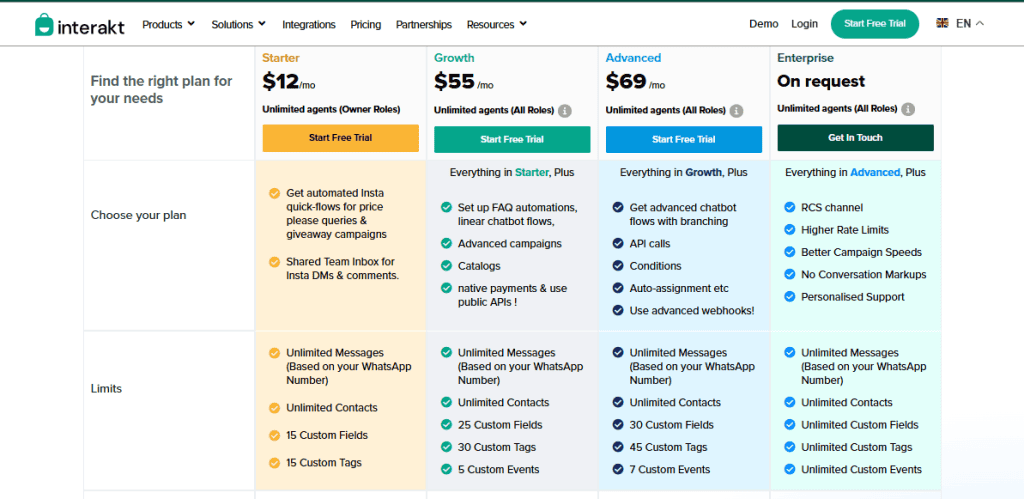
The $12 tier is not the WhatsApp plan. Interakt’s $12 Starter is its Instagram plan, covering Instagram quick-flows and a shared inbox for Instagram DMs and comments. For WhatsApp the ladder runs: a free Starter, then Growth at $55 a month, which is where FAQ automation, chatbot flows, catalogues and public APIs begin, then Advanced at $69 for branching flows, API calls and auto-assignment, then Enterprise on request. Quarterly billing takes 8 per cent off and yearly 20 per cent. All tiers advertise unlimited agents and unlimited contacts. Checked on 2 September 2026, and the screenshot below shows exactly this.
Best for: Interakt is a strong option for businesses that want to bring structure into their WhatsApp communication. If your focus is on managing leads, tracking deals, and running CRM-driven campaigns, it offers a solid foundation.
However, if you’re looking for a quick, plug-and-play messaging tool with minimal setup, it may feel more complex than necessary.
17. AiSensy
AiSensy is positioned as an easy entry point into WhatsApp marketing, especially for startups and small businesses that want to get started quickly without heavy upfront costs.
Instead of overwhelming users with complex setups, AiSensy focuses on simplicity and accessibility. It helps businesses get access to the WhatsApp Business API without charging setup fees, making it appealing for teams that want to move fast and keep initial costs low.
If you’re just starting out with WhatsApp marketing and want a straightforward way to run campaigns, capture leads, and manage conversations, AiSensy is designed to get you up and running with minimal friction.
Key Features
- Free WhatsApp API provisioning
Get access to the WhatsApp Business API without setup or licensing fees, lowering the barrier to entry. - Click-to-WhatsApp ads with lead routing
Send traffic from Meta ads directly into WhatsApp conversations, where leads can be automatically assigned to bots or agents. - Multi-agent shared inbox
Allow multiple team members to manage conversations from a single number using tags and routing rules. - No-code chatbot and catalogue builder
Create basic automation flows and showcase products without needing technical expertise. - Automatic broadcast scaling
Messaging limits increase as your usage grows, so you don’t need to manually upgrade plans just to send more messages.
Pros
- Free API provisioning makes it highly accessible for startups
- Easy integration with Click-to-WhatsApp ads for lead generation
- Simple setup and user-friendly interface
- Transparent pricing suitable for small teams
Cons
- Limited advanced automation compared to more sophisticated platforms
- CRM functionality is basic and primarily tag-based
- Costs can increase with higher message volumes due to per-message charges
- Not ideal for complex, multi-stage marketing workflows
Pricing
AiSensy rebuilt its pricing in 2026 and the old flat tiers are gone. Where it used to sell a $45 Basic and a $99 Pro plan, it now sells modules: the drag-and-drop chatbot builder at 2,500 rupees a month, or 2,250 billed yearly, and the AI agent builder at 3,500 rupees a month, or 3,150 billed yearly, with 3,500 AI messages included. Message credits are bought separately and prepaid, and an Indian virtual number is a further add-on. Because the shape of the pricing changed rather than the numbers, any figure quoted for AiSensy in an older article is describing a product that is no longer sold. Check AiSensy’s own pricing page for the current modules and your region.
Best for: AiSensy is a strong choice for early-stage businesses that want to start using WhatsApp marketing quickly and affordably. It covers the essentials well, from lead capture to basic automation.
18. QuickReply.ai
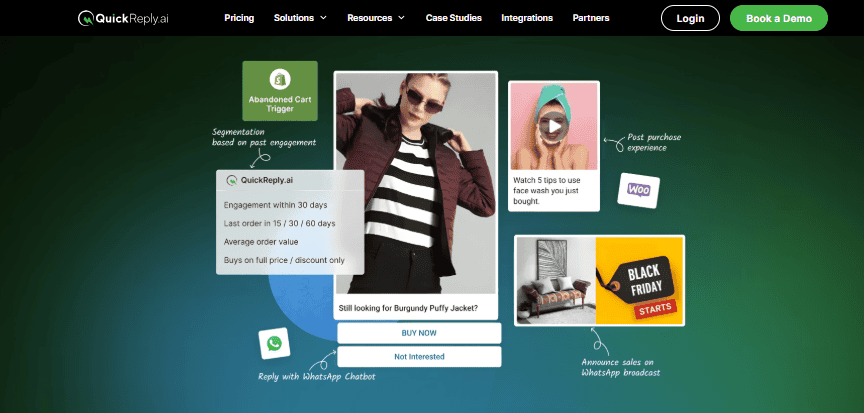
QuickReply.ai is a WhatsApp automation platform built specifically for e-commerce businesses. Its core focus is simple: help online stores handle customer communication at scale without manually replying to every message.
If your team spends time answering the same questions, “Where’s my order?”, “Has it shipped?”, “Can I return this?”, then QuickReply.ai is designed to automate those interactions and keep customers informed without constant back-and-forth.
It integrates directly with platforms like Shopify, WooCommerce, and Magento, making it a natural fit for brands that want to streamline support, send updates, and run WhatsApp campaigns without adding complexity.
Key Features
- WhatsApp broadcast messaging
Send promotions, product launches, and updates to large customer lists, with scheduling options for better timing. - E-commerce automation
Automate key interactions like order confirmations, shipping updates, delivery alerts, and abandoned cart reminders. - Chatbot automation
Handle frequently asked questions automatically, reducing the need for manual replies on repetitive queries. - Customer segmentation
Use tags and attributes to group customers and send more targeted campaigns instead of generic broadcasts. - Shared team inbox
Allow multiple agents to manage conversations from one dashboard, assign chats, and keep responses organized. - Analytics and performance tracking
Track delivery rates, read rates, engagement, and campaign performance to understand what’s working.
Pros
- Strong focus on e-commerce automation, especially order and delivery updates
- Easy to set up and use, even for smaller teams
- Effective for running WhatsApp marketing campaigns
- Helps reduce support workload by automating repetitive queries
- Shared inbox supports team collaboration
Cons
- Limited use cases outside of e-commerce
- Automation capabilities may feel basic for advanced workflows
- User interface could be more intuitive
- Primarily focused on WhatsApp with limited multi-channel support
Pricing
QuickReply.ai has taken its prices off its pricing page. The tiers are still described, but where the figures used to be there are now placeholders and a Book a Demo button. The rates below are the last ones it published, checked on 2 September 2026, and each was a starting-from figure with taxes and message charges on top.
- Starter, last published from $39 a month. Basic automation, cart recovery reminders, order notifications and the WhatsApp website widget.
- Standard, last published from $99 a month. Adds chatbot automation, segmentation, keyword responses and one-way CRM sync.
- Plus, last published from $199 a month. Custom chatbot setups, two-way CRM sync, WhatsApp Flows and custom integrations. Enterprise is quoted individually.
Best for: QuickReply.ai works best for e-commerce brands that want to automate everyday customer communication and reduce manual support work. It handles common workflows well and makes it easier to keep customers updated without constant effort.
However, if your strategy involves more advanced automation, multi-channel messaging, or deeper customer journey mapping, you may find its capabilities somewhat limited as you scale.
19. Freshchat

Freshchat is an omnichannel customer support platform designed for teams that manage conversations across multiple channels, not just WhatsApp.
If your business handles messages from website chat, email, Instagram, Facebook, SMS, and WhatsApp, Freshchat brings everything into one workspace. Instead of juggling different tools, your team can respond to customers from a single dashboard while maintaining full conversation context.
It’s less about marketing automation and more about delivering fast, structured, and scalable customer support across channels.
Key Features
- Omnichannel conversation management
Handle messages from WhatsApp, website chat, email, Facebook, Instagram, SMS, and more in one unified inbox. - Freddy AI for support automation
Built-in AI assists with answering FAQs, suggesting replies, and summarizing conversations to speed up agent responses. - Support-focused workflow automation
Set up SLAs, auto-assign conversations, and create rules that improve response time and team efficiency. - Skill-based routing and SLA tracking
Automatically route conversations to the right agent based on expertise and track performance against response time goals. - Bring Your Own Channel (BYOC)
Connect your existing WhatsApp number without needing to switch or re-provision.
Pros
- Strong omnichannel capabilities for teams managing multiple touchpoints
- AI is deeply integrated into support workflows, not just added on
- SLA tracking and routing features improve team performance and consistency
- Ideal for businesses focused on customer support operations
Cons
- Not designed for ecommerce-focused automation like in-chat checkout or cart recovery
- Pricing can scale quickly with larger teams due to per-agent model
- AI session limits on lower plans may require upgrades
- Less emphasis on marketing campaigns and revenue-driven messaging
Pricing
- Free: $0 for up to ten agents, which is the detail most comparisons leave out and the reason a small support team should look here first.
- Growth: $19 per agent per month, billed annually. Core support features and around 500 AI sessions.
- Pro: $49 per agent per month, billed annually. The tier the older version of this article missed entirely.
- Enterprise: $79 per agent per month, billed annually. Higher AI limits and more customisation. Freshchat publishes annual rates only, so a monthly commitment will cost more than these figures suggest. Checked on 2 September 2026.
Best for: Freshchat is a great fit for businesses that prioritize structured, high-quality customer support across multiple channels. If your goal is to improve response times, manage conversations efficiently, and maintain strong service standards, it delivers exactly that.
20. Yellow.ai

Yellow.ai operates in a completely different league compared to most WhatsApp tools.
It’s not just a messaging or marketing platform. It’s an enterprise-grade AI system built to automate customer interactions across chat, voice, video, and even document workflows. While many tools on this list focus on WhatsApp automation for marketing or support, Yellow.ai is designed for large organizations that need deep automation, strict compliance, and scalable AI-driven interactions.
If your business operates in industries like finance, healthcare, telecom, or large-scale e-commerce, where workflows are complex and customer volumes are high, Yellow.ai is built to handle that level of demand.
Key Features
- Agentic AI (beyond traditional chatbots)
Instead of rigid, rule-based bots, Yellow.ai uses autonomous AI agents that can handle complex, multi-step conversations and make contextual decisions. - Multi-LLM architecture
Access and switch between multiple language models depending on the use case, reducing dependency on a single AI provider. - Multi-modal communication support
Manage conversations across chat, voice, video, and documents while maintaining context across interactions. - AI agent builder using natural language
Build and manage AI agents using simple prompts instead of designing complex flowcharts manually. - Enterprise-grade compliance and security
Supports certifications like HIPAA, ISO 27001, ISO 27701, and SOC 2 Type II, making it suitable for regulated industries.
Pros
- Advanced AI capable of handling complex, decision-heavy conversations
- Flexibility with multiple AI models instead of being locked into one
- Strong compliance and security standards for enterprise use
- Supports multiple communication formats beyond just chat
Cons
- Pricing is designed for enterprises and not accessible for small teams
- Implementation can take significant time due to customization and setup
- Too complex for businesses that only need basic WhatsApp automation
- Requires strategic planning to fully utilize its capabilities
Pricing
Yellow.ai is usually described as enterprise-quote-only, and that is now only half true. Checked on 2 September 2026, it publishes a free tier with one AI agent and 500 chat sessions a month, after which resolutions are charged at $0.99 each, and a Basic tier whose limits are published even though its price is not. Enterprise genuinely is a custom quote, usually on an annual commitment. The per-resolution model is worth understanding before you test it, because a busy month on a free tier stops being free quickly.
Best for: Yellow.ai is a powerful platform for organizations that need advanced AI-driven automation at scale. It’s built for complexity, compliance, and high-volume interactions.
However, for most businesses focused on WhatsApp marketing, broadcasts, or simple automation, it may be more than necessary. It’s a platform best suited for enterprises that require deep AI capabilities rather than straightforward messaging tools.
The Tool We Have Taken Off This List: Flowcart
Number 14 on this list used to be Flowcart, at $69.99 a month plus a percentage of what you sold through WhatsApp. That entry has gone, and it is worth saying why rather than quietly renumbering around it. Flowcart is still trading, and it has stopped publishing its prices. Checked at flowcart.ai on 8 September 2026: the site answers normally, the pricing page is a full page carrying a free trial and a demo booking, and the plan tiers that used to show figures now read “Get a Quote”. We are not quoting a current price here because there is no published one to quote.
That is a price state this page has no way to rank. Every other entry here is compared on a figure the vendor publishes, and Flowcart no longer publishes one, so it now sits outside the comparison rather than inside it. We are not going to speculate about why the numbers came down. If you already use Flowcart, this is a change to what the vendor publishes rather than something you need to act on, and if you are shopping, you will have to ask them for a quote instead of reading a price off the page. SleekFlow has taken the fourteenth place, so this is still a list of twenty tools rather than nineteen with a gap in it.
Correction, 8 September 2026: Flowcart is trading. An earlier version of this page said it had stopped, and that was our error rather than theirs: we tested flowcart.io, which is a different and unrelated holding page, and flowcart.com, which redirects to an unrelated events business. Neither is the vendor. Flowcart is at flowcart.ai, and what actually changed is that it stopped publishing its prices.
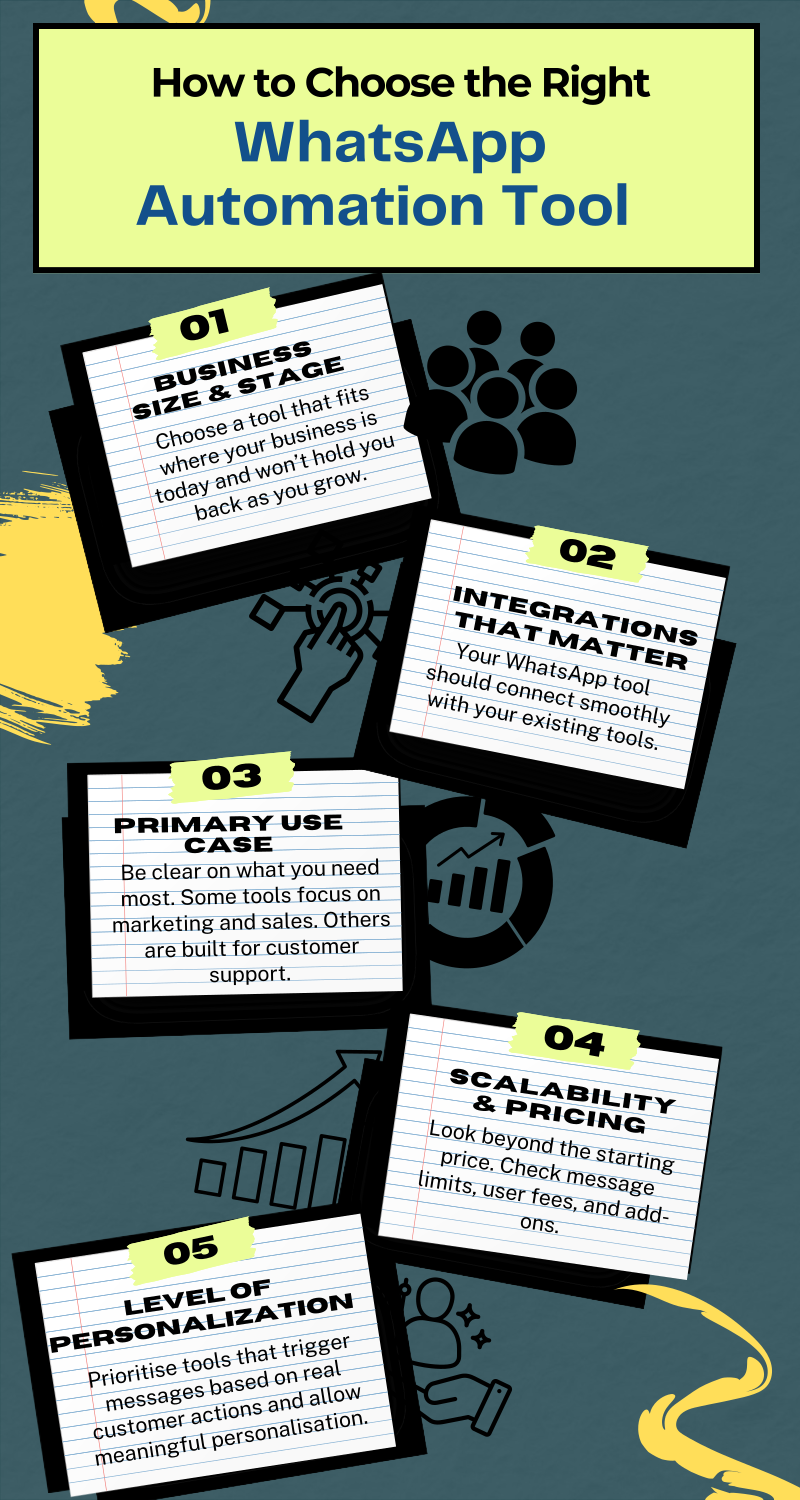
How to Choose the Right WhatsApp Marketing Automation Tool?

When choosing a WhatsApp automation tool, it’s not just about picking the one with the longest feature list. Instead, it’s choosing something that actually fits how your business works today, and how it’s likely to grow tomorrow.
So before you go with any of the tools we have reviewed above, here are some factors you should consider.
Consider Your Business Size
Different businesses need different levels of flexibility. If you’re a small team, simplicity matters most. You want something that works out of the box, doesn’t require training sessions, and helps you reply faster almost immediately.
If you’re growing, look for a platform that won’t box you in later. The ability to add more contacts, automation flows, or team members without switching tools becomes important.
Larger organizations should focus on scalability. That means platforms that handle high message volumes, support advanced workflows, and won’t slow down when things get busy.
Check How Well It Integrates with Your Stack
WhatsApp shouldn’t live in isolation. It should connect smoothly with the tools you already use.
Before choosing a platform, ask yourself:
- Does it integrate with your CRM or ecommerce system?
- Can customer data flow automatically without manual copying?
- Are the integrations native, or a Zapier step with a different name?
Good integrations save time and reduce mistakes. Poor ones create more work than they remove.
Be Clear About Your Main Goal
Some tools are built for marketing. Others are built for support. A few try to do both.
If your focus is marketing and sales, look for:
- Campaign automation and scheduling
- Strong segmentation and personalization
- Clear performance tracking
If your focus is customer support, prioritize:
- Multi-agent inboxes
- Chat assignment and escalation
- Conversation history and context
When you know your primary use case, it will be easier for you to avoid tools that look good but don’t actually fit your needs.
Think Long-Term About Cost and Scale
Pricing can be misleading if you only look at the starting number.
Check:
- User limits and per-user fees
- Message or conversation limits
- Extra charges for integrations, AI, or automation
Also think about growth. A tool that’s cheap today but expensive to scale can slow you down later. Transparent pricing and flexible plans make life easier as volumes increase.
Prioritize Real Personalization, Not Just Automation
Sending automated messages isn’t enough anymore. Customers expect relevance. Look for tools that:
- Trigger messages based on real actions, not just timers
- Let you personalize content using customer data
- Offer analytics that show what’s working and what isn’t
Best Practices for WhatsApp Automation
WhatsApp automation works best when it feels helpful, not pushy. The tools matter, but how you use them matters more. These best practices come from what we’ve seen work consistently across different businesses and industries.
1. Automate the Obvious, Keep Humans for the Rest
Start by automating the repetitive stuff. FAQs. Order updates. Appointment reminders. Basic lead qualification.
These are the messages customers expect fast answers to. Automation handles them perfectly. Once a conversation gets personal or complex, that’s where a human should step in. The goal is speed first, empathy second. Both matter.
2. Write Messages Like a Human, Not a Script
Nobody enjoys robotic replies. Even automated messages should sound natural. Short sentences. Clear language. No corporate fluff.
Read your automated replies out loud. If they sound awkward or stiff, rewrite them. A good rule is this: if you wouldn’t send it yourself, don’t automate it.
3. Use Triggers That Make Sense
Good automation responds to real actions. A customer places an order. Abandons a cart. Clicks a link. Asks a question.
Avoid blasting messages “just because.” Smart triggers feel timely and relevant. Poor triggers feel like spam, and spam gets blocked fast on WhatsApp.
4. Keep Your Opt-Ins Clean and Clear
Always make sure people actually want to hear from you. Clear opt-ins protect your account and improve engagement.
Tell users what they’re signing up for. Order updates. Offers. Support messages. When expectations are clear, complaints drop, and response rates go up.
5. Track What Happens After the Message
Sending messages is easy. Knowing what they lead to is where the value is.
Track replies, clicks, conversions, and drop-offs. Look at which messages move conversations forward and which ones get ignored. Small tweaks here often lead to big improvements over time.
6. Test, Adjust, Repeat
WhatsApp automation isn’t a “set it and forget it” system. Customer behavior changes. Offers change. Products change.
Test different message timing. Rewrite underperforming replies. Simplify flows that feel too long. The businesses that win are the ones that keep refining instead of standing still.
When done right, WhatsApp automation can help you huge on time. It can improve response speed and help you sell without sounding salesy. Follow these practices, and your automation will feel like a helpful assistant, instead of a noisy bot.
Automate Your WhatsApp Strategy and Grow Smarter
WhatsApp automation is no longer about replying faster. It’s about responding at the right moment, keeping conversations moving, and turning everyday chats into real business results.
The tools above all bring something different, but the best choice is the one that fits how you sell, support and grow, and that you can still afford at three times your current message volume. Run the numbers on the second part before you sign anything.
From the sea of options in the market right now, DMly still stands out. It brings WhatsApp, AI agents, broadcasts, automation, and team collaboration into one system that’s built for growth, not quick fixes.
If you’re serious about using WhatsApp as a sales and customer engagement channel in 2026, DMly is one of the strongest options to consider.
WhatsApp Automation Tools: Frequently Asked Questions
What are WhatsApp automation tools?
WhatsApp automation tools are platforms that help businesses send messages, reply to customers, and manage conversations automatically on WhatsApp. They handle things like instant replies, follow-ups, order updates, broadcasts, and chatbot conversations without someone typing every message manually.
Can small businesses benefit from WhatsApp automation?
Yes. Small businesses often benefit the most. Automation helps reply faster, handle multiple chats at once, and stay responsive even outside business hours. It saves time, reduces manual work, and helps small teams compete with much larger businesses.
Are WhatsApp automation tools secure?
Reputable WhatsApp automation tools are secure. They use encrypted messaging, official APIs, and strict access controls to protect conversations and customer data. Security depends heavily on choosing a trusted platform and following best practices around access and permissions.
Are WhatsApp automation tools compliant with WhatsApp rules?
Yes, as long as the tool is built on the official WhatsApp Business API and follows Meta’s rules. The two that matter day to day are the 24-hour reply window and the requirement that anything sent outside it uses a message template Meta has approved in advance. Platforms like DMly work inside those rules rather than around them, which is what keeps a number from being restricted.
Which is the best WhatsApp automation tool in 2026?
The best tool depends on your business needs. For businesses that want advanced automation, AI-powered conversations, broadcasts, and true omnichannel support, DMly is one of the strongest options available in 2026. It balances ease of use with the ability to scale.
How can I make sure my WhatsApp automation messages are delivered effectively?
Focus on clear opt-ins, relevant messaging, and good timing. Write messages that sound human, avoid over-sending, and trigger automation based on real customer actions. Tracking replies and engagement helps you refine what works and remove what doesn’t.
Do these prices include what WhatsApp itself charges?
No. Every plan price on this page buys the software only. Meta charges separately for messages, at a rate set by your customer’s country and the kind of message you send, and some tools add a fee of their own on top of that. From 1 October 2026 Meta also starts charging for service messages and for utility templates sent inside an open 24-hour window, both of which are free today. Work out your likely message volume before you compare plans, or the cheapest subscription can easily produce the largest bill.
How often do these prices change?
More often than most comparison articles admit. When we re-checked all 20 vendors on 2 September 2026, twelve were carrying a price that had moved or a plan that no longer existed, two had removed public pricing entirely, and one had rebuilt its pricing into add-on modules. Treat any figure in any roundup, including this one, as accurate on the date it says and worth confirming on the vendor’s own page before you commit.
What are the biggest challenges with WhatsApp automation tools?
The most common challenges include poor setup, over-automation, unclear opt-ins, and choosing tools that don’t match your business goals. Some platforms can also become expensive or complex as usage grows. Starting with clear goals and the right tool helps avoid most of these issues.
Writing about WhatsApp automation, bookings and growth for local business.
Turn WhatsApp into your busiest channel.
Start free and run message, bookings, payments and reviews in one place.
