
WhatsApp has grown far beyond a simple messaging app. With more than 3 billion monthly active users worldwide as of early 2025, it has become one of the most widely used communication platforms on the planet.
While it started as a tool for personal chats, WhatsApp has steadily introduced features that help businesses connect with customers more easily – from WhatsApp Flows and in-chat payments to the ability to start voice calls directly from a conversation.
For businesses, this presents a huge opportunity. Plus, messages sent on WhatsApp have open rates as high as 99%, far higher than most marketing channels. Setting up a professional WhatsApp Business profile is the first step to making the most of this opportunity.
In this guide, we’ll walk you through what a WhatsApp Business profile is, how to create one, and the best practices for making it look professional and trustworthy.
What Is a WhatsApp Business Profile?
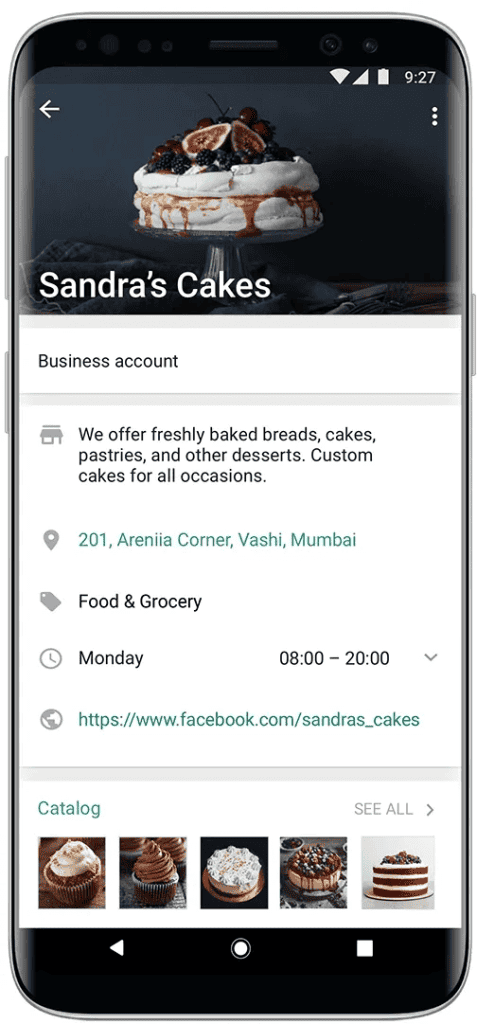
A WhatsApp Business profile is the business version of your personal WhatsApp profile. Instead of just showing your name and phone number, it allows you to display important information about your company so customers can instantly understand who you are and what you offer.
Think of it as your mini business card inside WhatsApp. When someone opens your profile, they can see details such as your business name, description, address, website, working hours, email, and product catalog. This helps customers quickly verify that they are speaking with a legitimate business and not just a random phone number.
WhatsApp designed this feature specifically to help businesses build trust with customers. A well-set-up business profile makes conversations feel more professional and organized. Customers can learn about your brand, explore your products, and contact you directly without leaving the chat.
Why Do You Need a WhatsApp Business Profile?
A well-set-up WhatsApp Business profile does more than just display your company information. It helps customers trust your brand, communicate faster, and make decisions more easily. Here are some key benefits your business can gain from using one:
- Builds trust and credibility
A complete business profile makes your brand look legitimate and professional. When customers can see your business name, description, address, website, and operating hours, they feel more confident that they’re interacting with a real company rather than an unknown number. - Makes it easier for customers to find information
Customers don’t always want to ask basic questions like your opening hours or website link. A WhatsApp Business profile allows them to quickly access these details directly from your profile, saving time for both you and your customers. - Improves customer communication
With a business profile, customers can instantly start conversations with your brand. Since WhatsApp is already part of their daily routine, they are more likely to respond quickly and stay engaged throughout the interaction. - Creates a stronger brand presence
Your WhatsApp Business profile acts as an extension of your brand. By adding your logo, business description, and product catalog, you create a consistent brand experience that helps customers recognize and remember your business.
How to Create a WhatsApp Business Profile – Step by Step
Setting up a WhatsApp Business profile is a straightforward process. Within a few minutes, you can create a professional profile that helps customers learn about your business and contact you easily. Here’s how to get started.
Step 1: Download the WhatsApp Business App
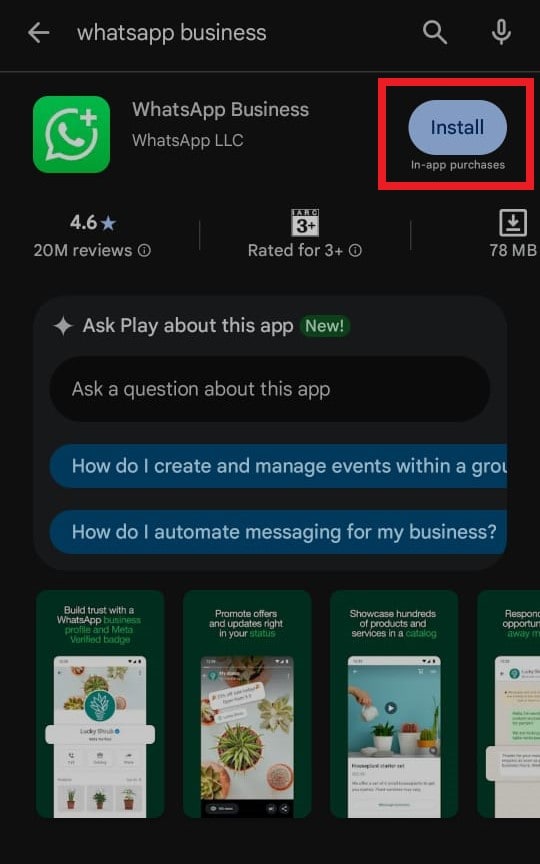
Start by installing the WhatsApp Business app on your phone. Just go to the Google Play Store on Android or Apple App Store for iOS users. Search for WhatsApp Business and tap Install or Get to download the app. Once the installation is complete, you’re ready to begin the setup process.
Step 2: Open the App
After downloading the app, open WhatsApp Business on your device. You’ll be guided through a quick setup process to get your business account ready.
Step 3: Agree to the Terms
Before creating your account, WhatsApp will ask you to review its Terms of Service and Privacy Policy. Take a moment to read through them and then tap Agree and Continue to move forward.
Step 4: Register Your Business Phone Number
Next, you’ll need to register the phone number you want to use for your business.
- Enter your business phone number.
- Tap Next.
- Verify the number using the SMS verification code or a phone call.
Many businesses choose to use a dedicated number so that personal and business messages remain separate.
Step 5: Set Up Your Business Profile
Once your number is verified, it’s time to create your basic profile.
- Enter your business name.
- Select the business category that best describes your company (for example: Retail, Consulting, Restaurant, etc.).
- Add a profile photo. This is usually your business logo or a clear image representing your brand.
Your profile photo helps customers instantly recognize your business when they open the chat.
Step 6: Add Important Business Details
To make your profile more informative, you can add additional details about your business.
Go to Settings → Business Tools, then fill in the relevant information, including your business address, opening hours, website, email address, and a short business description.
Adding these details helps customers quickly understand what your business does and how they can reach you. A complete profile also makes your WhatsApp presence look far more professional.
Best Practices for Creating a Professional WhatsApp Business Profile
Setting up your WhatsApp Business profile is only the first step. To make a strong impression on customers, you need to fill in your profile details thoughtfully and keep them up to date.
A well-optimized profile helps customers quickly understand who you are, what you offer, and how they can reach you.
Below are some important best practices to follow when creating a professional WhatsApp Business profile.
1. Use a Clear and Recognizable Profile Picture
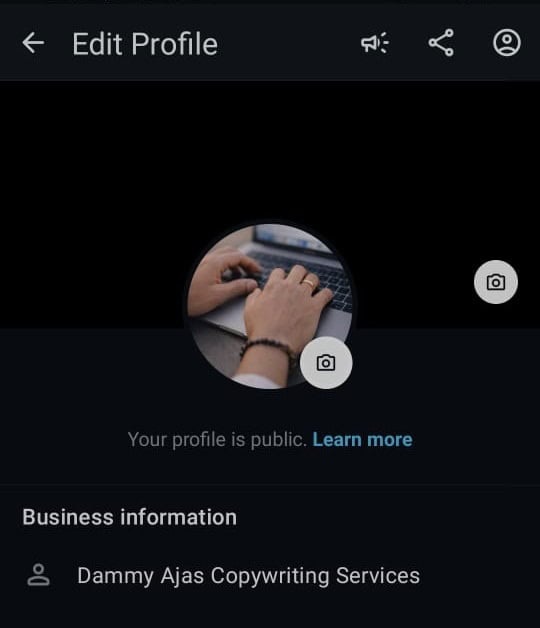
Your profile photo is usually the first thing customers notice when they open a conversation with your business. For most companies, the best choice is a clean version of your logo. This helps customers instantly recognize your brand.
Make sure the image is clear, professional, and properly sized. Since WhatsApp displays profile photos in a circular format, avoid using a full logo that might get cut off around the edges. A square image (for example, 640×640 pixels) works best so that your logo stays centered and easy to see.
2. Choose the Right Business Category
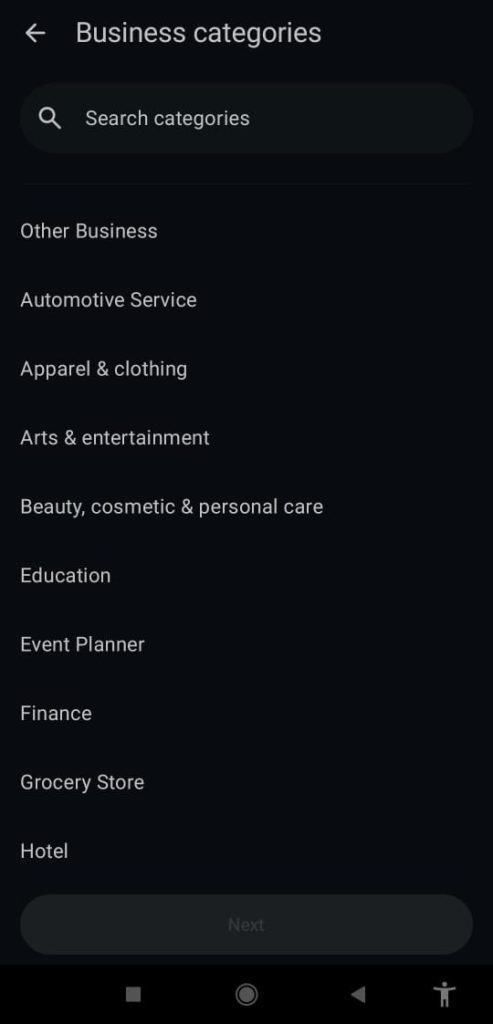
Selecting the correct business category helps customers quickly understand what type of business you run. When setting up your profile, WhatsApp allows you to choose from different categories such as retail, education, restaurant, consulting, and more.
Pick the category that best describes your business. This small detail can make your profile clearer and more professional, especially when customers view your business information for the first time.
3. Write a Simple and Clear Business Description
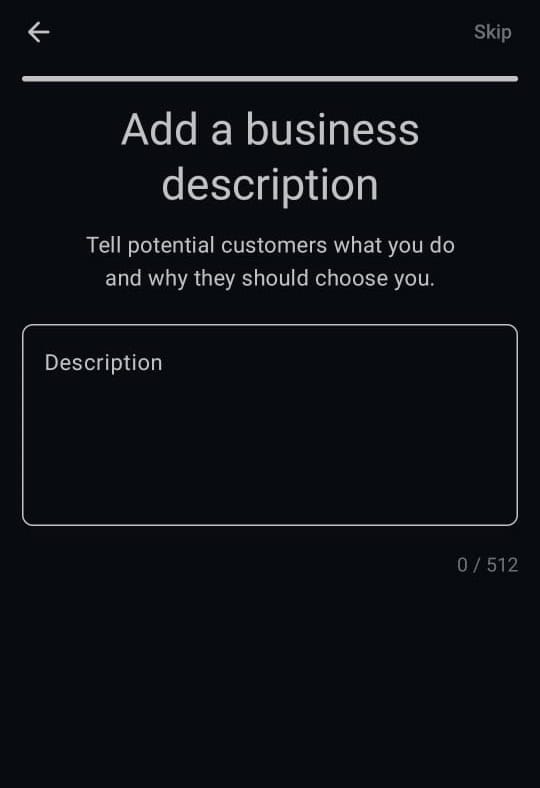
Your business description is where you briefly explain what your company does and how you help customers. This section should be short, clear, and easy to understand.
Avoid long paragraphs or vague statements. Instead, describe your service in a few sentences and end with a small call-to-action. For example, you might invite customers to message you for support, place an order, or ask questions.
A good description helps customers quickly decide whether they want to start a conversation with your business.
4. Add a Professional Business Email
While WhatsApp is great for messaging, some customers may prefer to contact you through email, especially for detailed questions or after business hours. Adding a business email address to your profile gives customers another way to reach you.
It also makes your profile look more complete and trustworthy. Businesses that provide multiple contact options often appear more credible and professional.
5. Include Your Business Address
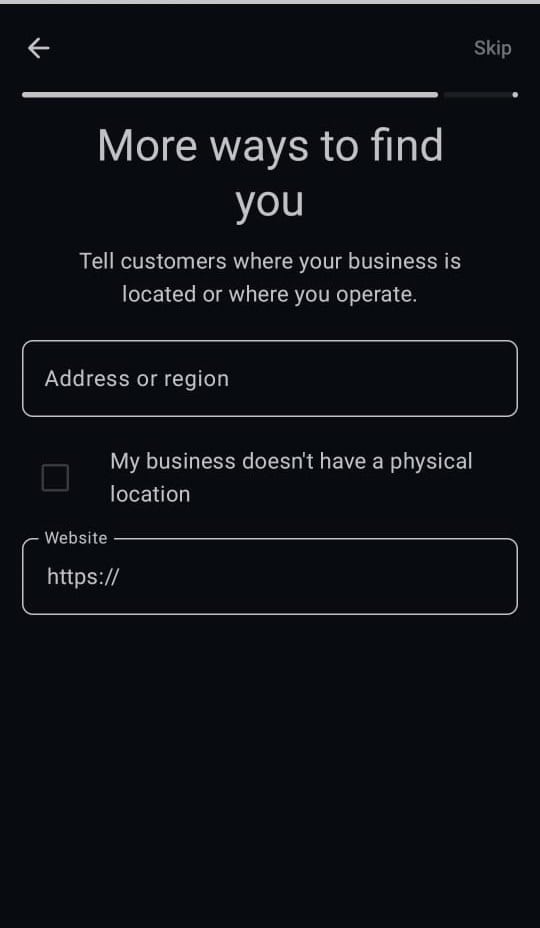
Adding your business address can significantly increase trust, especially if you operate a physical store, office, or service location. Customers often feel more confident interacting with a business that clearly shows where it is located.
WhatsApp also allows you to attach a map location along with your address, which makes it easier for customers to find you. Even if your business operates mostly online, providing a location can still strengthen your credibility.
6. Display Your Business Hours Clearly

Letting customers know when your business is available is extremely important. When people send a message on WhatsApp, they often expect a quick reply. If your profile clearly lists your business hours, it helps set the right expectations.
For example, customers will know whether they should expect an immediate reply or a response the next business day. This small detail prevents frustration and improves the overall customer experience.
WhatsApp allows you to set different types of schedules, such as specific opening hours, always available, or appointment-based availability.
7. Keep Your Information Updated
Your WhatsApp Business profile should always reflect your most current business information. Imagine a customer trying to reach you using an outdated phone number or visiting an old business address. That kind of experience can easily damage trust.
Whenever something changes – such as your contact details, website, location, or operating hours – make sure you update your WhatsApp Business profile immediately. Keeping your profile accurate ensures customers always have the right information.
8. Create a Product or Service Catalog
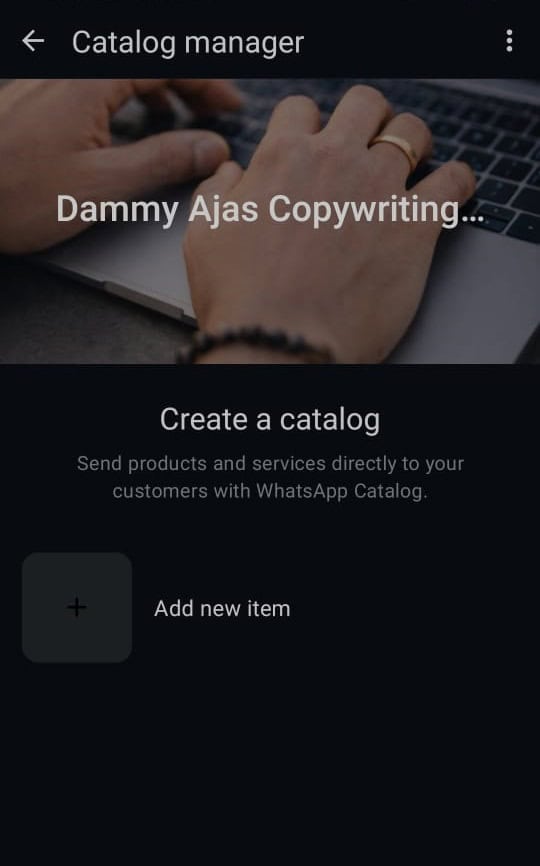
One of the most powerful features of WhatsApp Business is the catalog. This allows you to showcase your products or services directly inside the app.
Each item in your catalog can include:
- Product or service name
- Description
- Price
- Images
- Website link or product code
Customers can browse your offerings without leaving the chat, making it easier for them to ask questions or place orders. WhatsApp currently allows businesses to add up to 500 items in their catalog.
9. Make Your Profile Easy to Understand
A professional profile should always be simple and easy to read. Customers should be able to quickly understand:
- What your business does
- How they can contact you
- What services or products you offer
Avoid using complicated language or filling your profile with too much information. Clear and concise details make it easier for customers to decide whether they want to reach out.
10. Review Your Profile from a Customer’s Perspective
A good habit is to occasionally review your WhatsApp Business profile as if you were a customer seeing it for the first time.
Ask yourself questions like:
- Does the profile clearly explain what the business does?
- Are the contact details accurate?
- Is the logo clear and professional?
- Are the business hours and description easy to understand?
Making small adjustments based on this perspective can help your profile look more polished and trustworthy.
Supercharging Your WhatsApp Business Account with DMly
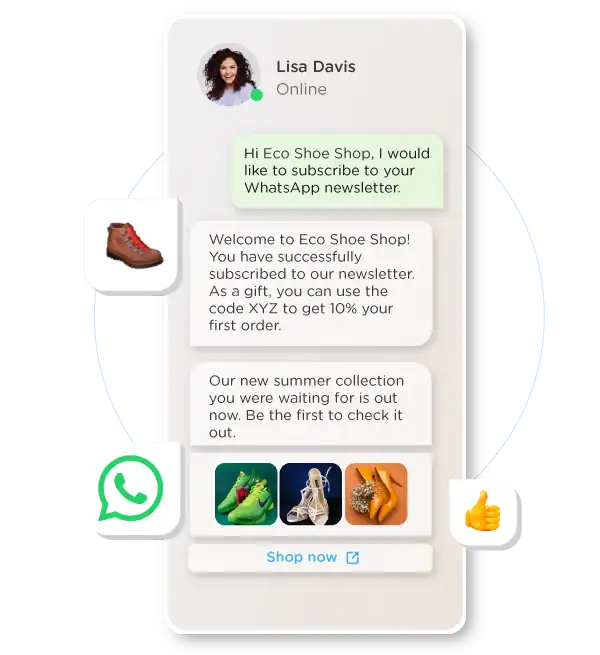
Creating a professional WhatsApp Business profile is a great first step. But as your customer base grows, managing conversations, campaigns, and support requests manually can quickly become overwhelming. This is where a platform like DMly can help take your WhatsApp communication to the next level.
DMly connects your business to the official WhatsApp Business API, allowing you to do much more than what the standard app offers. For example, you can automate replies with AI chatbots, run targeted broadcast campaigns, and manage all customer conversations from a shared team inbox. Instead of replying to every message manually, DMly can handle common questions, qualify leads, and guide customers through the buying process automatically.
Another powerful advantage is automation and segmentation. With DMly, you can send personalized updates based on customer behavior, such as welcome messages, product announcements, or follow-ups after a purchase. This makes your communication more relevant and helps turn everyday conversations into real business opportunities.
So, while the WhatsApp Business app helps you start communicating with customers, DMly helps you scale those conversations efficiently as your business grows.
Final Note
A professional WhatsApp Business profile is more than just a contact page. It’s often the first impression customers get of your business inside a conversation. When your profile is complete, clear, and well-organized, it immediately builds trust and makes it easier for customers to interact with your brand.
By following the best practices in this guide, you can create a profile that looks professional and encourages customers to reach out. And as your business grows, tools like DMly can help you manage conversations, automate responses, and scale your WhatsApp communication more efficiently.
Frequently Asked Questions
What’s the difference between WhatsApp and WhatsApp Business?
WhatsApp is designed mainly for personal messaging between friends and family. WhatsApp Business, on the other hand, is built specifically for companies and businesses. It includes extra features and tools that help businesses communicate more professionally with customers.
Can I use the same number for WhatsApp and WhatsApp Business?
A phone number can only be active on one WhatsApp account at a time. If you register your number with WhatsApp Business, it will no longer work with the standard WhatsApp app on that device. Many businesses choose to use a dedicated number for their business account to keep personal and professional conversations separate.
Can I create a QR code for my WhatsApp Business profile?
Yes. WhatsApp Business allows you to generate a QR code that customers can scan to start a conversation with your business instantly. This QR code can be shared on websites, social media pages, flyers, product packaging, or in-store displays to make it easier for customers to contact you.
Can I edit my WhatsApp Business description?
Yes, you can update your business description at any time. Simply go to Settings → Business Tools → Business Profile, then edit the description field. This allows you to keep your profile information up to date whenever your services, offers, or messaging changes.
How can I add a location to my WhatsApp Business profile?
To add your business location, open Settings → Business Tools → Business Profile, then tap the Address field. You can enter your business address and pin the location on the map so customers can easily find your store or office.