Today, WhatsApp is undoubtedly one of the most important communication channels for businesses and individuals alike. From customer support to marketing campaigns, many organizations rely on it to stay connected with their audience. But there’s one question that comes up often: can you schedule WhatsApp messages in advance?
The short answer is yes – but not directly inside WhatsApp itself. The platform currently doesn’t offer a built-in scheduling feature.
That means if you want a message to go out at a specific time, you either have to send it manually or use tools designed to automate the process.
In this guide, we’ll walk you through how to schedule WhatsApp messages, the tools that make it possible, and the best ways businesses use scheduling to stay organized and consistent.
What Does It Mean to Schedule WhatsApp Messages?
Scheduling WhatsApp messages simply means preparing a message in advance and setting it to be sent automatically at a specific time or date. Instead of typing and sending messages manually, scheduling allows you to plan your communication ahead of time so the message goes out exactly when it should.
For businesses, this can be extremely useful. You might want to send appointment reminders in the morning, promotional offers during peak engagement hours, or follow-up messages after a purchase.
By scheduling WhatsApp messages, you ensure that customers receive timely updates even when no one from your team is actively online. It’s a simple way to stay consistent and responsive without having to manage every message manually.
Why Scheduling Hits Differently for Businesses
For businesses that rely on WhatsApp to communicate with customers, timing can make a big difference. Messages sent at the right moment are far more likely to be opened, read, and acted upon.
When you schedule WhatsApp messages, you remove the pressure of being online all the time while still maintaining timely and consistent communication.
Here are some key reasons why message scheduling is so useful for businesses.
1. Send Messages at the Perfect Time
Customers are more likely to respond when messages arrive at convenient times. Scheduling allows you to plan communications based on when your audience is most active.
For example, you can send reminders in the morning, promotions in the evening, or follow-up messages after a purchase – all without manually sending them.
2. Maintain Consistent Communication
Consistency is important when building relationships with customers. When you schedule WhatsApp messages, you can plan campaigns, updates, and reminders ahead of time. This helps your business stay active and responsive even during busy periods.
3. Save Time for Your Team
Without scheduling, someone from your team has to manually send every message. That may not be practical when you’re running campaigns, sending reminders, or managing multiple conversations.
Scheduling reduces repetitive work and allows your team to focus on more important tasks like customer support and sales.
4. Improve Customer Experience
Timely messages help customers feel supported and informed. Appointment reminders, order updates, delivery notifications, and follow-ups can all be scheduled so customers receive them exactly when they need them. This improves overall customer satisfaction and builds trust in your brand.
5. Run Marketing Campaigns More Efficiently
Businesses often use WhatsApp for promotions, announcements, and product launches. Scheduling messages allows you to prepare these campaigns in advance and send them to customers at the right moment. This makes it easier to coordinate marketing activities without rushing to send messages manually.
6. Stay Organized and Reduce Errors
Planning messages ahead of time helps reduce last-minute mistakes. Instead of typing messages in a hurry, you can review and prepare them carefully before scheduling. This ensures that the information you send to customers is clear, accurate, and professional.
How to Schedule WhatsApp Messages
Now that you understand why scheduling messages is useful, the next step is learning how to actually do it. Since WhatsApp does not offer a built-in scheduling feature, businesses usually rely on a few workarounds.
Some of them include using automation tools on your phone, third-party apps, or limited automation features inside the WhatsApp Business app. While many of these methods work, for advanced scheduling, you will need to resolve to WhatsApp Business API. The catch here, however, is that t can be challenging to manage it directly. But there are platforms like DMly that make the whole process easy.
So, before we discuss how to use the different methods to schedule WhatsApp messages, let’s show you how DMly helps you achieve this simply.
How to Schedule WhatsApp Messages with DMly
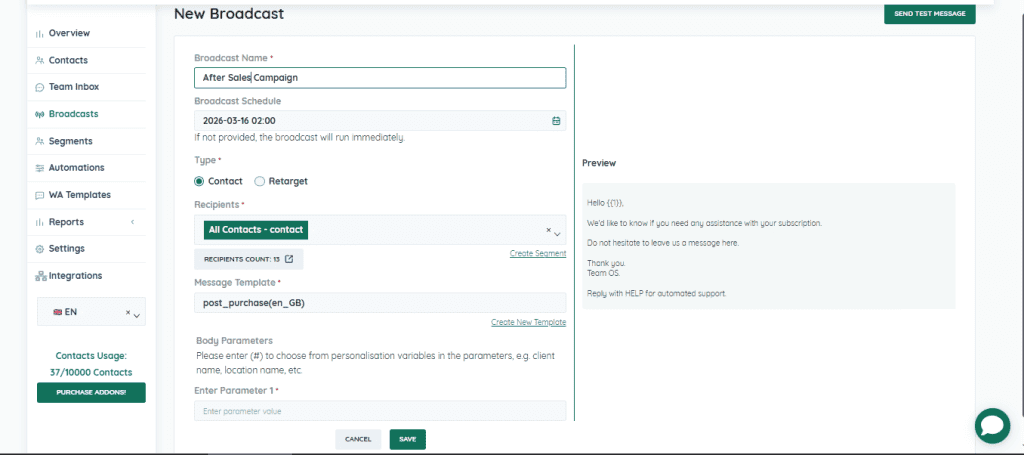
Like we said, WhatsApp Business API indeed provides powerful capabilities, but managing it directly can be complex. Platforms like DMly simplify the process by giving businesses an easy dashboard for scheduling and managing campaigns.
Here’s how you can use the tool to schedule your messages:
- Log in to your DMly account and open the messaging dashboard.
- Go to the Broadcast section and click Add New Broadcast.
- Give your campaign a name and choose the category, such as contact broadcast or retargeting.
- Select the recipients – the audience or contact list that should receive the scheduled message.
- Select an existing template or create a new one for your campaign.
- Click Select Schedule Date Time and choose the exact month, date, hour, and minute for your message to be delivered.
- Send a Test Message: Before launching the campaign, send a test message to make sure everything looks correct.
- Once everything is perfect, click on Save, and your message will automatically be sent to the selected recipients at the scheduled time.
Schedule WhatsApp Messages on iPhone Using the Shortcuts App
If you’re using an iPhone, you can schedule WhatsApp messages through Apple’s Shortcuts app. This method allows you to automate a message so it’s sent at a specific time.
Here’s how to set it up:
- Open the Shortcuts app on your iPhone.
- Tap Automation at the bottom of the screen.
- Select Create Personal Automation by tapping the + icon in the top-right corner.
- Choose Time of Day and set the date and time you want the message to be sent.
- Tap Next and choose Add Action.
- In the search bar, type Text, then select Text and enter your message.
- Tap the + icon again and search for WhatsApp.
- Choose Send Message via WhatsApp.
- Select the contact you want to send the message to.
- Tap Next, then Done.
Once this is set up, the message will automatically be sent at the scheduled time.
Schedule WhatsApp Messages on Android Using Third-Party Apps
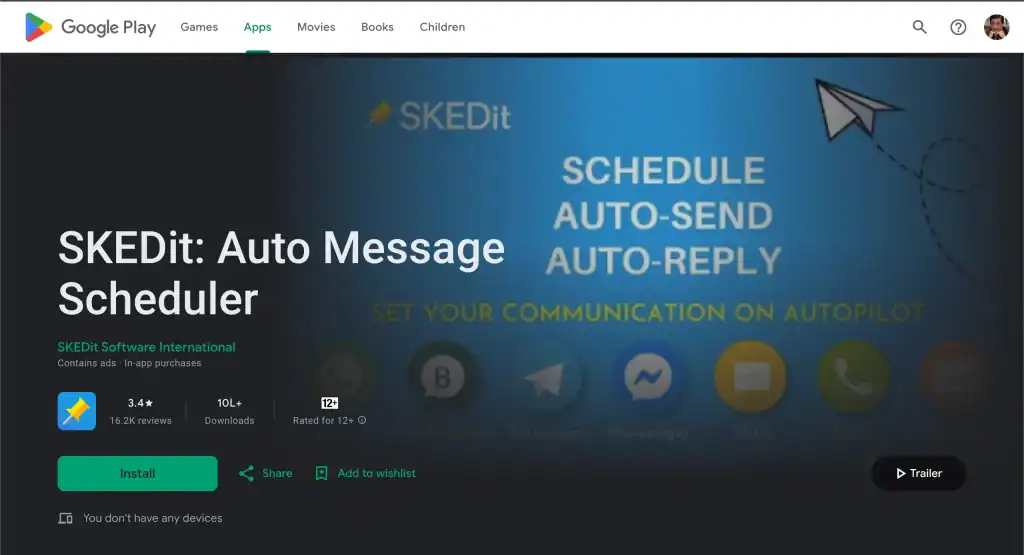
On Android devices, scheduling usually requires the help of third-party apps designed to automate messaging. Some popular options include apps like SKEDit.
These apps allow you to schedule WhatsApp messages, although you may need to grant special permissions or confirm the message when the scheduled time arrives.
Here’s how the process typically works using SKEDit:
- Download and install SKEDit from the Google Play Store.
- Create an account within the app.
- Select WhatsApp from the list of supported services.
- Grant the required permissions so the app can send messages.
- Choose the recipient and type your message.
- Set the date and time when the message should be sent.
- Decide whether the message should be sent automatically or with a reminder for manual approval.
While this method works well for personal use, businesses usually prefer more reliable tools for large-scale messaging.
Scheduling Through the WhatsApp Business App
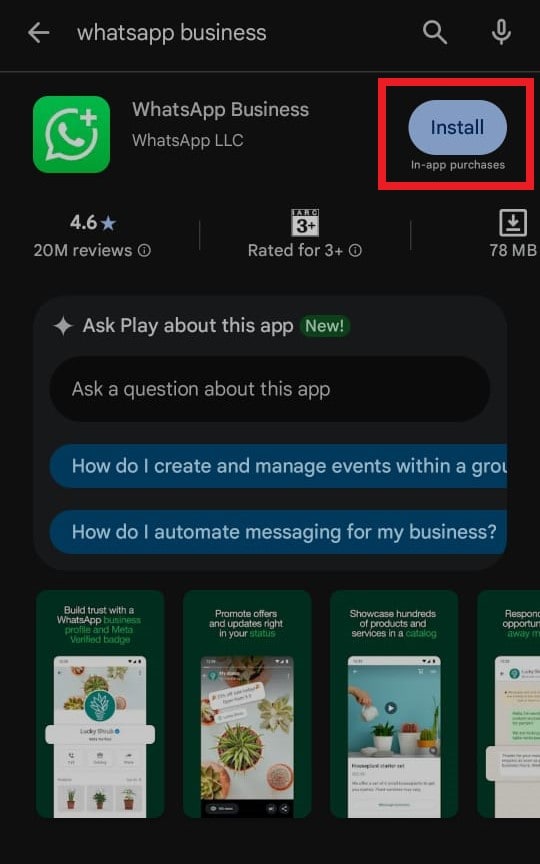
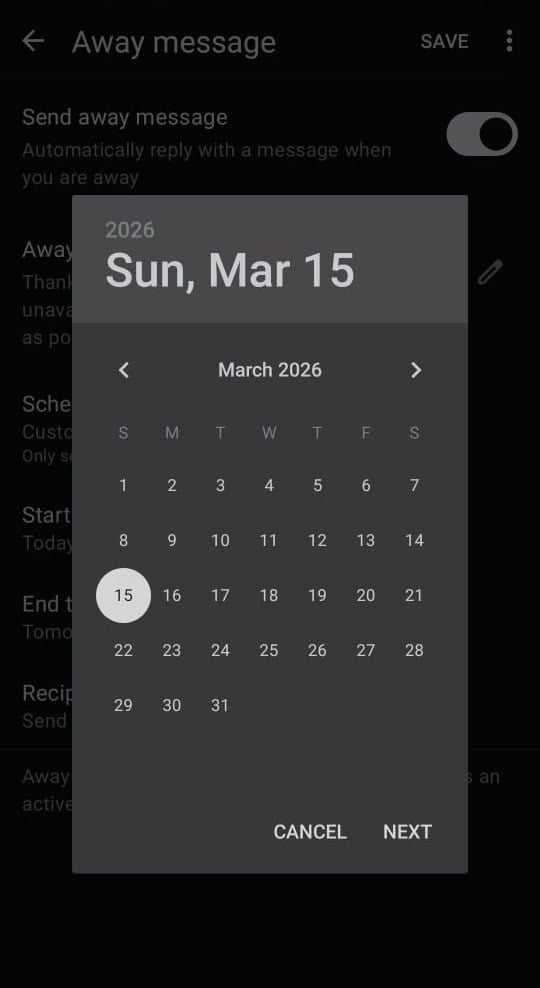
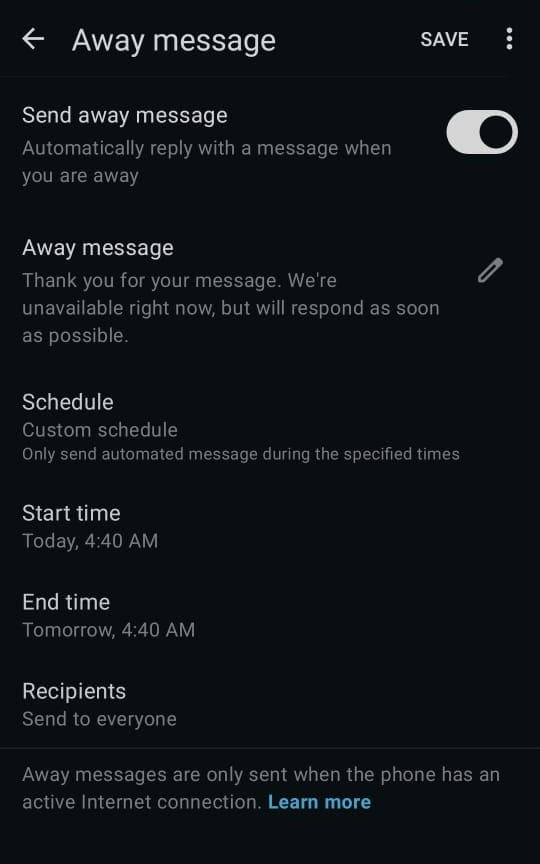
If you’re using the WhatsApp Business app, you can’t fully schedule outgoing messages. However, the app does provide a useful automation feature called Away Messages.
Away messages allow you to automatically reply to customers when your business is closed or when you’re unavailable.
Here’s how to set them up:
- Open the WhatsApp Business app on your phone.
- Go to Settings and select Business Tools.
- Tap Away Message.
- Turn on the Send Away Message option.
- Write the message you want customers to receive.
- Choose the recipients who should receive the message.
- Tap Schedule and select when the away message should be active.
This feature is helpful for managing customer expectations outside business hours. However, it’s not a full scheduling solution for marketing campaigns or announcements.
Later in this post, we’ll explore more advanced ways businesses schedule WhatsApp messages, especially when managing large customer lists or running campaigns. But before then, let’s also see how you can schedule on WhatsApp web.
Can You Schedule WhatsApp Messages on WhatsApp Web?
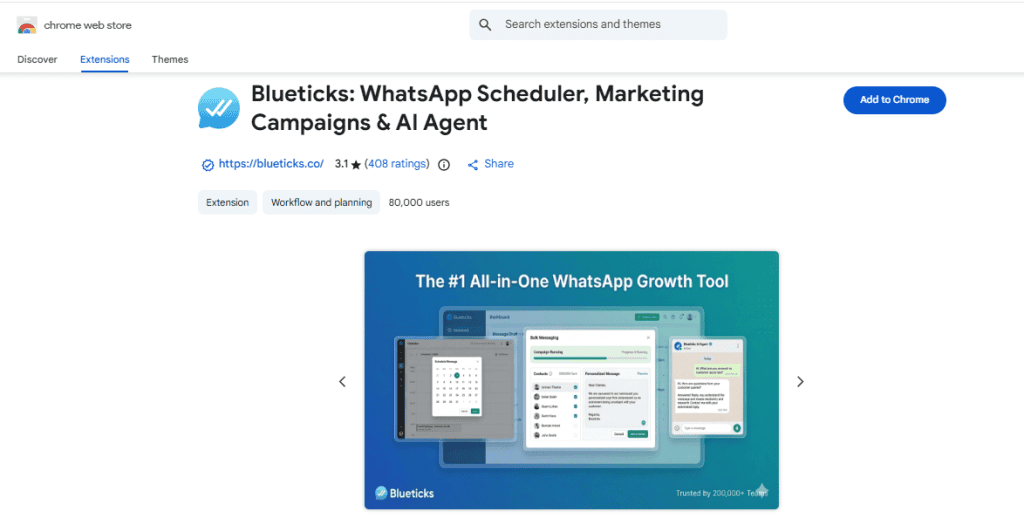
Yes, it is possible to schedule WhatsApp messages on WhatsApp Web, but not directly through the platform itself. WhatsApp Web, like the mobile app, does not currently offer a built-in scheduling feature. To do this, you’ll need to use a browser extension designed to add scheduling capabilities.
One commonly used option is the Blueticks extension, which can be installed from the Chrome Web Store. Once installed, it integrates with WhatsApp Web and allows you to plan messages in advance so they are sent automatically at a specific time.
Here’s how you can schedule a message using this method:
- Install the Blueticks extension from the Chrome Web Store.
- Open WhatsApp Web and select the chat, contact, or group you want to message.
- Look for the schedule icon near the message input box.
- Type the message you want to send.
- Choose the date and time when the message should be delivered.
- Click Schedule Send to confirm.
Once scheduled, the extension will automatically send the message at the selected time. This method is helpful for individuals who work primarily from their computer and want to schedule WhatsApp messages without switching to their phone.
Advanced Scheduling with WhatsApp Business API
If your business needs more control over messaging, the WhatsApp Business API is the most powerful way to schedule WhatsApp messages. Unlike the basic WhatsApp Business app, the API allows businesses to automate messaging workflows, integrate with CRMs, and schedule messages for thousands of customers at once.
Here’s how businesses typically schedule WhatsApp messages using the WhatsApp Business API:
Steps to Schedule WhatsApp Messages Using the WhatsApp Business API
- Get Access to the WhatsApp Business API
First, you need to register for the WhatsApp Business API through an official Business Solution Provider (BSP). A good example is DMly.io. - Connect Your CRM or Messaging Platform
Once your API access is approved, integrate it with your CRM or messaging platform. This allows you to manage customer data and automate message delivery. - Create Approved Message Templates
WhatsApp requires businesses to use pre-approved templates for outbound notifications. These templates can include updates like reminders, promotions, confirmations, or follow-ups. - Set Scheduling Rules or Triggers
Using your CRM or messaging platform, you can choose when messages should be sent. You can schedule them for a specific date and time or trigger them based on customer behavior, such as a purchase, signup, or abandoned cart. - Launch the Campaign or Automation Workflow
Once everything is configured, your messages will automatically be delivered at the scheduled time without manual intervention.
For example, a business could automatically send appointment reminders the day before a booking or follow up with customers who left items in their cart.
6 Best Practices for Scheduling WhatsApp Messages
Scheduling WhatsApp messages can make communication much smoother for businesses. But simply setting a message to go out at a certain time isn’t enough. To get the best results, you need to think about timing, relevance, and how your customers will experience the message. Here are some best practices to keep in mind.
1. Choose the Right Time to Send Messages
Timing plays a big role in whether your message gets attention or ignored. Try to schedule messages during hours when your audience is most active. For most businesses, late mornings or early evenings tend to work well, while very early or late-night messages may feel intrusive.
2. Keep Messages Clear and Straight to the Point
People usually check WhatsApp quickly while doing other things. If your message is too long or complicated, it may be ignored. Keep scheduled messages simple, clear, and focused on a single purpose – whether it’s a reminder, update, or offer.
3. Personalize Messages When Possible
Even when you’re scheduling messages in bulk, adding a personal touch makes a big difference. Using the customer’s name or referencing a recent interaction can make the message feel more natural and less like an automated broadcast.
4. Avoid Sending Too Many Messages
Scheduling makes it easy to send multiple messages, but too many notifications can annoy customers. Plan your messaging strategy carefully and focus on sending only messages that provide real value.
5. Test Messages Before Scheduling Them
Before scheduling a campaign, send a test message to yourself or your team. This helps you confirm that the text, formatting, and links all appear correctly. A quick test can prevent mistakes from reaching hundreds or thousands of customers.
6. Track Results and Adjust Your Strategy
Once your messages are scheduled and sent, pay attention to how customers respond. Look at delivery rates, replies, and engagement levels. This information can help you refine future campaigns and schedule messages at times that work best for your audience.
Common Questions Businesses Ask About WhatsApp Scheduling
Can I set up automatic WhatsApp messages?
Yes, businesses can set up automatic WhatsApp messages. While the regular WhatsApp app doesn’t offer built-in scheduling, tools like the WhatsApp Business app, third-party schedulers, or the WhatsApp Business API allow you to automate and schedule your messages.
What app can I use to schedule WhatsApp messages?
Several tools can help you schedule WhatsApp messages. For personal use, apps like SKEDit or Wasavi can work. For businesses, platforms built around the WhatsApp Business API, such as DMly, offer more advanced features like campaign scheduling, automation, customer segmentation, and analytics.
Is scheduling allowed for promotions?
Yes, promotional messages can be scheduled, but there are rules. On the WhatsApp Business API, promotional messages usually need to be sent using approved message templates and must comply with WhatsApp’s policies. Businesses should also ensure customers have opted in to receive such messages.
Can you schedule WhatsApp group messages?
Yes, group messages can be scheduled depending on the tool you’re using. Some third-party scheduling apps and API-based platforms allow you to set messages that will automatically be delivered to WhatsApp groups at a specific time.
Can you edit or cancel a scheduled message?
In most scheduling tools, yes. If a message hasn’t been sent yet, you can usually edit the content, change the delivery time, or cancel it entirely. The exact options available will depend on the platform you’re using to schedule the message.