WhatsApp has quietly become one of the easiest ways for businesses to talk to their customers. You can share offers, answer questions, take orders, and even close sales, all in one place. But how far you can go with it depends a lot on the type of WhatsApp account you’re using.
That’s where many businesses get stuck.
WhatsApp offers a few different account options, and at first glance, they can look pretty similar. But they’re not built for the same purpose.
In this guide, we’ll break down the different types of WhatsApp accounts and help you figure out which one actually fits your business today, and where you’re headed next.
Why Choosing the Right Account Type Matters
The type of WhatsApp account you choose shapes how you use the platform from day one. It affects how many people you can reach, how you manage conversations, and whether you can automate or scale your messaging as your business grows. Pick the wrong one, and you’ll start running into limits sooner than expected.
It also impacts how professional your business looks to customers. A setup that works fine for a small operation might feel slow or unstructured once you start getting more enquiries. Choosing the right account early helps you avoid switching later and gives you a smoother path as your business grows.
The Different Types of WhatsApp Accounts
1. Personal WhatsApp Account
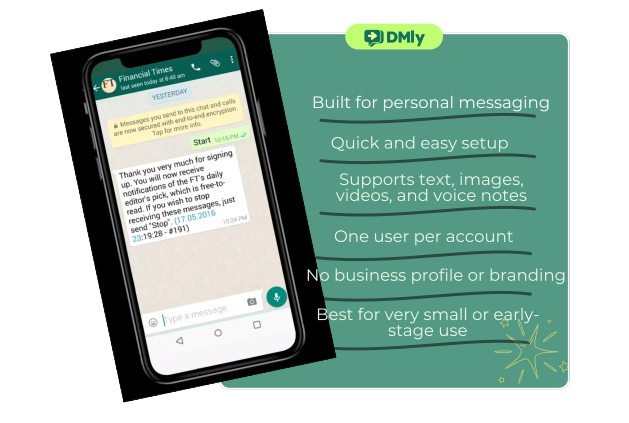
A personal WhatsApp account is the regular version most people use to chat with friends and family. It’s tied to a phone number, simple to set up, and doesn’t require any business details. If you’ve ever used WhatsApp before, this is the version you’re already familiar with. You download the app, verify your number, and you’re ready to start chatting.
Some small businesses actually start here. Especially in the early days, when things are still manual and manageable.
Key Features
At its core, a personal account is built for simple, real-time communication. You can send text messages, images, videos, voice notes, and documents. You can also make calls and create group chats. Everything is straightforward, which is why many people find it easy to start with.
Who Can Use It
Anyone can use a personal WhatsApp account. For businesses, it’s usually freelancers, solo founders, or very small setups testing WhatsApp as a communication channel before committing to something more structured.
Limitations for Businesses
- No automation for replies or workflows
- No way to organize chats with labels or categories
- No broadcast or campaign tools for proper marketing
- No analytics to track performance or engagement
- Limited scalability as conversations increase
- Lacks a professional business profile or branding
This is why most businesses outgrow it pretty quickly once messages start picking up.
2. WhatsApp Business Account
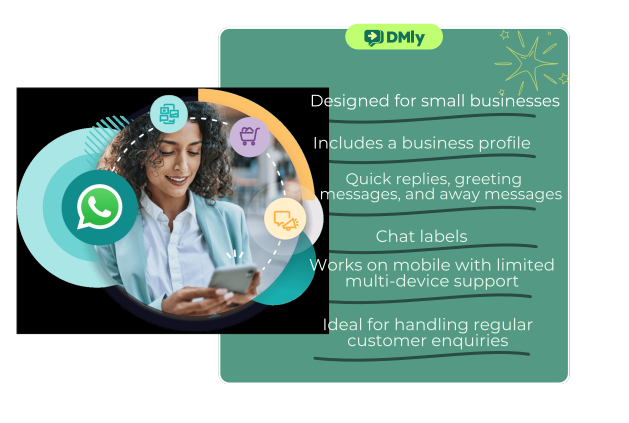
The WhatsApp Business Account is the next step up from a personal account. It’s designed specifically for small to medium-sized businesses that want to look more professional and manage customer conversations a bit better.
You still use it on your phone, just like the regular app, but it comes with extra tools that make it easier to interact with customers and present your business properly.
Key Features
This version gives you access to a proper business profile where you can add your company name, description, working hours, location, and website.
It also includes features like quick replies, greeting messages, and away messages, which help you respond faster without typing everything manually.
You can also use labels to organize chats, making it easier to keep track of customers and conversations.
Who Can Use It
This is ideal for small businesses, local shops, freelancers, and service providers who are starting to get regular customer enquiries and want a more structured way to handle them.
If you’re managing conversations yourself or with a small team, this setup works well for a while.
Limitations for Businesses
- Limited automation capabilities beyond basic auto-replies
- No advanced campaign or broadcast features at scale
- Conversations are still tied to a single device (or limited devices)
- No deep analytics or performance tracking
- Can become difficult to manage as message volume grows
- Not built for large teams or high-volume customer interactions
It’s a solid upgrade from a personal account, but once your business starts growing, you’ll likely start feeling these limits.
3. WhatsApp Business API
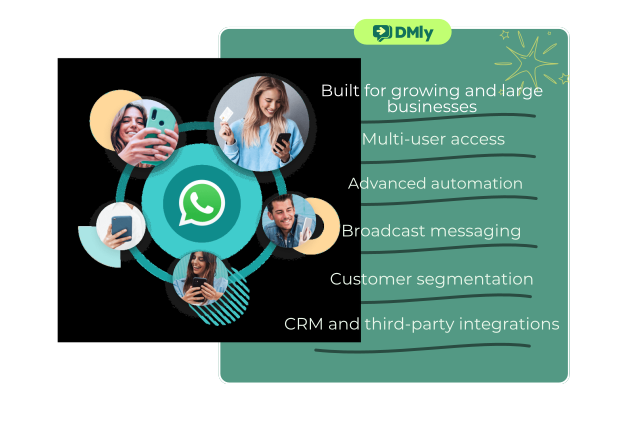
This is where WhatsApp becomes a serious business tool. The WhatsApp Business API isn’t an app you download. It’s a more advanced setup designed for businesses that want to scale communication, automate conversations, and run proper marketing campaigns on WhatsApp.
Instead of managing chats from a single phone, everything is connected through a platform. This is what allows teams to collaborate, automate responses, and handle large volumes of messages without things falling apart.
Key Features
- Multi-user access – Multiple team members can manage conversations at the same time without stepping on each other’s toes
- Advanced automation – Set up automated replies, chat flows, and AI-driven conversations that run 24/7
- Broadcast messaging at scale – Send campaigns to thousands of users using approved message templates
- Customer segmentation – Group users based on behavior, interests, or past interactions for more targeted messaging
- Interactive messages – Use buttons, lists, and structured replies to guide users toward action
- CRM integration – Connect WhatsApp with your existing tools to manage customer data more effectively
- Analytics and reporting – Track message performance, response rates, and conversions to improve campaigns
- Official verification (Green tick eligibility) – Build more trust with customers through verified business status
- Omnichannel support – Manage WhatsApp alongside other channels like Instagram, Messenger, or web chat in one place (with the right platform)
Who Can Use It
This is best suited for growing businesses, e-Commerce brands, agencies, and larger teams that handle a high volume of customer conversations.
If you’re running campaigns, managing leads, or supporting customers at scale, this is the setup that actually keeps things organized.
Limitations for Businesses
- Requires setup through an official provider (not a plug-and-play app)
- May involve approval processes for message templates
- Needs some initial learning compared to the basic apps
Once set up properly, though, these are minor trade-offs compared to what you unlock.
Quick Comparison of the Three Account Types
Feature/Area | Personal Account | WhatsApp Business Account | WhatsApp Business API |
|---|---|---|---|
| Setup | Simple (mobile app) | Simple (mobile app) | Requires platform/provider |
| Best For | Personal use / testing | Small businesses | Growing & large businesses |
| Business Profile | ❌ No | ✔ Basic profile | ✔ Full business presence |
| Automation | ❌ None | ⚠ Basic (auto-replies) | ✔ Advanced workflows & AI |
| Broadcast Messaging | ❌ Limited | ⚠ Limited | ✔ Scalable campaigns |
| Multi-User Access | ❌ No | ⚠ Limited | ✔ Full team collaboration |
| Customer Segmentation | ❌ No | ⚠ Basic labels | ✔ Advanced segmentation |
| Analytics & Reporting | ❌ None | ❌ Very limited | ✔ Detailed insights |
| Interactive Messages | ❌ No | ❌ No | ✔ Buttons, lists, flows |
| Scalability | ❌ Very limited | ⚠ Moderate | ✔ High scalability |
| Verification (Green Tick) | ❌ No | ⚠ Limited eligibility | ✔ Eligible |
How to Get WhatsApp Business API
There are two main ways to access the WhatsApp Business API. Both lead to the same end result, but the experience along the way is very different.
1. Getting WhatsApp API Directly Through Meta
You can go straight to Meta and apply for the API yourself. On paper, it sounds like the most direct route. In reality, it’s quite technical.
This option requires you to handle the entire setup on your own. You’ll need a developer to connect the API, manage hosting, maintain the system, and troubleshoot issues when they come up. Meta doesn’t provide much hands-on support here, so most of the work sits with your team.
It works if you have strong technical resources in-house and want full control over everything. But for most businesses, it quickly becomes time-consuming and harder to manage than expected.
2. Getting WhatsApp API Through an Official Solution Provider (Recommended)
This is the route most businesses take, and for good reason.
Instead of building everything from scratch, you get access to WhatsApp API through a platform that’s already set up and ready to go. With providers like DMly, the entire process is handled for you, from approval to activation.
You don’t need a developer. You don’t need to worry about infrastructure. You just focus on using WhatsApp to grow your business.
With DMly, you get your API approved and live in a few days, along with tools you’d otherwise have to build yourself. Things like bulk messaging, automation, shared inbox for your team, customer segmentation, and detailed analytics are all built in.
Another big plus is pricing transparency. You pay Meta’s standard messaging fees without extra markup, which keeps your costs predictable as you scale. For most growing businesses, this option saves time, reduces complexity, and gets you up and running much faster.
However, one thing that puts many businesses off is the idea of switching completely from the WhatsApp Business app to the API. But that’s not always necessary. With platforms like DMly, you can use WhatsApp co-existence, which lets you keep using your existing WhatsApp Business app while also running the Cloud API.
So you don’t lose your current setup or number. You simply add more power to it. (Note: co-existence is currently not supported in Nigeria and South Africa.)
How to Choose the Right Type of WhatsApp Account for Your Business
Choosing the right setup comes down to a few key things. Where your business is today, how you manage conversations, and how you plan to grow.
Let’s break it down in a way that’s easy to follow.
Consider Your Business Size
Start with where you are right now.
If you’re running things solo and only getting a few enquiries, a personal account can work for a while. It keeps things simple and lets you test how WhatsApp fits into your business.
Once messages become more regular, switching to the WhatsApp Business app makes things easier. You get a proper business profile and better structure for handling chats.
And when you’re dealing with a larger customer base or running campaigns, that’s usually the point where the WhatsApp Business API becomes the better fit.
Think About How Many People Need Access
This is where many businesses start feeling the pressure. A personal account is built for one person. The Business app gives you a bit more flexibility with linked devices, but it still has limits.
If you have a team handling sales, support, or enquiries, you’ll need something more structured. The API allows multiple users to manage conversations from a shared space, which makes collaboration much smoother.
Factor in the Cost
The basic apps are free, which makes them easy to start with. The WhatsApp Business API works differently. You’re charged based on messages, depending on the type of conversation and where your customers are located. You may also pay for the platform you use to manage it.
That said, the cost usually makes sense once you’re actively using WhatsApp to generate revenue, not just respond to messages.
Consider the Level of Automation You Need
If you’re replying manually to every message, things can quickly become overwhelming. A personal account doesn’t offer automation. The Business app gives you simple tools like quick replies and away messages, which help a bit.
But if you want proper automation, like handling common queries, guiding users through a flow, or running campaigns without manual effort, the API is where that becomes possible.
Look at How You Manage Orders or Leads
If WhatsApp is just for conversations, the simpler options can work. But if you’re using it to take orders, qualify leads, or manage customer journeys, things get more complex. You’ll need better tracking, integrations, and visibility into what’s happening.
With setups powered by platforms like DMly, you can connect WhatsApp to your website, CRM, or store and manage everything in one place. That makes it easier to track conversations and turn them into actual sales.
Plan for Where You’re Headed
You can always move forward, from personal to Business, and then to the API. But going backwards isn’t as simple. Switching down usually means resetting your setup.
So instead of choosing only for today, think about what your business will look like in the next few months. Picking a setup that can grow with you saves you time and effort later on.
Also, upgrading doesn’t have to be disruptive. Many businesses worry that moving to the API means giving up their current WhatsApp Business app. With DMly, that’s not the case.
You can use WhatsApp co-existence to run both together, so you keep your existing workflow while unlocking more advanced features.
FAQs
Can I Have 2 WhatsApp Business Accounts?
Yes, you can. But each account needs a separate phone number. You can’t run two WhatsApp accounts on the same number at the same time. Many businesses use one number for personal use and another for business, or separate numbers for different departments.
Is WhatsApp Business API Free?
Not exactly. The API itself isn’t a paid “subscription” like a typical app, but you are charged for messages. Meta bills based on the type of message you send and the user’s location. If you’re using a platform to manage the API, there may also be a platform fee depending on the provider.
Can I Use WhatsApp Business and WhatsApp API on the Same Number?
No, you can’t run both on the same number at the same time. If you move a number to the WhatsApp Business API, it gets disconnected from the WhatsApp Business app. So it’s more of a switch than a side-by-side setup.
Can WhatsApp Business API Send Bulk Messages?
Yes, and that’s one of its biggest advantages. The API allows you to send messages to large numbers of users using approved templates. This is how businesses run campaigns, promotions, and updates at scale. Just make sure users have opted in to receive your messages to stay compliant.
Which WhatsApp Account is Best for E-commerce?
If you’re just starting out, the WhatsApp Business app can work. But for most e-commerce businesses, especially once orders and enquiries start growing, the WhatsApp Business API is the better option. It lets you automate responses, manage orders, and run campaigns more efficiently.
Can I Use WhatsApp Business API Without BSP?
Technically, yes. You can apply directly through Meta. But in practice, it’s not the easiest route. You’ll need technical resources to set everything up and maintain it. That’s why most businesses go through a provider like DMly, which handles the setup and gives you ready-to-use tools from day one.
Final Note
There’s no one-size-fits-all when it comes to WhatsApp accounts. What works for a small setup won’t hold up once your business starts growing, and that’s completely normal.
The key is to start with what makes sense now, stay aware of the limits, and upgrade when you feel things getting tight. WhatsApp is a powerful channel when used right, and choosing the right account from the start just makes everything else easier as you grow.