
Businesses today don’t just send messages. They manage conversations, run campaigns, process payments, and support customers across multiple channels. That’s why platforms like CM.com have gained attention. They promise to bring messaging, automation, and commerce into one system so teams can handle customer communication at scale.
CM.com positions itself as more than just a messaging tool. It combines global SMS delivery, WhatsApp integration, APIs, and even payment features into a single platform. For large teams and enterprise use cases, this kind of setup can be powerful. But for many businesses, especially those looking for simpler automation and faster setup, the platform can feel more complex than expected.
In this guide, we’ll walk through a full CM.com review, break down CM.com pricing, and explore its key features, strengths, and limitations. We’ll also look at the best CM.com alternatives, including DMly, to help you decide which platform fits your business better.
What is CM.com?
CM.com is a cloud-based communications platform designed to help businesses manage customer interactions at scale. It combines messaging, automation, and payments into one system, allowing companies to connect with customers across multiple channels such as SMS, WhatsApp, Apple Messages for Business, and RCS.
At its core, CM.com is built around a messaging API infrastructure. This means businesses can integrate its services directly into their apps, websites, or internal systems to send notifications, run campaigns, or automate communication workflows. It’s commonly used for things like transactional messages, customer alerts, marketing campaigns, and two-factor authentication.
Beyond messaging, CM.com also includes tools for conversational commerce and payments. Businesses can engage customers through chat, process transactions, and even handle digital agreements using features like e-signatures. This makes it more than just a messaging tool. It’s positioned as a broader customer engagement platform.
CM.com Review at a Glance
Before getting into the details, here’s a quick snapshot of what CM.com offers and where it fits. This will help you understand the platform’s core focus, capabilities, and who it’s best suited for.
Category | Details |
|---|---|
| Platform Type | Cloud-based communications and conversational commerce platform |
| Main Focus | Messaging APIs, automation, and customer engagement at scale |
| Supported Channels | SMS, WhatsApp, Apple Messages for Business, RCS |
| Core Features | Messaging API, global SMS delivery, automation tools, payments, e-signatures |
| Automation Style | API-driven workflows and chatbot integrations |
| Integrations | Salesforce, Shopify, Zendesk, Microsoft 365, HubSpot, SAP, Genesys |
| Analytics | Real-time delivery tracking, logs, and performance metrics |
| Starting Price | From €49/month (Go plan) |
| Best For | Enterprises and businesses handling high-volume messaging |
| Complexity Level | Medium to high (requires some technical setup) |
Key Features of CM.com
CM.com is built as a full communication infrastructure platform, so its features go beyond simple messaging. It combines global delivery, APIs, automation tools, and commerce capabilities into one system.
While some features are more technical, they are designed to support businesses operating at scale. Here are the key features that stand out.
Global Messaging Coverage
One of CM.com’s strongest advantages is its global messaging reach. Businesses can send SMS messages worldwide with high deliverability, thanks to direct connections with carriers in different regions.
It also includes tools like route testing, which help teams check message quality and delivery performance across networks. This is especially useful for businesses running campaigns in multiple countries.

Omnichannel Messaging API
CM.com provides a unified messaging API that allows businesses to connect with customers across multiple channels from a single integration. Supported channels include SMS, WhatsApp, Apple Messages for Business, and RCS.
Real-Time Delivery and Reporting
The platform includes real-time tracking and reporting tools that give businesses visibility into message performance. Users can access delivery status updates, message logs, and performance metrics. These insights help teams monitor campaigns and improve communication strategies over time.
Failover Routing
To improve reliability, CM.com offers intelligent failover routing. If a message fails to deliver through one channel or route, it can automatically be redirected through an alternative path.
E-Signature Integration
CM.com includes a digital signing feature that allows businesses to send and sign documents online. This can be useful for contracts, agreements, and approvals.
Payments and Conversational Commerce
Beyond messaging, CM.com also supports payments and conversational commerce. Businesses can engage customers through chat and allow them to complete transactions within the same flow.
CM.com Pricing
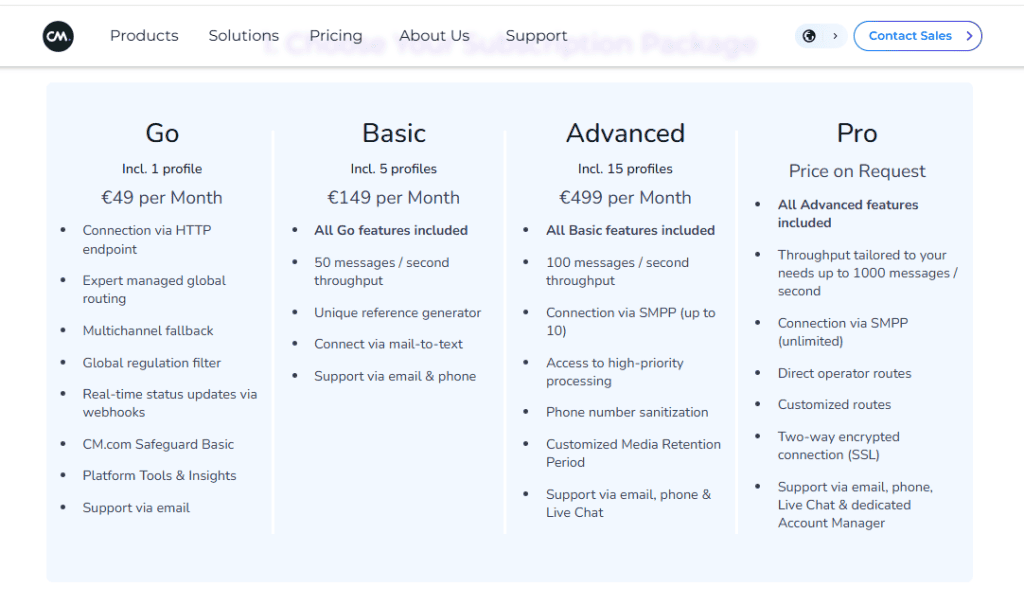
CM.com pricing is structured around subscription tiers for its connectivity platform, with additional costs depending on message volume and usage. Here’s a breakdown of CM.com pricing.
Go Plan — €49/month
The Go plan is the entry-level option, suitable for businesses that want to get started with messaging APIs and basic communication workflows. Providing key features like expert-managed global routing, multichannel fallback support, and global regulation filtering, the plan provides the foundation for businesses that want to integrate messaging into their systems.
Basic Plan — €149/month
The Basic plan adds more capacity and support for businesses handling higher messaging volumes. In addition to everything in the Go plan, it includes up to 50 messages per second throughput, unique reference generator, and mail-to-text connectivity.
Advanced Plan — €499/month
The Advanced plan is built for enterprise use cases and high-volume messaging operations. It includes all Basic plan features, plus:
- Up to 100 messages per second throughput
- SMPP connections (up to 10)
- High-priority message processing
- Phone number sanitization
- Custom media retention settings
- Email, phone, and live chat support
However, beyond the base subscription, CM.com pricing also depends on message volume (SMS, WhatsApp, etc.), channel-specific fees, and API usage and integrations.
This means overall costs can vary significantly depending on how heavily the platform is used, especially for businesses sending large volumes of messages.
CM.com Pros
- Strong global messaging infrastructure: CM.com offers reliable SMS delivery worldwide, with direct carrier connections that help ensure high deliverability across regions.
- Omnichannel communication through a single API: Businesses can manage messaging across SMS, WhatsApp, Apple Messages, and RCS without building separate integrations for each channel.
- Scalable for enterprise use: The platform is designed to handle high message volumes, making it suitable for large organizations and businesses operating in multiple countries.
- Advanced routing and delivery reliability: Features like failover routing help ensure messages reach customers even if the primary delivery route fails.
- Additional tools beyond messaging: CM.com includes features such as payments and e-signatures, allowing businesses to manage more than just communication within one platform.
Cons
- Can be complex for smaller teams: The platform is built around APIs and infrastructure, which may require technical knowledge to set up and manage effectively.
- Pricing can become expensive at scale: While the base plans are structured, overall costs can increase significantly depending on message volume and usage.
- Not as beginner-friendly for automation workflows: Compared to newer tools, CM.com may require more effort to build and manage automated messaging flows.
- May be more than some businesses need: For companies that only need simple messaging or campaign automation, the platform’s full feature set can feel excessive.
These pros and cons highlight why CM.com works well for certain use cases, but also why many businesses start exploring alternatives as their needs evolve.
Why Businesses Look for CM.com Alternatives
CM.com is a powerful platform, but it isn’t always the right fit for every business. While it works well for large-scale communication and enterprise use cases, many teams start looking for CM.com alternatives when their needs shift toward simplicity, automation, or cost efficiency.
Here are some of the common reasons businesses explore other options.
- The platform can feel too complex
CM.com is built around APIs and infrastructure. For teams without technical resources, setting up and managing workflows can take more time than expected. - Pricing becomes difficult to predict
While the base plans are clear, overall CM.com pricing often depends on message volume and channel usage. This can make it harder for businesses to estimate costs as they scale. - Limited out-of-the-box automation
Businesses that want ready-made automation for marketing, sales, or customer support may find that CM.com requires more setup compared to tools designed specifically for messaging workflows. - Not ideal for smaller or growing teams
The platform is designed with enterprise use in mind. Smaller businesses or startups may find that they are paying for features they don’t fully use. - Focus is more on infrastructure than user experience
CM.com excels at delivering messages reliably, but businesses looking for intuitive dashboards, easy campaign setup, and built-in CRM features often prefer tools that are more user-friendly.
Top 7 CM.com Alternatives to Consider for Your Business
1. DMly – Best Overall CM.com Alternative
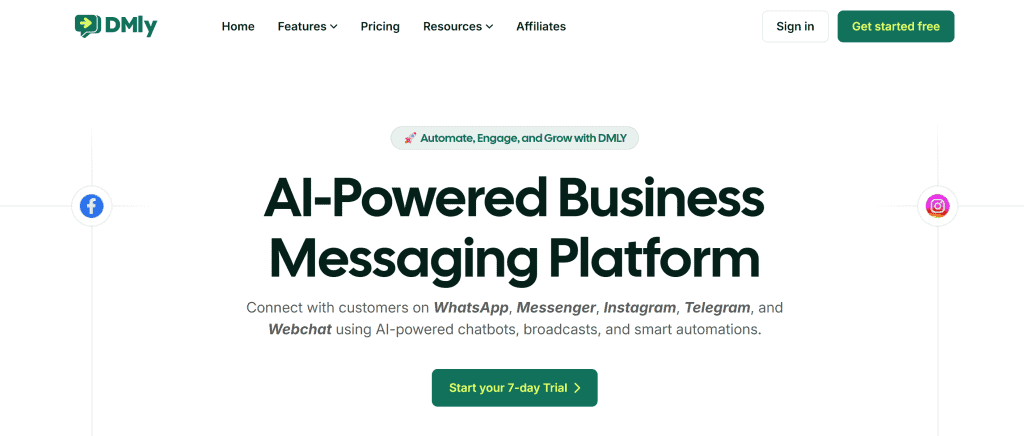
If CM.com feels too heavy or complex for your needs, DMly is often one of the first platforms businesses consider. Instead of focusing mainly on messaging infrastructure, DMly is built around automation, customer engagement, and ease of use, making it a strong CM.com alternative for growing teams.
DMly is a conversational marketing and customer engagement platform that helps businesses manage messaging, automate workflows, and run campaigns across multiple channels. It combines several tools into one system, including a shared inbox, automation builder, CRM, and analytics.
Rather than requiring deep technical setup, DMly is designed to let teams launch and manage messaging workflows directly from a user-friendly interface.
Key Features
- Multi-channel messaging
Manage conversations across WhatsApp, Instagram, Facebook Messenger, Telegram, and web chat from one inbox. - Advanced automation workflows
Build automated customer journeys triggered by user actions, campaign interactions, CRM updates, or webhook events. - Built-in CRM
Store customer data, conversation history, tags, and lifecycle stages in one place. - Behavioral segmentation
Target customers based on how they interact with messages or campaigns. - Campaign management and broadcasting
Send targeted campaigns and track performance with built-in analytics.
Pricing
DMly pricing typically starts at around $29 per month, with higher tiers offering expanded features such as more contacts, automation capacity, and team collaboration tools.
One key advantage is that DMly does not add markup to Meta’s WhatsApp messaging fees, helping businesses keep costs predictable as they scale.
Why DMly Is a Strong CM.com Alternative
- Easier to set up and use compared to CM.com’s API-heavy structure
- Built-in automation tools instead of requiring custom integrations
- More accessible pricing for small and growing businesses
- Designed for everyday use, not just infrastructure-level messaging
For businesses that want a balance between power and simplicity, DMly offers a more practical and flexible approach compared to CM.com.
2. WATI

WATI is a popular WhatsApp Business API platform designed for businesses that want to manage customer communication, support, and marketing through WhatsApp. It’s often considered by teams looking for a more structured way to handle conversations without building everything from scratch.
WATI (WhatsApp Team Inbox) as a WhatsApp-focused customer engagement tool allows businesses to manage chats, automate responses, and send broadcast messages from a shared inbox. It’s especially common among small to mid-sized businesses that rely heavily on WhatsApp for customer support and sales.
Key Features
- Shared team inbox for managing customer conversations
- Broadcast messaging for promotions and updates
- Basic chatbot automation for handling FAQs
- Contact segmentation for targeted messaging
- Integration with tools like Zapier and Shopify
Pricing
WATI pricing typically starts at a higher entry point ($49/month) compared to many newer tools, with plans increasing based on the number of users, conversations, and features required. Businesses also pay WhatsApp conversation fees separately.
Where WATI Fits
WATI works well for teams that want a WhatsApp-first solution with simple automation and team collaboration. However, compared to platforms like DMly, it can feel more limited when it comes to advanced automation, multi-channel messaging, and deeper customer journey management.
3. Twilio
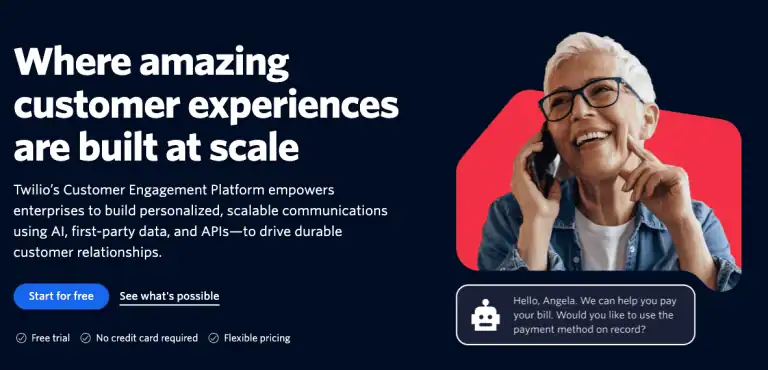
Twilio is one of the most well-known communication platforms in the industry, but it takes a very different approach compared to tools like WATI or DMly. Instead of offering a ready-to-use dashboard, Twilio provides developer-focused APIs that businesses can use to build their own messaging systems from the ground up.
The platform allows businesses to send messages, make calls, and build communication workflows using APIs. It supports multiple channels, including SMS, WhatsApp, voice, email, and more, making it highly flexible for companies with technical teams.
Key Features
- Multi-channel communication APIs (SMS, WhatsApp, voice, email)
- Custom workflow building through programmable APIs
- Scalable infrastructure for high-volume messaging
- Integration with a wide range of systems and applications
- Advanced developer tools and documentation
Pricing
Twilio uses a pay-as-you-go pricing model, where businesses are charged based on usage, such as the number of messages sent or received. This can be cost-effective at small scale but may become expensive as usage grows.
Where Twilio Fits
Twilio is a strong option for companies with in-house developers who want full control over their communication systems. However, for businesses looking for a ready-to-use platform with built-in automation, CRM, and campaign tools, Twilio can feel too technical and time-consuming to set up compared to simpler alternatives.
4. Interakt

Interakt is a WhatsApp-based customer engagement platform designed mainly for small and mid-sized businesses. It combines messaging, simple CRM features, and basic automation tools to help companies manage customer communication and run campaigns from one place.
It’s especially popular among e-commerce brands that want to send order updates, engage customers, and manage conversations without complex setup.
Key Features
- Shared team inbox for managing customer chats
- Broadcast messaging for promotions and updates
- Basic CRM features for storing customer data
- Automation for order updates and notifications
- Integration with platforms like Shopify
Pricing
Interakt is generally positioned as an affordable option, starting from $20/month. Plans typically include core features, while additional costs may apply based on usage and WhatsApp conversation fees.
Where Interakt Fits
Interakt works well for businesses that want a simple WhatsApp CRM and messaging tool without a steep learning curve. However, compared to more advanced platforms, its automation capabilities and multi-channel support can feel limited as business needs grow.
5. AiSensy

AiSensy is a WhatsApp marketing and automation platform designed to help businesses run campaigns, automate conversations, and engage customers through WhatsApp. It’s often used by small and growing businesses that want a straightforward way to start with WhatsApp marketing.
It allows businesses to send bulk messages, automate responses, and manage conversations without needing technical expertise.
Key Features
- Bulk WhatsApp broadcasting for promotions and updates
- No-code chatbot automation for handling common queries
- Contact segmentation for targeted messaging
- Shared team inbox for managing conversations
- Campaign tracking and analytics
Pricing
AiSensy is known for its accessible pricing structure, making it appealing for smaller businesses. Plans typically vary based on features, usage, and messaging volume, with WhatsApp conversation fees charged separately. The basic plan starts at ₹999 per month.
Where AiSensy Fits
AiSensy is a good option for businesses that want an easy entry into WhatsApp marketing with basic automation and campaign tools. However, for companies looking for deeper automation workflows, multi-channel messaging, and more advanced customer engagement features, it may feel somewhat limited.
6. DoubleTick

DoubleTick is a WhatsApp CRM and sales automation tool designed to help businesses manage leads, track conversations, and close deals directly through WhatsApp. It’s often used by sales-driven teams that rely on WhatsApp for daily communication with prospects and customers.
DoubleTick is built around the idea of turning WhatsApp into a sales and relationship management tool. It combines messaging with CRM-like features, allowing businesses to organize contacts, track conversations, and follow up with leads more efficiently.
Key Features
- WhatsApp CRM for managing leads and customer data
- Shared inbox for team collaboration
- Automated follow-ups and reminders
- Broadcast messaging for outreach campaigns
- Basic sales pipeline tracking
Pricing
Starting at $140/month, DoubleTick is typically positioned as a mid-range solution, with pricing based on the number of users and features required. Businesses also pay WhatsApp conversation fees separately.
Where DoubleTick Fits
DoubleTick works best for businesses that want to use WhatsApp as a sales-focused CRM tool. It’s particularly useful for teams managing leads and follow-ups. However, compared to more advanced platforms, its automation depth and multi-channel capabilities are more limited.
7. Zoko
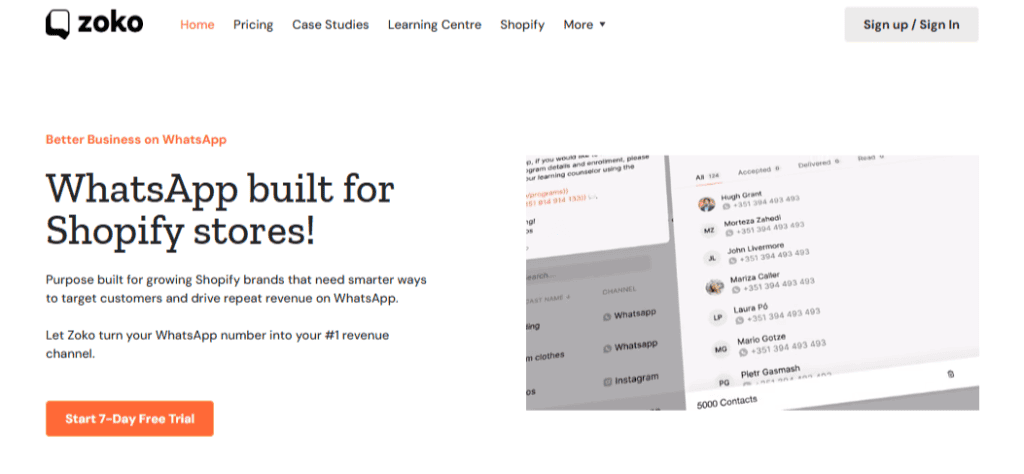
Zoko is a WhatsApp commerce platform built specifically for e-commerce businesses, with a strong focus on helping brands sell, support, and engage customers directly through WhatsApp. It’s particularly popular among Shopify stores looking to turn conversations into conversions.
It connects closely with e-commerce platforms, allowing brands to handle product inquiries, send order updates, and even complete purchases within chat.
Key Features
- WhatsApp sales and commerce tools for handling orders and customer queries
- Broadcast messaging for promotions and campaigns
- Shared team inbox for managing conversations
- Shopify integration for syncing products and orders
- Automation for customer support and follow-ups
Pricing
Zoko’s basic plan starts from $40/month. But generally, pricing here is based on usage and features, with plans designed for growing e-commerce businesses. Costs can increase depending on messaging volume and advanced features.
DMly vs CM.com – Comparison Table
Feature | DMly | CM.com |
|---|---|---|
| Ease of Use | ✅ Simple, no-code setup | ⚠️ API-heavy, technical |
| Automation | ✅ Advanced workflows | ⚠️ Requires setup |
| Messaging Channels | ✅ Multi-channel | ✅ Multi-channel |
| CRM Functionality | ✅ Built-in CRM | ❌ No native CRM |
| Broadcast & Campaigns | ✅ Advanced segmentation | ⚠️ API-based |
| E-commerce Features | ✅ Flexible workflows | ⚠️ Needs integration |
| Integrations | ✅ Wide (API, Zapier, etc.) | ✅ Enterprise integrations |
| Analytics | ✅ Campaign + automation insights | ⚠️ Delivery-focused |
| Pricing Transparency | ✅ Predictable | ⚠️ Usage-based costs |
| Starting Price | ✅ From ~$29/month | ⚠️ From €49/month |
Final Verdict
CM.com is a powerful platform built for businesses that need reliable, large-scale messaging infrastructure. Its global coverage, omnichannel API, and enterprise-level capabilities make it a strong choice for companies handling high message volumes or operating across multiple regions.
However, its complexity and pricing structure can make it less practical for smaller teams or businesses looking for quick setup and built-in automation.
For companies that want a simpler, more flexible solution with strong automation, CRM features, and multi-channel messaging, platforms like DMly offer a more balanced approach.
While CM.com excels at infrastructure, DMly focuses on usability and customer engagement, making it a better fit for many growing businesses exploring CM.com alternatives.
FAQs
How much does CM.com cost?
CM.com pricing starts at €49 per month for the Go plan, with higher tiers at €149 per month (Basic) and €499 per month (Advanced). In addition to these subscription fees, businesses may incur extra costs based on message volume, channel usage, and API usage.
Is CM.com good for WhatsApp?
Yes, CM.com supports WhatsApp through its messaging API, allowing businesses to send messages, automate communication, and manage customer interactions. However, setting up WhatsApp workflows may require more technical effort compared to platforms that offer ready-to-use automation tools.
What is the best CM.com alternative?
There are several strong CM.com alternatives, but DMly is often considered one of the best options. It offers advanced automation, multi-channel messaging, built-in CRM features, and a more user-friendly setup compared to CM.com.
Does CM.com offer an API?
Yes. CM.com provides a comprehensive messaging API that allows businesses to integrate communication features into their systems. This includes support for SMS, WhatsApp, and other messaging channels, making it suitable for companies that need customizable communication workflows.