
WhatSender Review (2026): We Are Retracting Our Own Answer on Safety
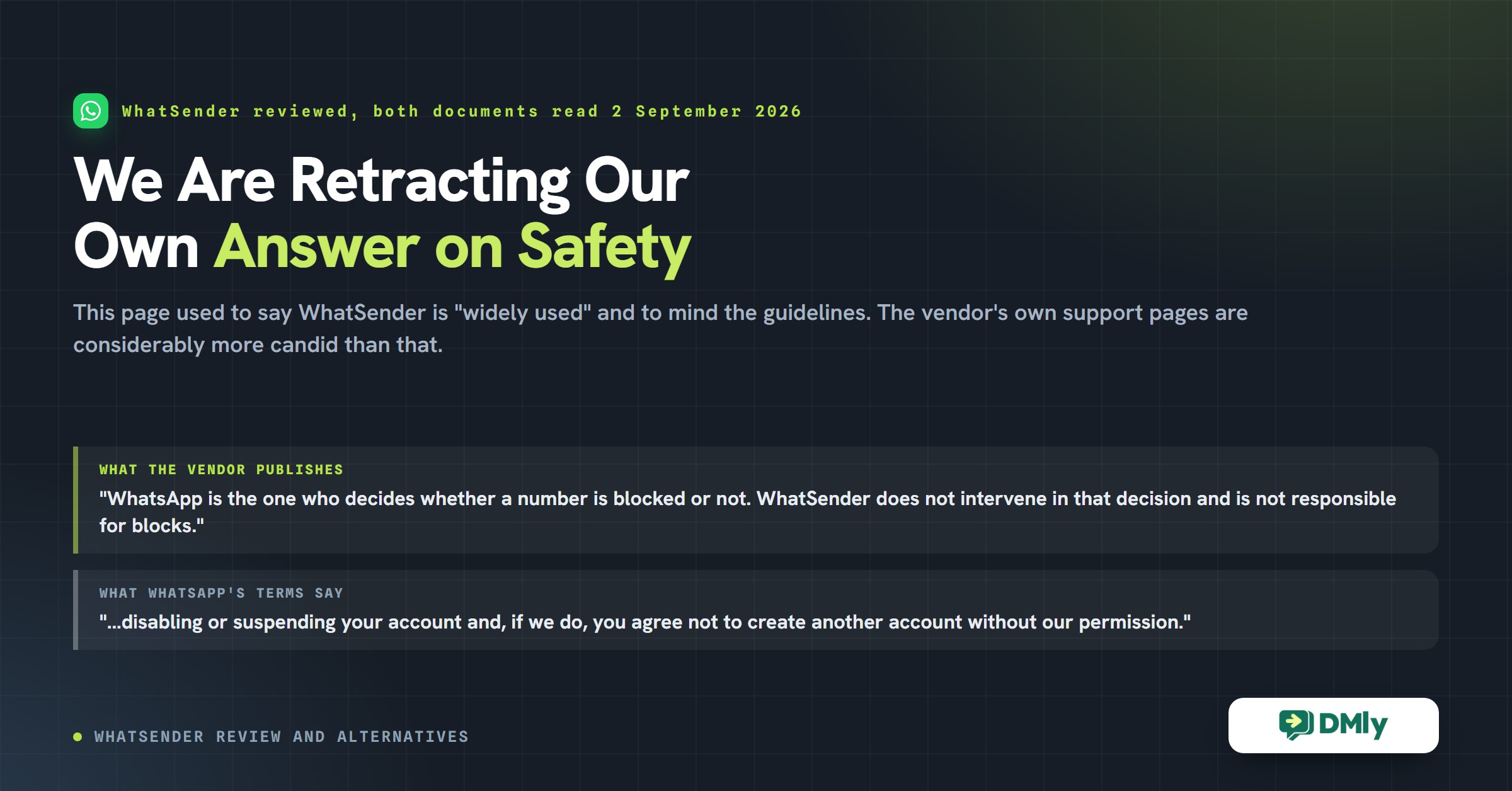
This WhatSender review used to carry a question and an answer. The question was “Is WhatSender safe to use?” The answer we published was that WhatSender “is widely used for WhatsApp outreach and messaging campaigns”, and that “businesses should still follow WhatsApp’s messaging guidelines and avoid spam-like behavior”.
We are retracting that answer, because WhatSender’s own documentation is more candid about the risk than our review of it was.
The vendor publishes a support article titled “How to avoid being blocked by WhatsApp”. In it they write that “Using WhatSender does not bypass or override these rules”, that they recommend “not sending more than 200 messages per day”, and that “WhatsApp is the one who decides whether a number is blocked or not. WhatSender does not intervene in that decision and is not responsible for blocks nor does it offer refunds for this reason.” Their refund policy lists “Problems related to the user’s WhatsApp account” among the things they will not refund.
None of that is hidden and none of it is unreasonable. It is a straight description of what you are taking on, written by the company selling you the tool, and our own review skated past it in a sentence.
So this WhatSender review has been rewritten around the decision that actually faces you: whether the number you use to run your business is a number you can afford to lose. Everything else, the price, the features, the alternatives, follows from that answer, and the WhatSender alternatives further down are all on the other side of it.
WhatSender Review: What the Product Actually Is
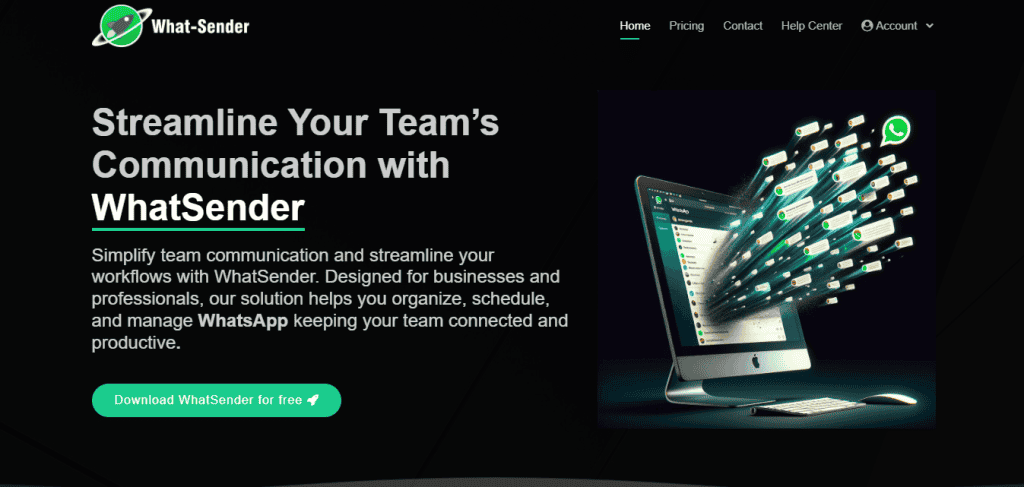
WhatSender is a browser extension that drives WhatsApp Web on your own computer, using your own WhatsApp number. That single sentence explains its price, its limits and its risk, and it is the thing most reviews leave out.
It is not a WhatsApp Business Platform product. There is no Meta approval step, no business verification, no template review and no per-message fee from Meta, because Meta is not in the loop at all. You install an extension, open WhatsApp Web, paste in a list of numbers and it types the messages for you, quickly.
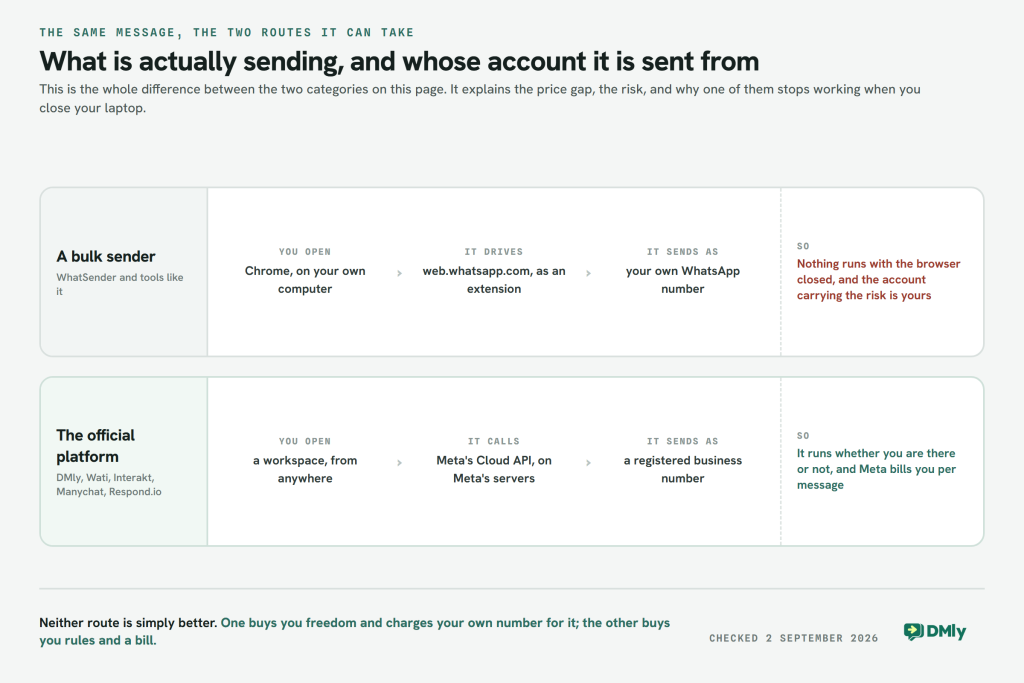
Three practical consequences the old version of this page had wrong or missing:
- It is a Chrome extension, not a desktop application. Their support documentation is explicit: “Keep in mind that WhatSender is a Google Chrome extension, so it only works in this browser or in Opera on devices that support extension installation (it won’t work on your phone).”
- It works with WhatsApp Web only, and conflicts with the WhatsApp desktop app. Their words again: “Web, not App: On your computer, WhatSender only works with web.whatsapp.com. Uninstall the WhatsApp desktop app if you have it, as it may cause conflicts.”
- Nothing runs when your browser is closed. A scheduled campaign is scheduled on your machine, in your browser, signed into your WhatsApp. This is the difference between a sending tool and a platform, and it decides whether it can be your business’s messaging system or only a task you do at your desk.
It is also a real, maintained product with real users, and that deserves saying. The extension’s Chrome Web Store listing shows roughly 100,000 users, a 4.0 rating from 197 reviews, and a version updated in August 2026. This is not abandonware and it is not a scam. It does what it says.
One housekeeping note, because it will cost somebody money. The vendor’s site is at what-sender.com, with a hyphen. The unhyphenated whatsender.com is a parked domain listed for sale and has not been the product’s site since early 2025. The Chrome Web Store listing is also currently named “WA-Sender” rather than WhatSender. If you go looking, check what you are installing.
WhatSender Pricing: All Five Figures Are Right, and One Is Missing a Minimum
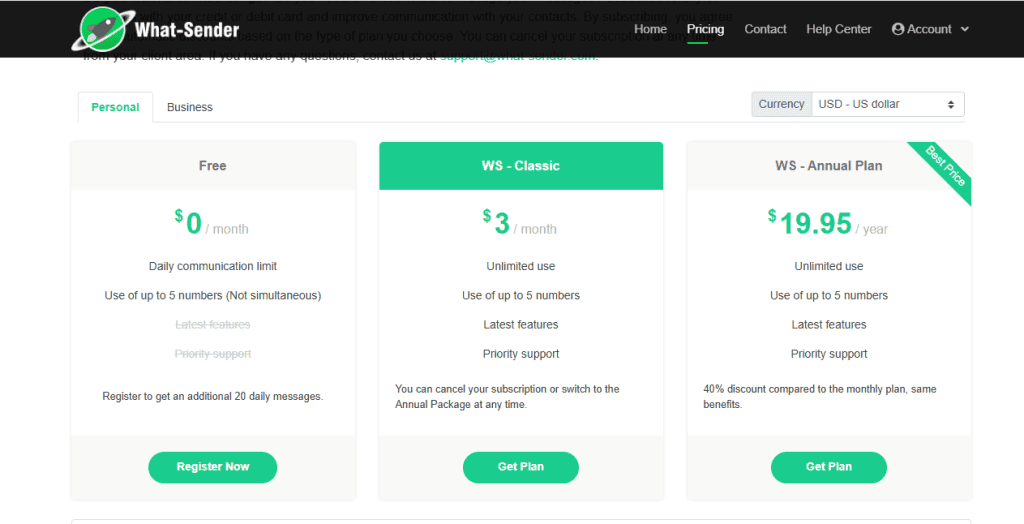
We re-checked all five prices against the vendor’s own live pricing data and every one of them is correct. That makes WhatSender the third product this year whose rate card needed no correction at all, which is worth stating plainly given how often the opposite is true.
| Plan, as the vendor names it | Price | What it includes |
|---|---|---|
| Free | $0 | 20 messages a day without registering, 40 a day if you register. Up to 5 numbers, not at the same time |
| WS – Classic | $3 per month | Unlimited use, up to 5 numbers, latest features, priority support |
| WS – Annual Plan | $19.95 per year | The same as Classic. The vendor calls it a “40% discount compared to the monthly plan, same benefits” |
| WS Business | $1.50 per licence per month, minimum 5 licences | Unlimited use per licence, 5 numbers per licence, user management console |
| WS Business – Annual | $10 per licence per year, minimum 5 licences | The same, billed yearly |
The one correction is the Business minimum, and it changes the entry price by five times. The vendor’s own pricing page carries the line “Purchase minimum: 5 licenses”. So WS Business does not start at $1.50 a month; it starts at $7.50 a month, or $50 a year on the annual licence. The old version of this WhatSender review quoted $1.50 with no minimum attached, which is the sort of thing that only shows up at checkout.
That is the same failure this blog has now found on five different vendors: a real published number that is a per-unit rate rather than a plan price. If you are comparing anything in this category, the useful habit is to write the billing term and the minimum quantity next to every figure before you compare them. Our BotSailor review works through the same trap in its most extreme form, where the headline price turns out to be one position on a slider.
Two details on the free plan that make it more useful than “free plan” suggests. The vendor’s help centre says: “You can download WhatSender for free and send up to 40 messages per day. To access this option, simply register on our website… You can also use our extension without registering, but in that case, you will only be able to send 20 messages per day.” Forty messages a day is a genuine working allowance for a small business doing one-to-one outreach, and it means you can find out whether the tool suits you before paying anything.
On refunds, read section 9 of their terms before you buy. There is a money-back guarantee, but it is narrow: it covers duplicate purchases, undelivered registration emails and significant technical faults left unfixed for 30 days. It explicitly does not cover a “change of mind”, a missed cancellation before an automatic renewal, or “Problems related to the user’s WhatsApp account”. That last exclusion is the one to notice, and the next section is about why.
Is WhatSender Safe? What the Two Sides Actually Publish
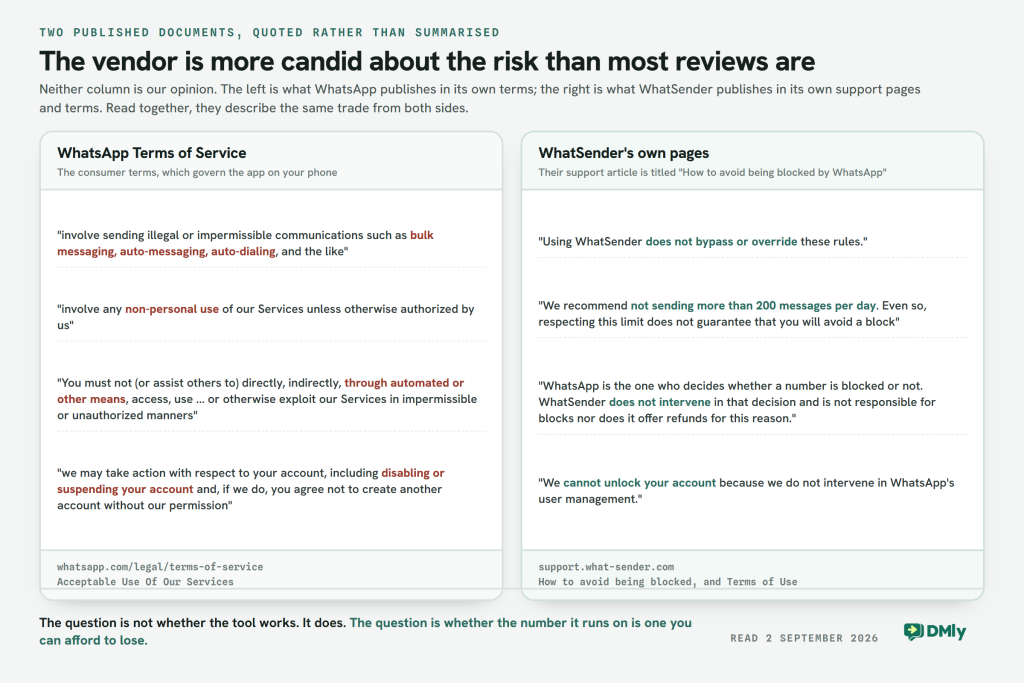
We are not going to tell you that using WhatSender breaks WhatsApp’s rules, because that is a judgement about your particular use and we cannot make it for you. What we can do is put the two published documents side by side and let you read them, which is what this section is.
What WhatsApp’s own terms say
WhatsApp’s Terms of Service, under Acceptable Use Of Our Services, introduce a list with “You will not use (or assist others in using) our Services in ways that:” and include, verbatim:
“(e) involve sending illegal or impermissible communications such as bulk messaging, auto-messaging, auto-dialing, and the like; or (f) involve any non-personal use of our Services unless otherwise authorized by us.”
whatsapp.com/legal/terms-of-service, read 2 September 2026
The same section, under Harm To WhatsApp Or Our Users, opens: “You must not (or assist others to) directly, indirectly, through automated or other means, access, use, copy, adapt, modify… or otherwise exploit our Services in impermissible or unauthorized manners.”
And on what happens if they decide you have: “we may take action with respect to your account, including disabling or suspending your account and, if we do, you agree not to create another account without our permission.”
Note which document that is. Those are the consumer Terms of Service, which govern the WhatsApp app on your phone. The WhatsApp Business Platform has its own separate Business Terms, whose Restrictions section reads “(g) develop or use any applications that interact with our Business Services without our prior written consent”. Different products, different agreements. The one that binds you is the one covering the account the extension is driving.
What WhatSender says, and they say a lot
This is the part that changed our view of the product, and it runs in the vendor’s favour rather than against them. They have written a whole support article about it.
- “Using WhatSender does not bypass or override these rules.”
- “We recommend not sending more than 200 messages per day. Even so, respecting this limit does not guarantee that you will avoid a block if you do not comply with the following points.”
- “WhatsApp does not allow contacting people who did not request it.”
- “‘Cold’ numbers: using newly purchased SIM cards (less than 15 days old) for mass sending is a high-risk signal.”
- “If you send identical messages to many contacts, WhatsApp automatically detects this as automated mass sending.”
- On their faster sending mode: “Warning: This mode increases the risk of blocks and is not recommended for new numbers or prolonged mass sending.”
- “Your responsibility: WhatsApp is the one who decides whether a number is blocked or not. WhatSender does not intervene in that decision and is not responsible for blocks nor does it offer refunds for this reason.”
- “We cannot unlock your account because we do not intervene in WhatsApp’s user management.”
Their terms add: “The User acknowledges and accepts that the use of the Website and Services is at the User’s own risk”, and describe the product as intended for “The authorized distribution of notifications and service alerts via WhatsApp”, noting that “These Services are not intended for extensive distribution of unsolicited promotions or advertising content.”
Read those two documents together and the picture is not ambiguous, but it is also not an accusation. WhatSender is a tool that automates a service whose terms restrict automation, sold by a company that says so, recommends a conservative ceiling, and tells you plainly that if the number goes, it goes and they cannot get it back. Whether that is an acceptable trade is your call, and the honest version of our old FAQ answer is that it depends entirely on what the number is worth to you.
What a block actually costs, which is more than the number
The reason this is not a small risk is that a WhatsApp number is rarely just a number by the time it matters. Losing it takes:
- Every conversation history on it. Your record of what you promised which customer, gone from the device that had it.
- The number printed on everything. Your shopfront, your van, your business cards, your Google listing, your website, your Instagram bio, the click-to-chat links in your ads.
- The right to start again on it. WhatsApp’s terms ask you to agree “not to create another account without our permission”, so a replacement is not simply a new SIM.
- Any WhatsApp advertising built on it. Click-to-WhatsApp campaigns point at a number, and the number is what stops working.
If your answer to all four of those is “annoying but survivable”, WhatSender at $3 a month is a perfectly rational purchase and the rest of this page is optional reading. If losing that number would take your bookings with it, the alternatives below exist because of exactly this, and they are what the rest of the page is about.
Where WhatSender Is Genuinely the Right Tool
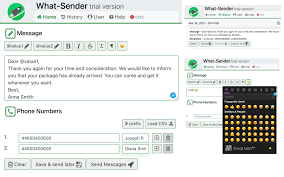
A WhatSender review that only lists risks is not much use, so here is the case for it. WhatSender is the right tool when the job is genuinely a list of messages and nothing follows them.
- Sending to people who already know you. Forty tenants told the water is off tomorrow. A class of parents told the trip is cancelled. This is the use the vendor’s own terms describe, “the authorized distribution of notifications and service alerts”, and it carries very little of the risk above.
- Working with a list you already have consent for, in numbers well under the 200 a day the vendor recommends as a ceiling.
- When you cannot justify a subscription at all. $19.95 a year is not a business decision, it is a rounding error, and every alternative on this page costs more in a month than WhatSender costs in a year.
- Not needing anything to happen next. No assignment, no CRM, no reporting, no second person answering. If a reply landing on your own phone is the whole workflow, you do not need a platform.
- No approval process. There is no business verification, no template review and no waiting. You can send this afternoon, which the official route genuinely cannot promise.
The point at which that stops working is usually not a feature you are missing. It is the first time somebody replies and the reply needs to reach someone other than you.
Five WhatSender Alternatives on the Official Platform
All five of these use Meta’s WhatsApp Business Platform, so they answer the risk question the same way: the number is registered with Meta, the tool is authorised, and nobody is automating an app that asks not to be automated. What they do not answer the same way is price, and that is where the re-checking went.
Every figure below was read from the vendor’s own pricing page or its own pricing data on 2 September 2026, with the billing term attached, because three of the four non-DMly entries on the old version of this WhatSender review were quoting the wrong billing term or the wrong row. One of them we could not verify at all today, and that is said plainly rather than papered over.
Two traps to know before you compare any of them yourself. Interakt’s pricing page auto-selects the quarterly tab when it loads, and Respond.io’s defaults to yearly. A “from $X” figure lifted from either page is a discounted rate, not the monthly price. Neither is hiding anything; both simply open on their best number, and a reader in a hurry copies it.
DMly, from $29 a month billed yearly
Disclosure: DMly is our product, so read this as an argument and check it. Every figure below came from our own pricing page on 2 September 2026.
Starter is $29 a month billed yearly, or $39 billed monthly, and it includes 3 seats, 3,000 active contacts, 6,000 broadcast or template messages a month, 10 active bots per profile with unlimited flows, and 500 AI replies. Growth is $65 and Premium $149, with 6 and 15 seats. An extra seat is $10 a month. Every plan has a seven-day trial with no card.
The reason to look at DMly rather than the other four is channels, and it is a genuine difference rather than a feature-list one. DMly connects eight: WhatsApp, Facebook Messenger, Instagram, Telegram, a live chat widget, SMS, TikTok and Google Business Profile. Two of those are unusual. TikTok comments and direct messages land in the same inbox as everything else, and Google Business Profile brings the messages, questions and reviews from your Google listing in beside them. If people find you by searching for a business like yours nearby, that second one is where a lot of first contact actually happens.
One qualification worth stating: channels are plan-gated. A plan can restrict which of the eight you may connect, and the restriction is enforced when you try to connect. Check the plan panel rather than assuming all eight come with the tier you are pricing.
On the two claims the old version of this page got wrong. It said DMly supported five channels, listing WhatsApp, Instagram, Messenger, Telegram and web chat, which dropped SMS, TikTok and Google Business Profile. And it said DMly could segment on “engagement activity”, “campaign interactions” and “customer behavior”. None of those three is a field. The real segment builder has four basic filters (contact stage, contact tags, excluded tags, and days since last activity) and twelve condition fields: lifecycle stage, source, custom field, birthday month and tag under Contact; reachable on a given channel and marketing opt-in under Engagement; and total spend, last purchase, order count, loyalty points and credit balance under Commerce. That is a real builder and it is more useful stated as a list than as an adjective.
What DMly adds over a bulk sender is not more sending. It is that a conversation started by a campaign continues somewhere: a shared inbox with assignment and internal notes, a CRM with pipeline stages, an AI agent that can tag a contact, write a note, move them along a pipeline, book an appointment against your real calendar and hand the chat to a person, and bookings, invoices and Google reviews in the same place. If all you need is to send the same message to 400 numbers, that is a lot of product you are not going to use.
DMly runs on Meta’s official Cloud API, connected through Meta’s Embedded Signup, which is what puts it on the other side of the line from WhatSender. It also means everything in the section above about the 24-hour window and template approval applies to us in full.
On the message bill: our pricing page says “You pay Meta’s standard per-message rates directly, DMly never adds a fee on top.” That is worth checking against whoever else you shortlist, because it is not the industry norm and it is rarely on a comparison table. The WhatsApp pricing calculator will size Meta’s side for your own country and volume.
Wati, and the price depends which country you open the page from

Wati is the closest thing on this list to a straight replacement for a bulk sender, and its pricing has a wrinkle no review mentions: it is regional. Wati’s pricing page detects your country and serves one of two rate cards.
| Wati plan | East card, monthly | East card, billed yearly | West card, monthly | West card, billed yearly | Users |
|---|---|---|---|---|---|
| Growth | $49/mo | $39/mo | $69/mo | $59/mo | 3, and no more |
| Pro | $99/mo | $79/mo | $149/mo | $119/mo | 5, extra at $24 |
| Business | $249/mo | $199/mo | $349/mo | $279/mo | 5, extra at $69 |
The row that decides most shortlists is the seat count, and it is unusual. Wati’s Growth plan card says, verbatim, “3 Users Included. No additional users”. Not “extra users cost more”. There is no fourth seat on Growth at any price; the fourth person is a jump to Pro, which on the West card is a rise from $59 to $119 a month. Pro then reads “5 Users Included. Additional Users @ $24/user/month”.
Allowances: Growth carries 15,000 broadcasts a month and 5,000 monthly active contacts; Pro is unlimited broadcasts and 20,000 contacts. Trial is “7 days free trial, zero setup fees”.
On the message bill, Wati makes no no-markup claim and prices messages off its own card. The plan rows read “Charged based on WATI rate card”, with Growth and Pro on “Standard rates” and Business on “Volume discounts”. The rate cards themselves are separate documents, so we cannot state a percentage against Meta’s published rates and we are not going to guess at one. The question to ask them is simply: is your per-message rate the same as Meta’s published rate for my country, yes or no?
Pick Wati if you want the shortest distance from a bulk sender to something legitimate, with three people or fewer. Look elsewhere if a fourth person needs an inbox, because that is the most expensive seat on this page. Our head-to-head against Wati goes further into the seat gate.
Interakt, where $69 is two different prices on the same page

This page used to say Interakt “starts around $12/month”. That figure is on their pricing page and it is not what you can buy. $12 a month is the Starter plan’s Instagram-only cell. On the monthly tab the WhatsApp option for Starter reads “Not Applicable”, so Starter with WhatsApp is not sold on monthly billing at all.
| Interakt plan | Monthly | Quarterly | Yearly | Channels |
|---|---|---|---|---|
| Starter | $12, Instagram only | $69 | $239 | “Pick any one channel” |
| Growth | $55 | $149 | $499 | “Includes both channels” |
| Advanced | $69 | $189 | $649 | “Includes both channels” |
| Sales CRM | $49 | $135 | $471 | 5 agents included, more at $10 each |
The realistic entry price is $69 a quarter, about $23 a month, and the page opens on the quarterly tab. Interakt’s own page script carries the comment “Auto-select quarterly on page load”, so the first prices a visitor sees are quarterly. That is not a trick, but it is the reason so many reviews quote a number that does not correspond to a month.
Two corrections in Interakt’s favour. The old page’s cons said “Mostly centered around WhatsApp” and “Limited omnichannel functionality”; their home page ends on the words “on WhatsApp and Instagram!” and Growth and Advanced both read “Includes both channels”. And the old page never mentioned the trial, which their home page states as “14 day free trial | No credit card required”, the longest trial on this page by a week.
Contacts, agents and messages are generous: “Unlimited agents”, “No restriction on Contacts!” and “Unlimited Messages (Based on your WhatsApp Number)”. The AI agent is an add-on at $74.99 a month for Growth and Advanced, including 100 free AI messages and $0.011 each after that.
On markup, Interakt’s own page makes the position readable. “No Markup Charges” and “No Templates Markups” appear only in the Enterprise column, and the published per-message rates differ between plans, which a straight pass-through could not do. Their billing formula is stated as “Total Monthly WhatsApp Billing = Subscription Charges based on your plan + Template charges above free limit”. Read that as: the messages are billed by Interakt, not by Meta, and the rate depends on your plan.
Pick Interakt if you sell online, want WhatsApp and Instagram in one place, and can commit for a quarter. Look elsewhere if you want to pay monthly for WhatsApp on the entry tier, because that combination is not offered. Our fuller Interakt review covers the plan gates.
Manychat, which we could not price today and are not going to guess at

We are not quoting a Manychat price on this page, because we could not read one from Manychat on 2 September 2026. Their pricing page, their plan-comparison page and their help centre all return a bot challenge to anything that is not a full browser session, so there was no first-party figure to check the old “around $15/month” against. Third-party sources disagree with each other and with themselves, which is exactly the situation in which a review should say nothing rather than pick one. A WhatSender review is not the place to guess at a third company’s rate card.
What we can tell you is the shape of the thing, because it is the same shape as the BotSailor slider covered above. Manychat prices by active contacts, so any single figure quoted for it is a rung on a ladder rather than the price of the plan. If you shortlist it, open the pricing page yourself and read the number against your own contact count, not the one at the bottom of the ladder.
One correction we can make with confidence, and it runs in Manychat’s favour. The old version of this page described Manychat as having a “heavy focus on Meta platforms” and the comparison table marked its channels as “Meta-focused”. Our own March 2026 capture of their home page, above, has them describing “powerful automations for Instagram, WhatsApp, TikTok, and Messenger” and carrying a TikTok Marketing Partner badge. TikTok is not a Meta platform. That characterisation was wrong and it has been removed.
Pick Manychat if your customers find you on Instagram or TikTok and the job is turning comments and story replies into conversations, which is what it has always been best at. Check before you commit: what the price is at your contact count, which channels your tier includes, and whether WhatsApp is one of them, because on their tiering it is not on every plan.
Respond.io, where the $79 is the annual rate and the features start one tier up
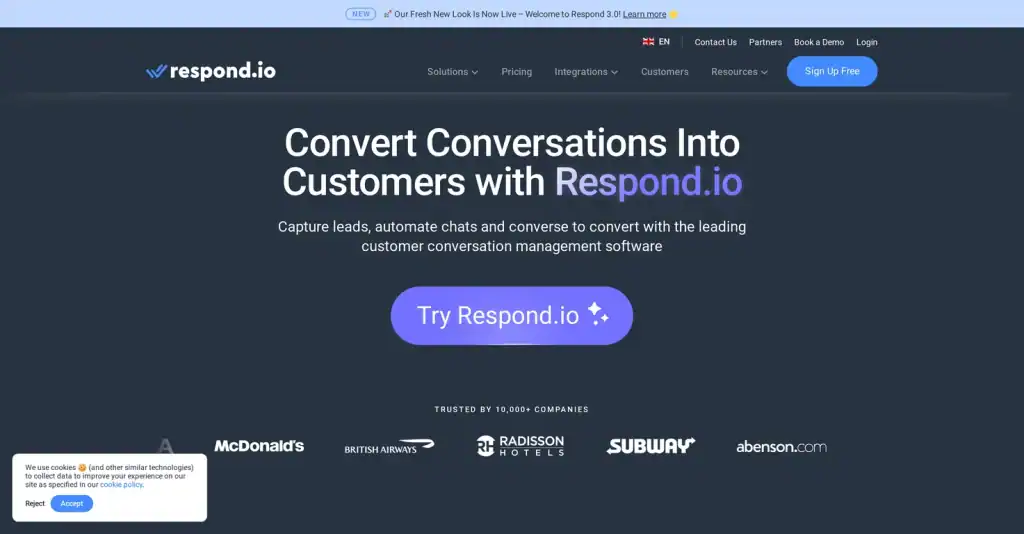
The old page said Respond.io “starts around $79/month”. The $79 is real and it is the annual rate; billed monthly, Starter is $99. Their pricing page opens on the yearly toggle, which is where the discrepancy comes from.
| Respond.io plan | Billed monthly | Billed yearly | Annual total | Users | Extra seat |
|---|---|---|---|---|---|
| Starter | $99/mo | $79/mo | $948 | 5 | $12/mo |
| Growth | $199/mo | $159/mo | $1,908 | 10 | $20/mo |
| Advanced | $349/mo | $279/mo | $3,348 | 10 | $24/mo |
The gate that matters is not the price, it is what Starter leaves out. Respond.io’s own plan cards are clear about it: Starter “Includes:” the team inbox, the mobile app, AI Assist, basic reports and growth widgets. Growth is “Everything in Starter, plus:” and the first three items on that list are Broadcasts, Workflows automation and AI Agents.
So if you are leaving a bulk sender, which is to say if broadcasting is the thing you actually do, Starter is not the plan. The relevant figure is Growth at $159 a month billed annually, or $199 monthly, which is the most expensive entry point on this page by some distance.
Two more things worth knowing. Monthly Active Contacts are unmetered on Starter and start at 1,000 on Growth, with overage “at $12 per 100 MACs on Growth and $15 per 100 MACs on Advanced”. And AI credits are included per tier, 5,000 on Starter rising to 20,000 on Advanced, with overage “at $15 per 1,000 additional credits” and a hard cap at 200 per cent of your allowance so a runaway bot cannot run up an unbounded bill.
On the message bill, Respond.io is the clearest of the four: “WhatsApp fees are not included in any respond.io subscription. Meta charges these fees based on your usage.” That is a pass-through statement, and it is the one thing on their pricing page that is easier to read than everyone else’s.
Trial: “Our 7-day free trial provides immediate access to all features of the Growth plan for 5 users and 1,000 Monthly Active Contacts, except for broadcasts.” Note the exception, given what you are probably trying to test.
Pick Respond.io if you have a real support operation across several channels and the budget to match. Look elsewhere if you are coming off a $3-a-month extension, because the honest gap is $3 to $159 and no amount of feature comparison closes it. Our fuller Respond.io review has the rest.
WhatSender Review Summary: the Six Side by Side
| WhatSender | DMly | Wati | Interakt | Manychat | Respond.io | |
|---|---|---|---|---|---|---|
| What it runs on | A Chrome extension driving WhatsApp Web | Meta’s official WhatsApp Business Platform | ||||
| Whose account sends | Your own WhatsApp number | A business number registered with Meta | ||||
| Realistic entry price | $3/mo, or free at 40 messages a day | $29/mo billed yearly | $39 to $59/mo billed yearly, by region | $69 per quarter | Not published in a form we could read | $159/mo billed yearly for the tier with broadcasts |
| Monthly billing? | Yes, $3 | Yes, $39 | Yes, $49 to $69 by region | Yes, but not for WhatsApp on Starter | Yes | Yes, $99 Starter or $199 Growth |
| Seats included | 1. Business is 5 licences minimum at $1.50 each | 3, 6 or 15 | 3 on Growth, and no fourth at any price | “Unlimited agents” | Varies by tier | 5 on Starter, 10 on Growth |
| Runs when you are not there | No. Your browser has to be open | Yes. It runs on the platform, not your machine | ||||
| Safe monthly volume | The vendor recommends 200 a day, about 6,000 a month | 6,000 on Starter, 50,000 on Growth | 15,000 broadcasts on Growth | “Unlimited Messages” | Tiered by contacts | Unmetered contacts on Starter |
| Who bills the messages | Nobody. There are no per-message fees | Meta, at its own rate. “DMly never adds a fee on top” | Wati, off its own rate card | Interakt. “No Markup Charges” appears only on Enterprise | Meta’s fees apply | Meta. “WhatsApp fees are not included in any respond.io subscription” |
| Free trial | Free tier, no time limit | 7 days, no card | 7 days | 14 days, no card | 14 days on one tier | 7 days, broadcasts excluded |
| If the number is blocked | Your problem. “does not offer refunds for this reason” | Not the same risk. The number is registered and the tool is authorised | ||||
One row on that table is more interesting than the price row. WhatSender’s own guidance recommends a ceiling of 200 messages a day, which is about 6,000 a month. DMly Starter allows 6,000 broadcast or template messages a month. Those are the same number. So the honest comparison at the small end is not $3 against $29 for more capacity; it is $3 against $29 for roughly the same monthly volume, where the difference you are paying for is that somebody else is carrying the risk and the sending does not stop when you shut your laptop.
Whether that is worth $26 a month is a genuine question with a genuine answer either way, and it depends entirely on the four things a blocked number would take with it.
What the Official Route Takes Away, Including From Us
Moving to an official platform is not a straight upgrade, and any WhatSender review that tells you it is has skipped the interesting part. The platform you move to inherits Meta’s rules, and those rules take away several things a desktop sender lets you do freely. Here is what you give up, using DMly as the example because it is ours and we can be exact about it.
- You cannot message whoever you like, whenever you like. WhatsApp only delivers a free-form message inside 24 hours of the contact’s last message to you. The clock starts on their message, not yours, and replying does not reset it. Outside that window the only thing that goes out is an approved template. DMly enforces this identically in the inbox, in automations, in broadcasts and in sequences, because they all read the same window.
- There is no agent exemption. The seven-day reply window people quote is a Messenger and Instagram rule. On WhatsApp it is 24 hours, for humans as well as bots.
- Templates need Meta’s approval before they exist. A campaign you could type and send in a desktop tool this afternoon has to be submitted and approved first.
- Your messaging tier and quality rating are read-only. DMly reads both from Meta and shows them to you. Nothing in DMly blocks, slows or throttles a send based on either. If Meta decides you have hit your tier, Meta stops the message on its side and you will not see a warning from us first.
- Connecting a number usually takes it over. By default, connecting a number to the Cloud API through DMly takes it exclusively, so the WhatsApp app on that number stops working unless you set up co-existence.
- Meta bills you for the messages. That is a real running cost a desktop sender does not have, and it is covered further down.
That list is the actual trade. A desktop sender gives you freedom and puts your own number at risk. The official platform protects the number and takes the freedom away. Neither is obviously right, and which one suits you depends on whether losing that number would be an inconvenience or a disaster.
Six Things DMly Does Not Do
Separately from Meta’s rules, these are ours, and they are the ones worth knowing before you shortlist us rather than after.
- There is no free forever plan. WhatSender has one and we do not. Ours is a seven-day trial with no card, and then you pay.
- Every plan caps broadcast volume. Starter allows 6,000 broadcast or template messages a month, Growth 50,000 and Premium 300,000. The allowance counts every recipient of a broadcast plus every template sent from anywhere else, including a flow, a reminder or an invoice. Replies inside an open conversation are not counted.
- The broadcast Replies figure is always zero. It appears as a stat card and as the last step of the conversion funnel, and nothing in DMly counts replies to a broadcast on any channel. Per-template performance is a separate screen and that one does report a lifetime Replied count, so the number exists; it is just not on the broadcast.
- The engagement-over-time chart on a broadcast is placeholder data. It shows the same fixed shape for every broadcast and is not derived from your send.
- Delivered and Opened stay at zero on Messenger and Instagram. Meta does send those confirmations and DMly records them against the individual message in the inbox, but does not roll them onto the broadcast. Telegram sends no delivery confirmations at all, and SMS reports Delivered but never Opened.
- The inbox has no routing rules. There is round-robin assignment, there are flow nodes that assign, and the AI agent can assign or hand over. There is no rules engine that routes by keyword, by department or by working hours.
What Changes on 1 October 2026
This affects the WhatsApp Business Platform, which is what all five alternatives on this page use. It does not affect the free WhatsApp Business app, and it does not affect a desktop sender driving your own account. It is one of the few places where staying on WhatSender genuinely saves you money, so it belongs on this page rather than being left to the pricing pillar.
Two categories of message start being charged, not one. Most coverage reports the first and misses the second. In Meta’s own words:
- “Effective October 1, 2026, Meta will charge on a per-message basis for service messages, consistent with how Meta charges for template messages.” Service messages are the free-form replies you send inside the 24-hour window, free since November 2024.
- “Effective October 1, 2026, Meta will charge on a per-message basis for utility messages sent in response to users within an open 24-hour customer service window.” For a business sending order confirmations and appointment reminders, this second one is usually the bigger bill.
The two now scale differently. Meta says: “Meta does not offer volume tiers for service messages. Meta continues to offer volume tiers for utility and authentication messages.” Service cost rises in a straight line with conversation length, so a bot that takes eight turns to answer a question costs roughly twice one that takes four.
There is a hard deadline before that, on 30 September 2026. Every account on the WhatsApp Business Platform needs a payment method on file. From 1 October, accounts without one stop having their service messages delivered. It is set in WhatsApp Manager under the business portfolio’s billing settings and it takes about two minutes. If you are moving off a desktop sender this month, do that on day one rather than day thirty.
One thing you can check yourself. Meta’s own page commits to “announce and publish the rates that take effect October 1, 2026, including rates for service messages, by September 1, 2026.” We checked again on 2 September, on both pages where such rates would appear: the upcoming-pricing page carries the commitment and no rates, and the public WhatsApp Business pricing page still describes service messages as not charged. Meta’s own publication date has passed and the rates are not up. Until they are, treat any per-message figure quoted to you for October as an estimate, whoever is quoting it. Our running write-up of the October change is updated as Meta publishes, and the country rate card carries today’s published rates per market.
Which WhatSender Alternative Is Best?
Most of the traffic to a WhatSender review is looking for this section, so here it is plainly. The useful question is not which is best, it is which problem you have. Four of these five exist to solve different ones.
- Stay on WhatSender if you send notices to people who already know you, under a couple of hundred a day, and losing the number would be irritating rather than serious. At $19.95 a year it is not really a purchase and none of the alternatives is competing for that job.
- Move to DMly if replies need to reach more than one person, if your customers also arrive from Instagram, TikTok or your Google listing, and if you would rather Meta billed you for the messages than a middleman did. Disclosure again: we make it.
- Move to Wati if you want the shortest, most WhatsApp-shaped step off a bulk sender and you have three people or fewer. Check the region your price card comes from, and check the fourth-seat wall before you commit.
- Move to Interakt if you sell online and want WhatsApp and Instagram together, and can pay by the quarter. It has the longest trial here at 14 days, so it is the cheapest one to actually try.
- Move to Manychat if the job is Instagram and TikTok comments turning into conversations. Get the price for your own contact count before you decide, because it is set by that number.
- Move to Respond.io if you already have a support team on several channels. Budget for Growth rather than Starter, because broadcasts are not on Starter.
And if none of that resolves it, use the vendor’s own number as the test. WhatSender recommends staying under 200 messages a day. If your business needs to send more than that, you are outside the envelope the tool’s own maker draws around it, and the decision has already been made for you.
For a wider field than these five, our roundup of twenty WhatsApp messaging automation tools applies the same price discipline across the category, and the chatbot cost breakdown works through what a real month costs once the subscription and Meta’s messages are both counted.
WhatSender Review FAQs
Is WhatSender safe to use?
It depends what you mean by safe, and this is the answer we previously got wrong by being too soft. The software itself is a real, maintained product with around 100,000 users on the Chrome Web Store. The risk is not to your computer, it is to your WhatsApp number. WhatsApp’s Terms of Service prohibit use that involves “bulk messaging, auto-messaging, auto-dialing, and the like”, and say that where they take action they may disable or suspend the account, after which “you agree not to create another account without our permission”. WhatSender’s own support pages say plainly that using it “does not bypass or override these rules”, recommend a ceiling of 200 messages a day, and state that they are “not responsible for blocks nor does it offer refunds for this reason”. Read both documents and decide whether the number is one you can afford to lose.
How much does WhatSender cost?
The personal plans are $3 a month for WS Classic or $19.95 a year for the annual plan, both giving unlimited use on up to five numbers. There is a free tier of 40 messages a day if you register, or 20 if you do not. The business plans are $1.50 per licence per month or $10 per licence per year, but with a minimum purchase of five licences, so the real business entry price is $7.50 a month or $50 a year, not $1.50. Prices are also published in euros, rupees and several other currencies, selected by where you are.
Does WhatSender use the official WhatsApp API?
No. It is a Google Chrome extension that automates WhatsApp Web using your own WhatsApp account. Their support documentation says it “only works in this browser or in Opera”, that it “won’t work on your phone”, and that it works with web.whatsapp.com rather than the WhatsApp desktop app. That is the whole difference between it and every alternative on this page, and it is why WhatSender has no per-message fees and no approval process, and also why the account carrying the risk is yours.
What is the best WhatSender alternative?
It depends on why you are leaving. For channels beyond WhatsApp and a team answering together, DMly from $29 a month billed yearly. For the most direct WhatsApp-shaped replacement, Wati from $39 to $59 a month billed yearly depending on your region, with three seats and no fourth. For online sellers wanting WhatsApp and Instagram, Interakt from $69 a quarter. For a support operation across many channels, Respond.io, but budget for Growth at $159 a month billed annually rather than Starter, because broadcasts are not on Starter.
Can WhatSender send messages while my computer is off?
No. Scheduling exists, but the schedule runs in your browser on your machine with WhatsApp Web open and signed in. Close the browser, shut the laptop or lose your connection and nothing sends. This is the practical difference between a sending tool and a messaging platform, and it usually matters more day to day than any feature comparison.
How many messages a day can I send with WhatSender?
The paid plans describe sending as unlimited, but the number that matters is the one the vendor recommends rather than the one the plan allows. Their own guidance is “not sending more than 200 messages per day”, with the qualifier that “respecting this limit does not guarantee that you will avoid a block”. They also warn that identical messages sent to many contacts are detected as automated mass sending, and that their faster sending mode “increases the risk of blocks”. Treat 200 a day as the working ceiling.
Which WhatSender alternative is best for growing businesses?
The one that matches the shape of the growth. If you are adding people, look at the seat rows first, because that is where these products differ most: Wati Growth stops at three with no fourth available, Respond.io includes five, and DMly includes three, six or fifteen depending on tier with extra seats at $10. If you are adding channels rather than people, the question is which channels, and only one product on this page covers eight of them.
Writing about WhatsApp automation, bookings and growth for local business.
Turn WhatsApp into your busiest channel.
Start free and run message, bookings, payments and reviews in one place.
